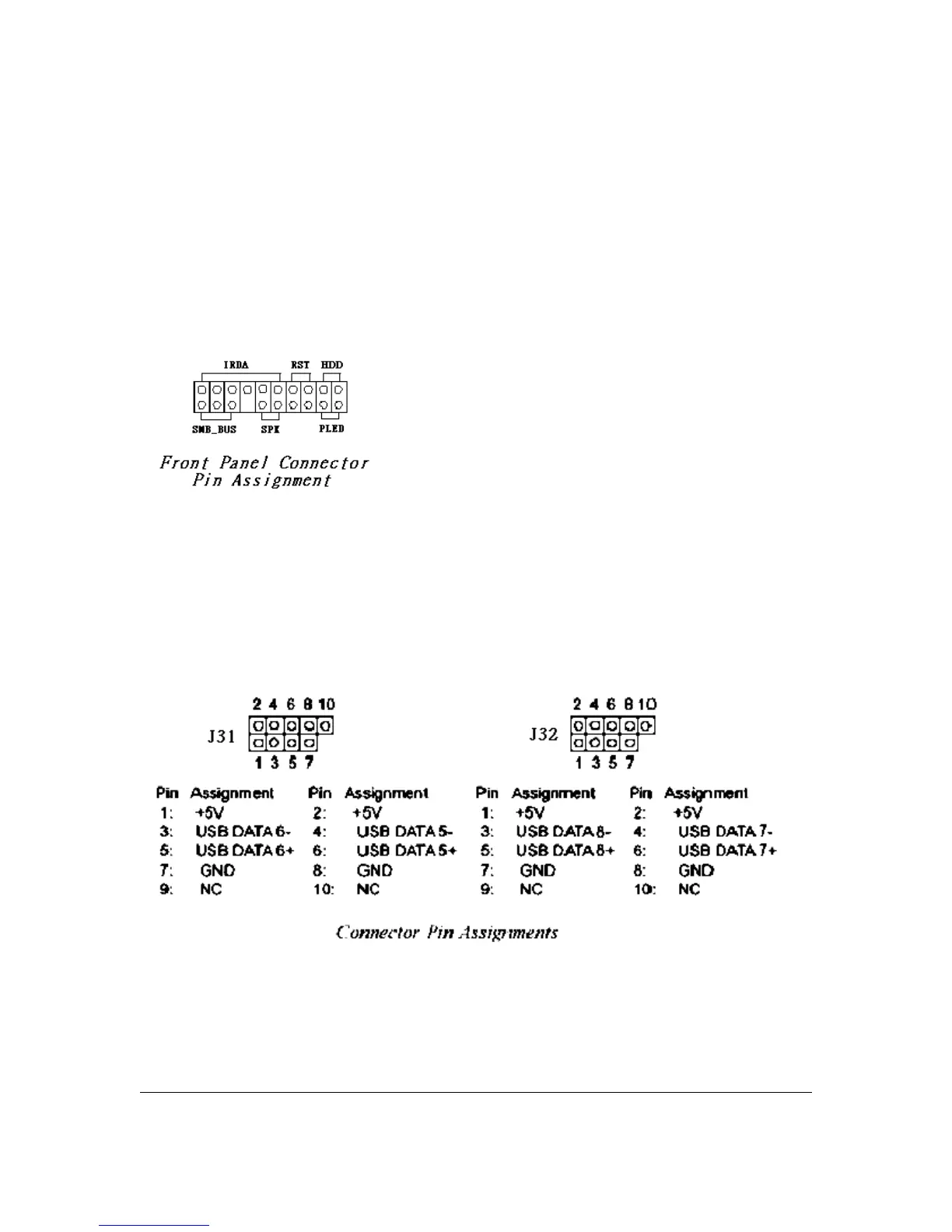
J54: Front Panel Connector
This connector, J54, connects the following system housing front panel features:
• Reset Switch (RST in diagram)
• HDD LED (HDD in diagram)
• Power LED (PLED in diagram)
• System Management Bus (SMB_BUS in diagram)
• Housing-mounted Speaker (SPK in diagram)
• IRDA connector (IRDA in diagram)
J25: Power Switch
J31, J32: Internal USB Connector
These connectors, J31 and J32, let you attach internal USB devices.
User’s Manual 2 - 11



 To Next Page