Installing the Fan/ Heatsink
To install the Fan/Heatsink assembly:
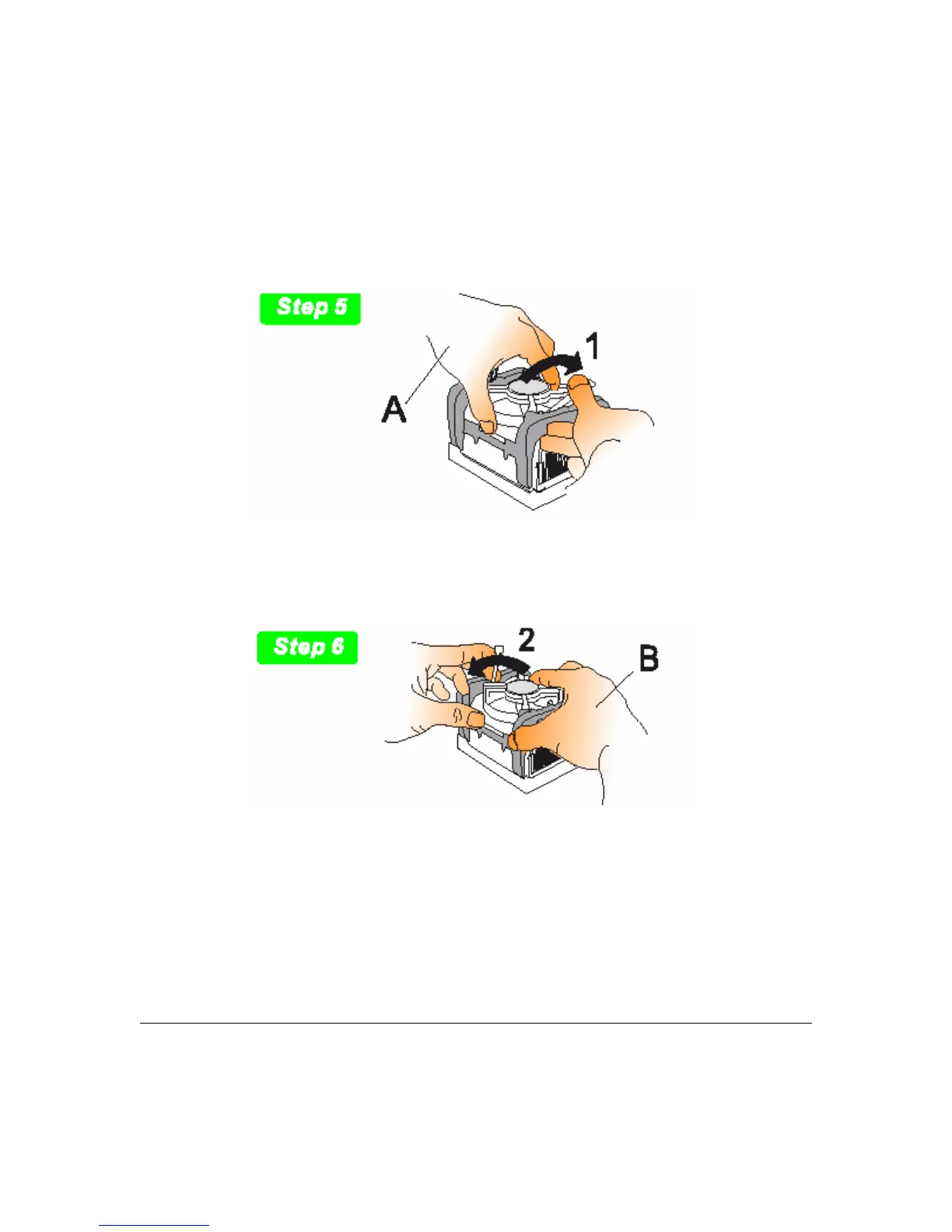
5. When installing the Fan/Heatsink and clip assembly it is important to make sure the
Fan/Heatsink does not rotate or twist on the processor. Securing the Fan/ Heatsink while
closing the clip lever will ensure the thermal interface material (TIM) is not damaged and the
processor will operate correctly. The TIM is attached to the heatsink.
6. Make sure to close the clip levers one at a time. Close the clip lever (1), while holding the
top-side of the Fan/Heatsink with your other hand (A). Close the clip lever (2) while holding
the top-side of the Fan/ Heatsink with your other hand (B).
3 - 5 User’s Manual



 To Next Page