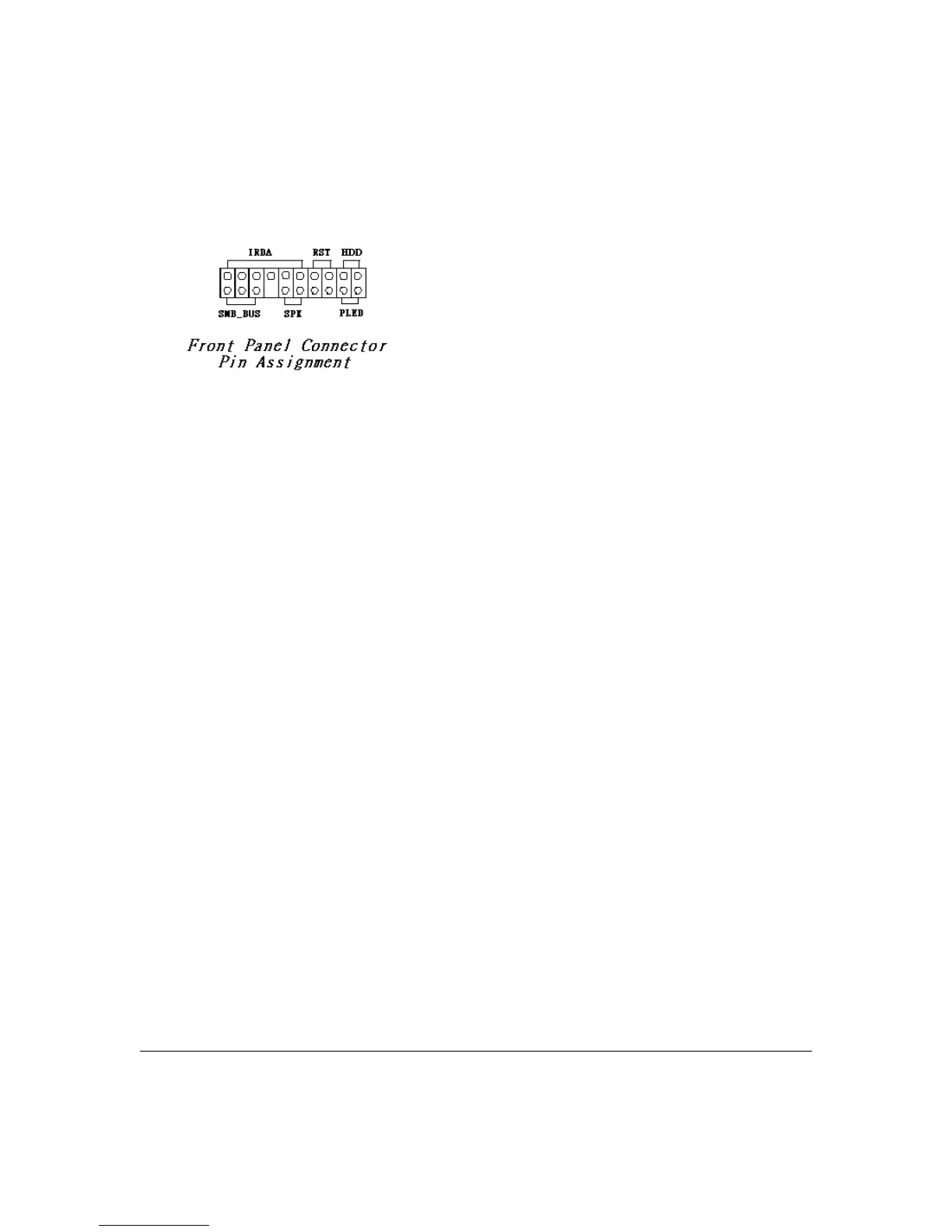
Connecting Front Panel Components
After installing the motherboard in the system housing, you should connect the front panel
components to the Front Panel Connector, J54. Check the figure below for pin assignments.
Completing System Configuration
After installing the motherboard in the system housing, you can connect or install the internal
devices you need to complete the system. This will include attaching disk drives and connecting
housing power supply connectors. After replacing the system housing cover, you can connect
external peripherals such as a monitor, a keyboard, and a pointing device.
Once you have completed final hardware installation, you can configure the CMOS Setup Utility
and Drivers - see the following chapters - and install operation system and support software - see
related documentation.
3 – 10 User’s Manual



 To Next Page