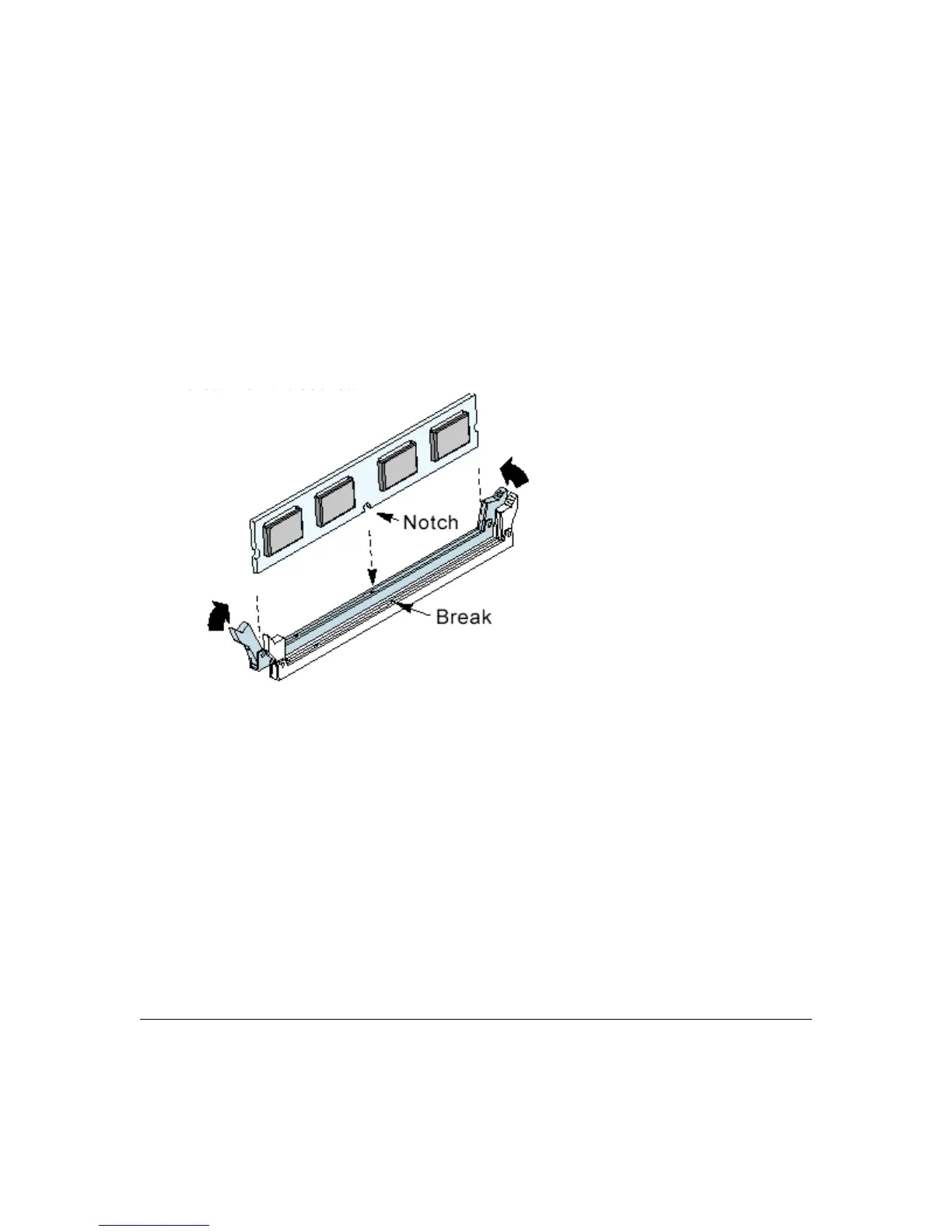
Installing Memory Modules
To install a memory module, you insert a module into its socket and secure it with the socket
retaining arms. The modules are notched so that you cannot insert them incorrectly. The BIOS
recognizes the installed memory and configures the CMOS Setup Utility automatically.
Note: It is recommended that you install at least two memory modules, beginning in sockets
DIMMA1 and DIMMB1.
To install memory modules:
1. Unlock a DIMM socket by pressing the retaining clips outward.
2. Align the “notch” on the memory module to the “break” on the socket.
3. Firmly insert the module into the socket until the retaining clips snap back into place and the
module is properly seated.
4. Make sure the memory module is locked on the socket with both retaining clips.
3 – 8 User’s Manual



 To Next Page