29
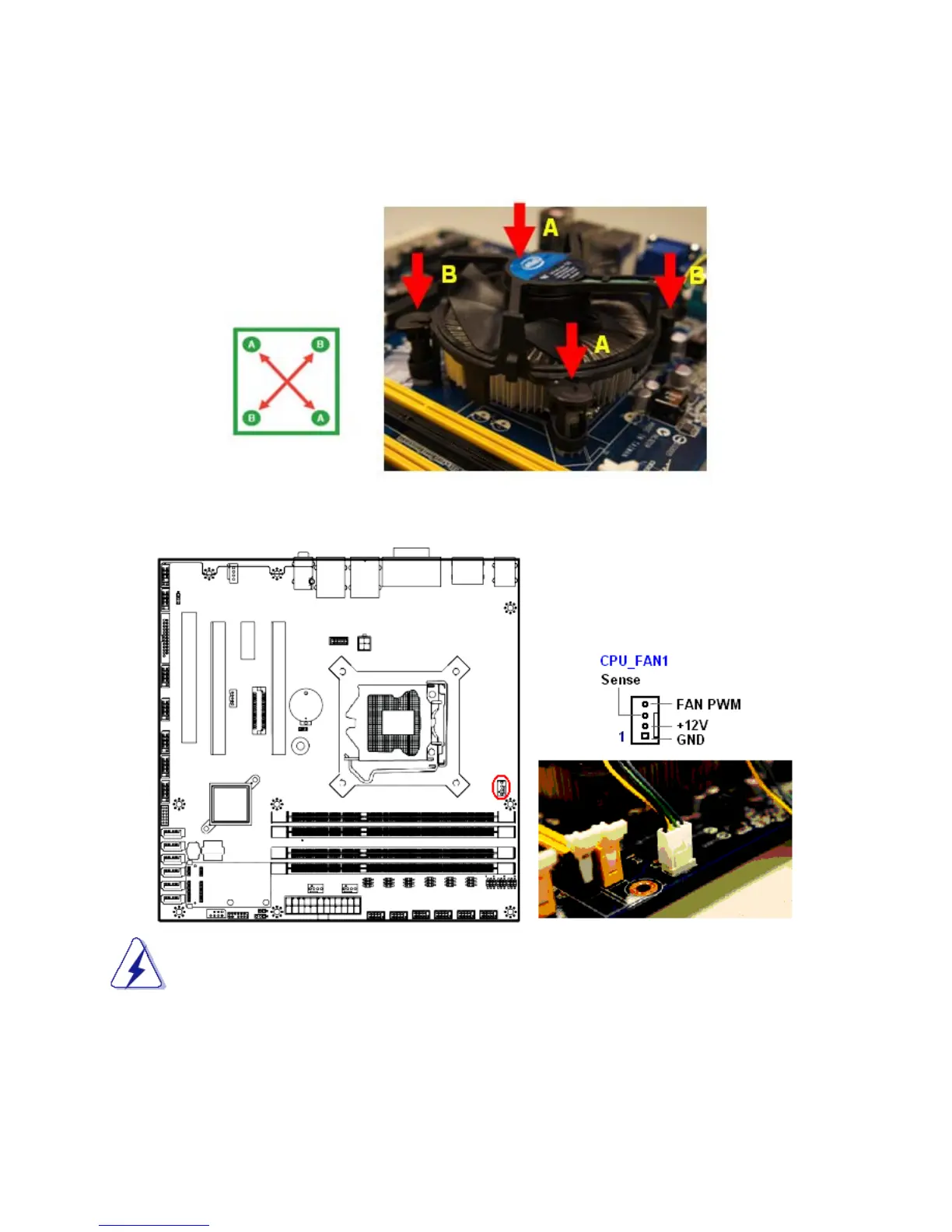
2. Push down two fasteners at a time in a diagonal sequence to secure the heatsink and fan
assembly in place
.
3. Connect the CPU fan cable to the connector on the motherboard labeled “CPU_FAN1”.
1. Do not forget to connect the CPU fan connector. Insufficient air flow inside the
system chassis may damage the mainboard components. Hardware monitoring errors
can occur if you fail to plug in this connector.
2. Do not install any pin connector on the header “CPU_FAN1”, doing so may damage
the mainboard.



 To Next Page