35
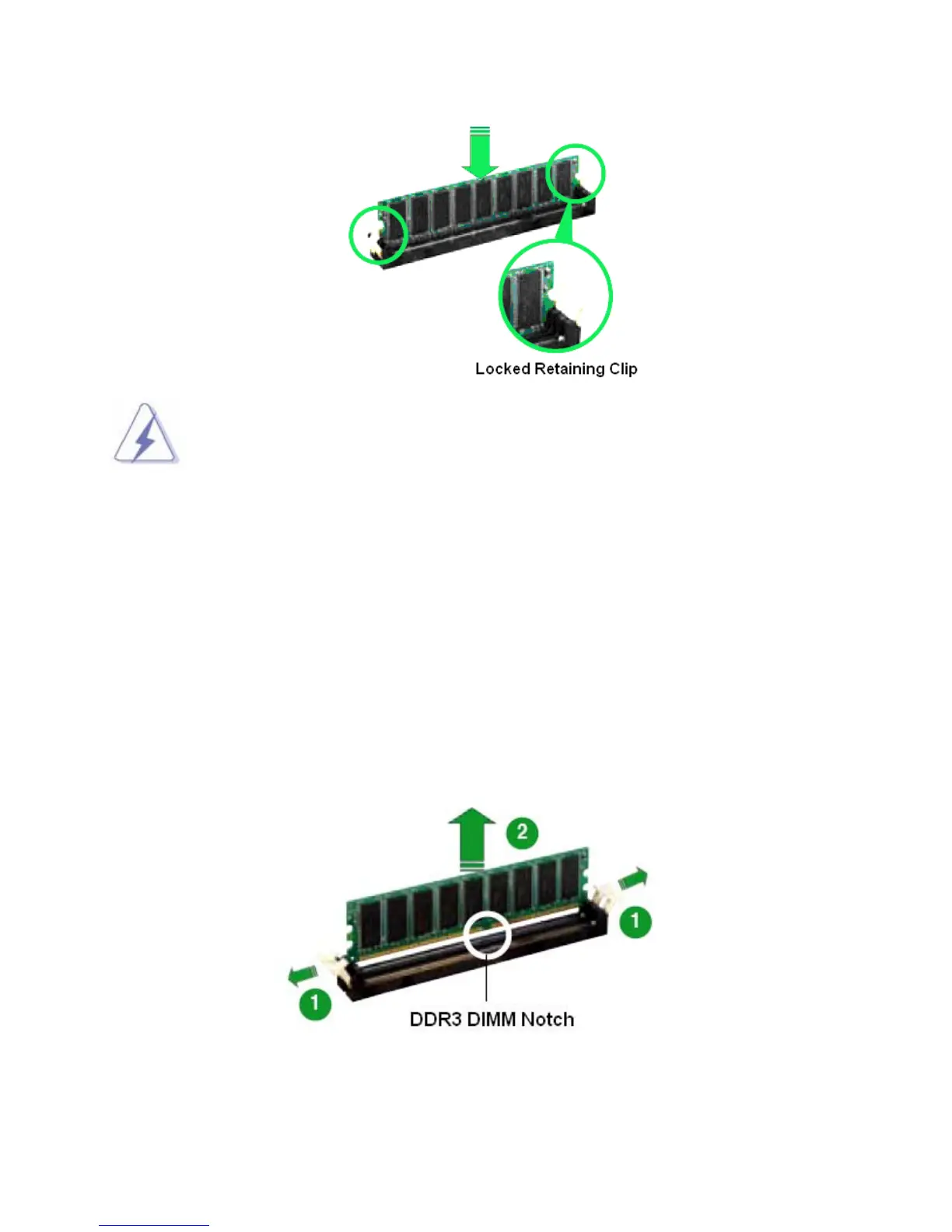
1. A DDR3 memory module is keyed with a notch so that it fits in only one direction.
2. DO NOT force the memory module into the socket in order to avoid damaging the
memory module and the slot.
3. DDR3 memory modules are not interchangeable with DDR or DDR2.
4. DDR3 standard IS NOT backward compatible. You shall only install the DDR3
memory modules on this mainboard.
5. To enable the system boot-up successfully, always install the memory module
into the DMM1 slot first.
1.8.5 Removing DIMM
Follow these steps to remove a DIMM.
1. Simultaneously press the retaining clips outward to unlock the DIMM.
2. Remove the DIMM from the socket.



 To Next Page