Chapter 8: Manual settings 113
Optimizing laser delay
Introduction This topic describes how to optimize the laser delay using
BD FACSDiva software.
Before you begin To optimize the delay for a given laser, you must acquire events
from a sample with a fluorescence signal excited by that laser.
Follow the procedures in Recording and analyzing data (page 87),
for sample optimization and acquiring data.
Procedure To optimize laser delay:
1. While acquiring data from your sample, create a histogram to
show
the fluorescence signal excited by the laser for which the
delay is to be optimized.
2. In the Acq
uisition Dashboard, set the Events to Display to 500
events.
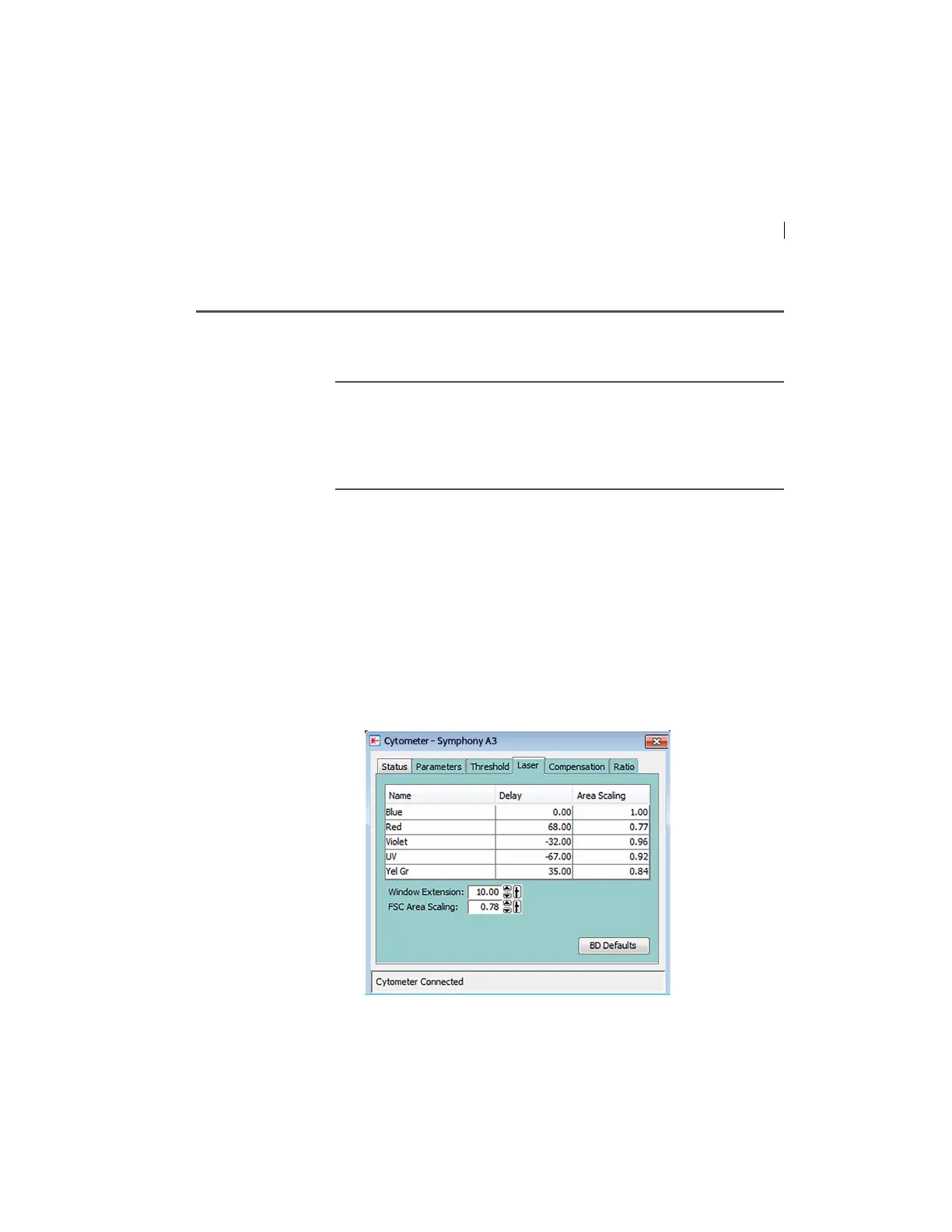
3. Click the Laser ta
b in the Cytometer window.
Window extension and laser delay values are displayed in
microseconds (µs).
4. Set the Window Extension value to 0 µs.



 To Next Page