75.5905.06 BODYGUARD-T 20190402 Page 9 of 12
4
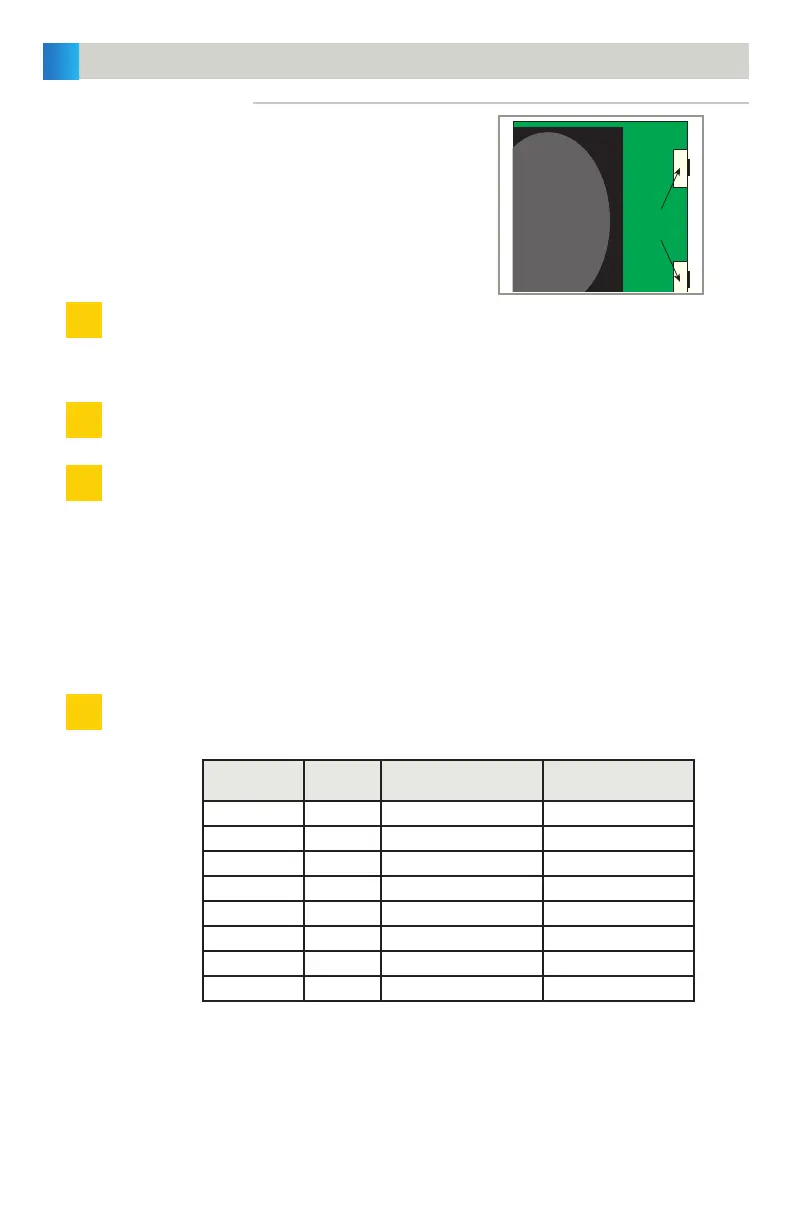
PB1
PB2
LENS
1
4
2
3
PROGRAMMING THE SENSOR (cont.)
Only the following functions are programmable using push-buttons:
• Sensitivity
• Output configuration
• Auto-learn time
• Pattern width
• Pattern depth
PUSH-BUTTON SET-UP
Press PB1 for less than 2 seconds. LED will flash green for 10 seconds and the sensor will execute the
appropriate set-up for the current door position. The green LED flashes at a slower rate if interruptions
are detected in the field. Press PB1 to re-launch.
Press PB1 for more than 2 seconds to change the parameters.
To choose the parameter, press either PB1 or PB2, and the LED will flash red (indicating the parameter)
and then flash a specific number of green blinks (indicating the current parameter setting). See chart
below for reference.
NOTES:
* Pressing PB1 will toggle between parameters.
* Pressing PB2 will toggle between range of adjustments for that particular parameter.
* The value returns to the lowest setting when PB2 is pressed again after reaching the highest adjustment.
* Zero value = no LED flash
* To exit, wait 20 seconds or press PB1 for more than 2 seconds.
When finished with manual set-up, replace the right end cap.
Red LED
Status
Parameter Description Green LED Status
1 flash 1 Sensitivity (door open) 0 – 9 flashes (default = 7)
2 flashes 2 Sensitivity (door closed) 0 – 9 flashes (default = 6)
3 flashes 3 Output configuration 1 – 2 flashes (default = 1)
4 flashes 4 Auto-Learn time 0 – 9 flashes (default = 0)
5 flashes 5 Pattern width (door open) 0 – 9 flashes (default = 2)
6 flashes 6 Pattern width (door closed) 0 – 9 flashes (default = 1)
7 flashes 7 Pattern depth (door open) 1 – 6 flashes (default = 1)
8 flashes 8 Pattern depth (door closed) 1 – 6 flashes (default = 1)


 To Next Page