75.5753.15 LZR-MICROSCAN T 20180720 Page 13 of 1675.5753.15 LZR-MICROSCAN T 20180720 Page 13 of 16
TROUBLESHOOTING (cont.)
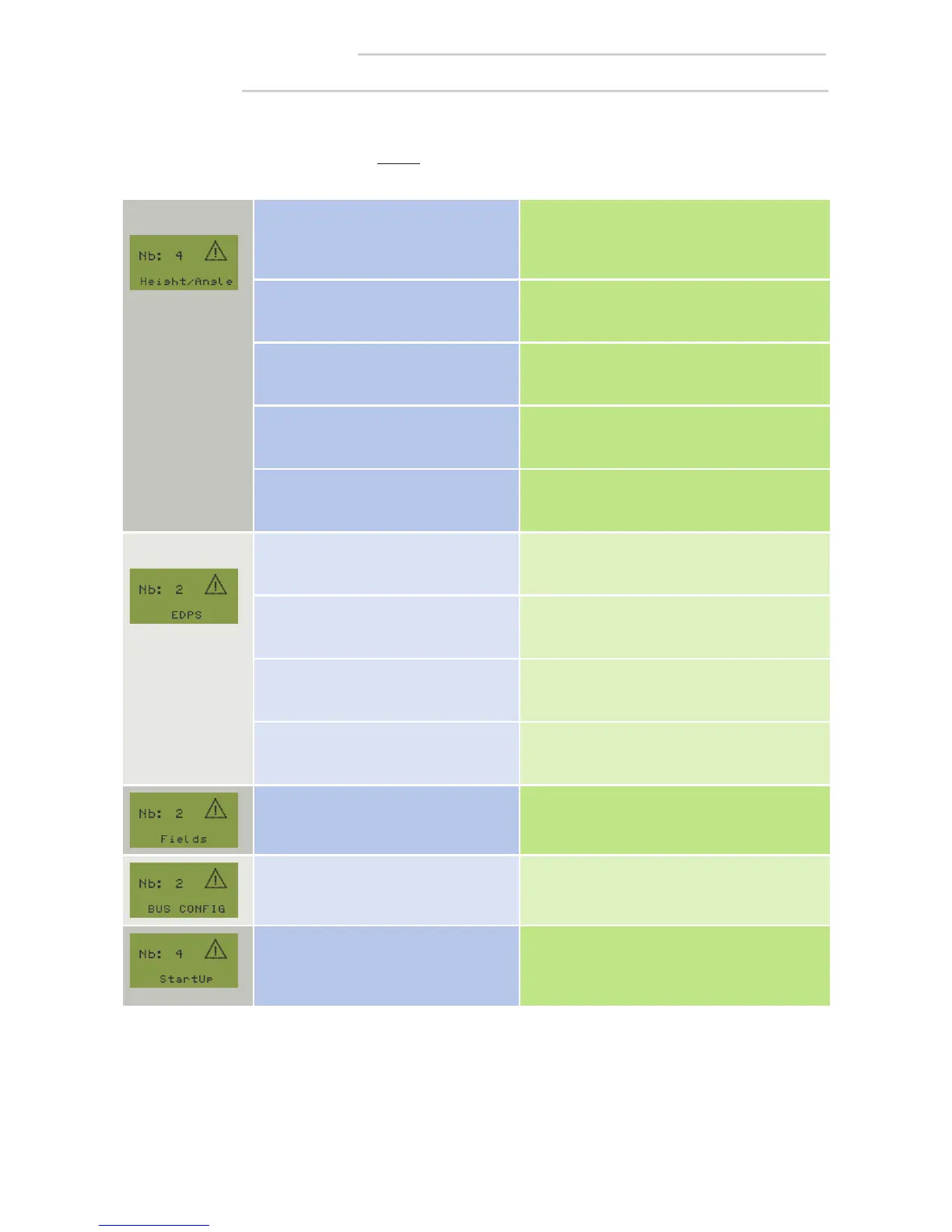
most common Sensor mounted too low/high Mounting height (from floor to sensor LED):
min: 6’3” (75”)
max: 8’2” (98”)
(review mounting template)
Sensor mounted incorrectly in relation to
RH and LH mount
Position arrow on sensor to point towards jamb.
Sensor mounting angle out of
tolerance
Correct the mounting angle: 35 (±5)°
(review mounting template)
Sensor tilt angle too close to the door Tighten tilt angle screw
Sensor is seeing door hardware (crash
bars, panic bars etc.) protrusion
Install LZR spacers if required.
Perform a new “teach-in”.
2nd most common Door(s) did not move/open Door(s) must open fully. Check the auto-switch.
Door(s) are not moving fast enough or
door(s) did not move at least 80°
during “learn” process
Check and adjust door for proper operation and
perform a new “learn”. Increase door speed to 9
seconds or less of opening time.
Home switch is not breaking soon
enough
Adjust the home switch to break with very little
door movement.
Possible bad sensor gyro Replace sensor.
Trouble with lost pulses during “learn”
process while door is in motion
Door must move thru a full open/close cycle with
home switch making. Perform a new “learn”.
Attempting a dual-egress “learn” on a
simultaneous pair or vice versa
Set hub for proper door type. Initiate a new
“Learn”.
Attempting a “teach-in” and the hub
LCD immediately displays “StartUp”.
(hub is not getting information from the
sensor)
Possible temperature too cold or bad cable or
faulty sensor.
The following LCD screenshots list potential set-up errors that could occur during a “teach-in” process.
If the sensor causes the error, you’ll see an orange blinking LED on that sensor(s). This error will by displayed on the
LZR-microscan T hub LCD screen as shown (see “Orange Sensor LED Errors”).
Set-up Errors


 To Next Page