FBXXX Field Temperature Block
Languages
22
European: English, French, Spanish, Italian, German
Russian: Russian, English
Asian: English, Chinese, Japanese
3.3.1 Language Selection
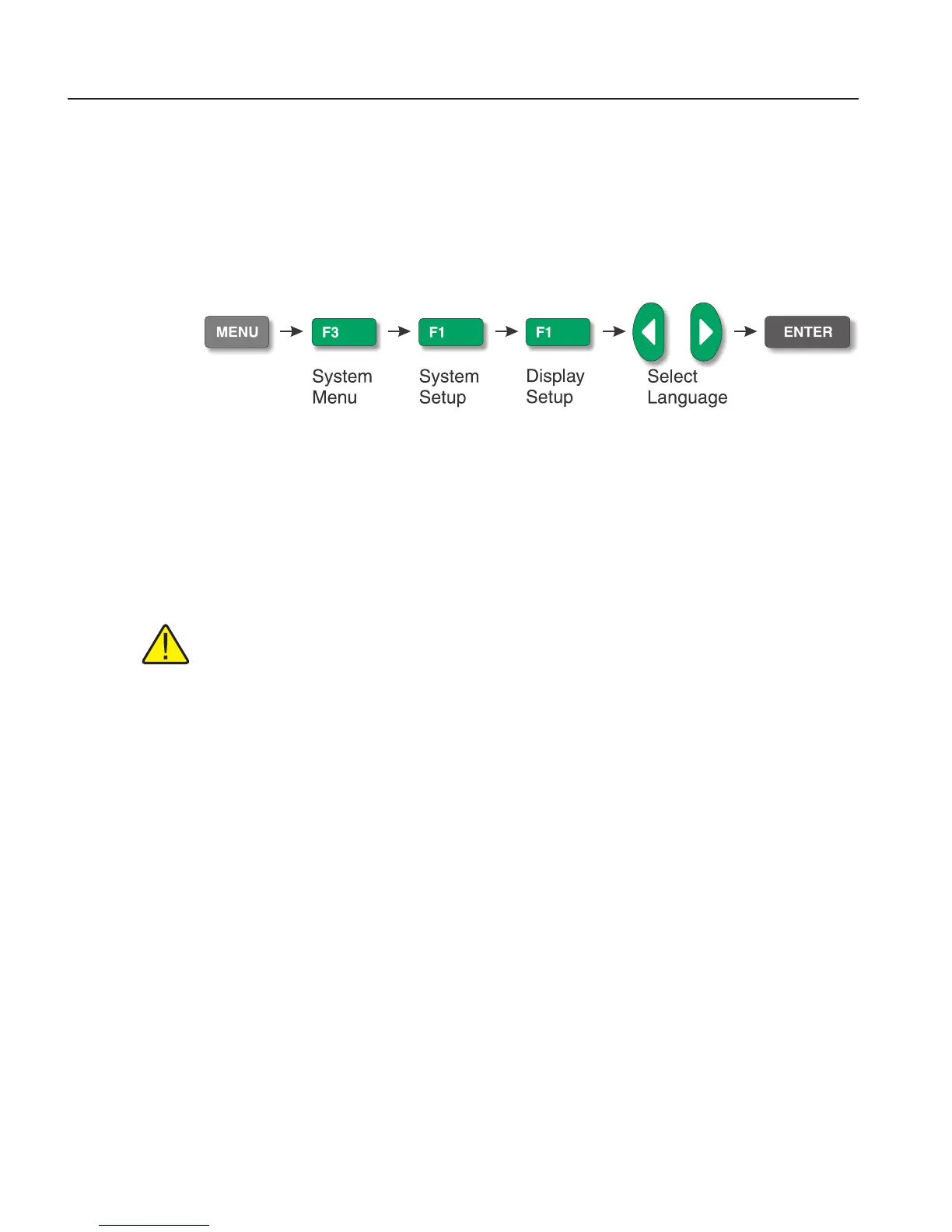
Select the language to be displayed by following the steps shown in Figure 9 on this
page.
Figure 9 Steps to language selection
3.3.2 Reset to English Language
If you are in a language and need a short cut exit, press F1 and F4 simultaneously to
reset the display to English.
To reset to your originally selected language after resetting to English, follow the steps
in Figure 9 on this page.
Note: The F1 and F4 English shortcut override is temporary. If you toggle the
power off, the instrument will return to the language selected in the DISPLAY
SETUP menu rather than coming up in English.



 To Next Page