25
Menu Structure
System Menu
4.3 System Menu
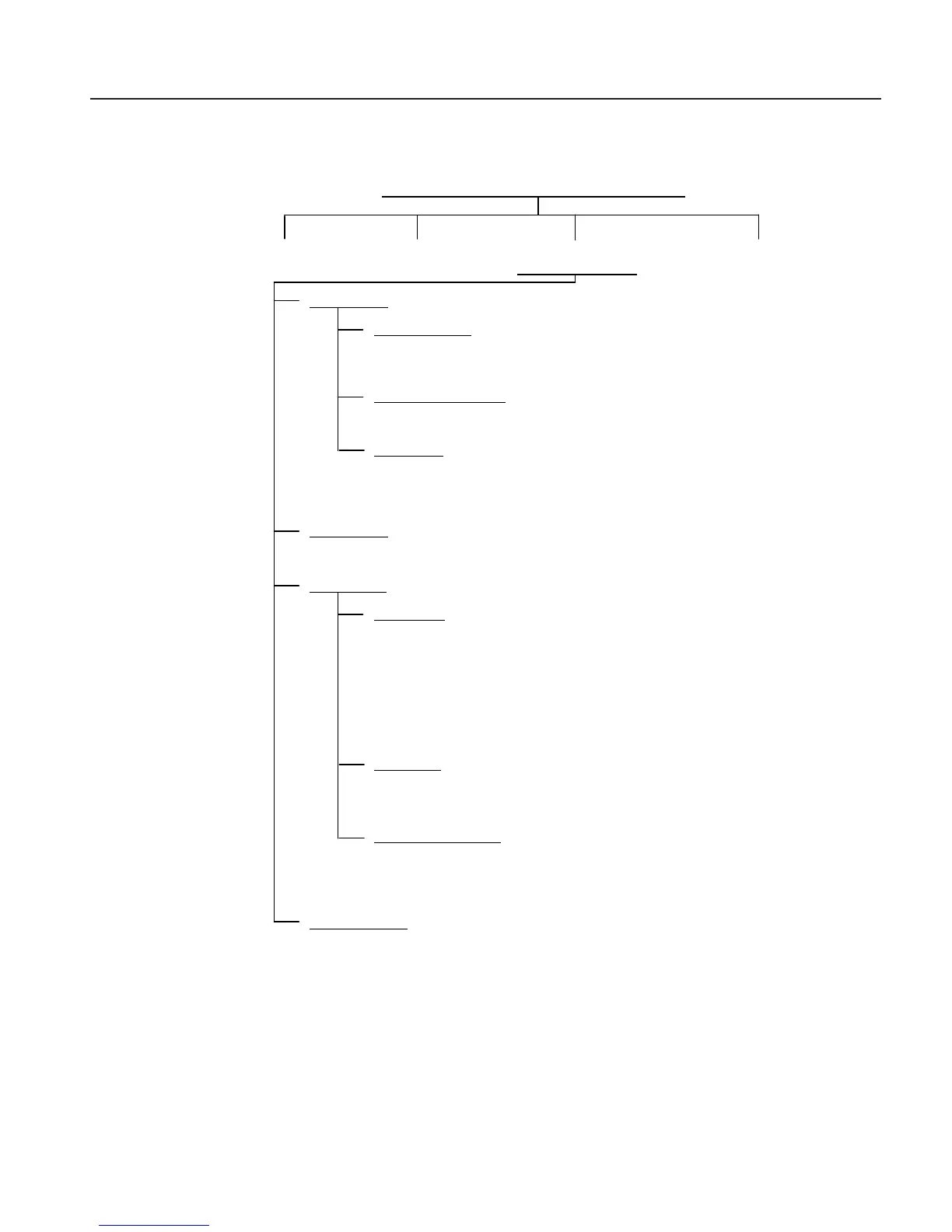
Figure 12
FB150/ FB350/ FB660 MAIN MENU
F1 F2 F3 F4
TEMP SETUP PROG MENU SYSTEM MENU INPUT SETUP (-R ONLY)
F1 System Setup
F1 DISPLAY SETUP
LANGUAGE: <English, Japanese, Chinese, German, Spanish, French, Russian, Italian> <Select>
DECIMAL: <PERIOD, COMMA><Select>
KEY AUDIO: <ON, OFF> <select>
F2 COMMunication SETUP
BAUD RATE: <1200, 2400, 4800, 9600, 19200, 38000>
LINEFEED: <ON, OFF> <Select>
F3 DATE TIME (-R Only)
TIME: <edit> (Military Time Only)
DATE (Adjust): <edit>
REPORT DATE: <(mm/dd/yyyy), (dd,mm,yyyy)><Select>
F2 PASSWORD
USER PASSWORD: <edit>
PROTECTION : <LOW, HIGH><select>
F3 CALIBration
F1 CALPOINTS
TEMPerature 1: <edit>
TEMPerature 2:
<edit>
TEMPerature 3:
<edit>
GRADient 1: <edit>
GRADient 2: <edit>
GRADient 3: <edit>
GRADient 4: <edit> (FB660 only)
GRADient 5: <edit> (FB660 only)
F2 CONTRoller
TEMPerature Proportional Band: <edit>
TEMPerature INTegration:
<edit>
TEMPerature DERivative:
<edit>
F3 CALibration REFerance
(-R only)
REF C0: <edit>
REF C100:
<edit>
IINPUT CALibration DATE:
<edit>
F4 SYSTEM INFO <View only>
MODEL: <View only>
SERIAL number: <View only>
Firm Ware VERsion: <View only>
CALibration DATE: <View only>
INPUT CALibration DATE: <View only> (-R only)
Main Menu - System Menu



 To Next Page