EasyManua.ls Logo

BEC MX-200 - Page 13

BEC MX-200
132 pages
Print Icon
To Next Page IconTo Next Page
To Previous Page IconTo Previous Page
Loading...
Product Overview
Device Description
9
BEC MX-200 User Manual
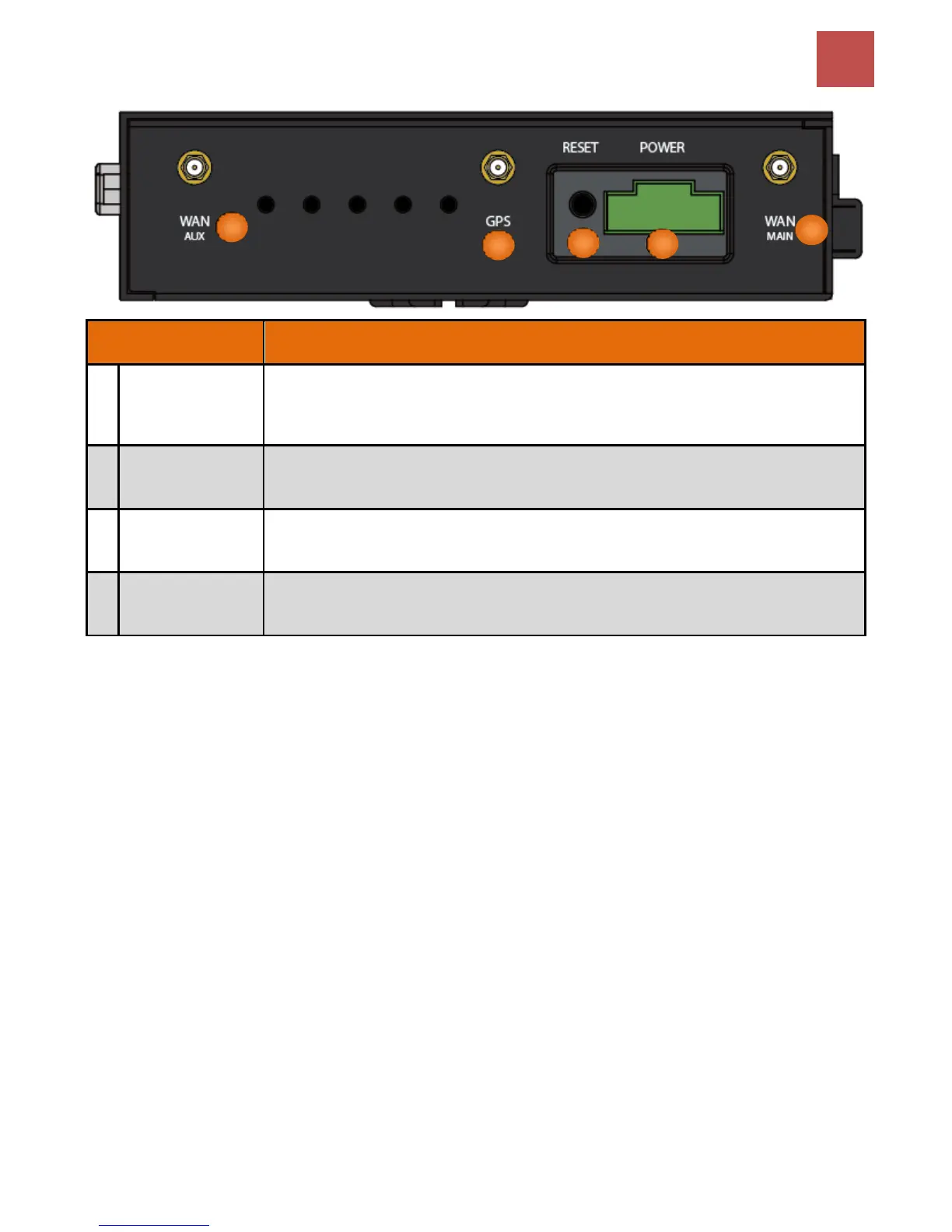
INTERFACE
MEANING
1
WAN (MAIN/AUX)
4G/LTE Antenna
Connectors
SMA female connectors.
Manually screw the 3G/4G antennas tight to the female connectors for the Cellular Module
2
GPS Antenna
Connector
SMA female connectors.
Manually screw the GPS antenna tight to the connector
3
RESET
After the device is powered on, press it 6 seconds or above: to restore to factory default
settings (this is used when you cannot login to the router, e.g. forgot your password)
4
POWER
Connect the supplied screw terminal block, 2-pin 3.5mm, to this jack port
1
1
1
1
2
1
3
1
4
1

Table of Contents

Other manuals for BEC MX-200

Related product manuals