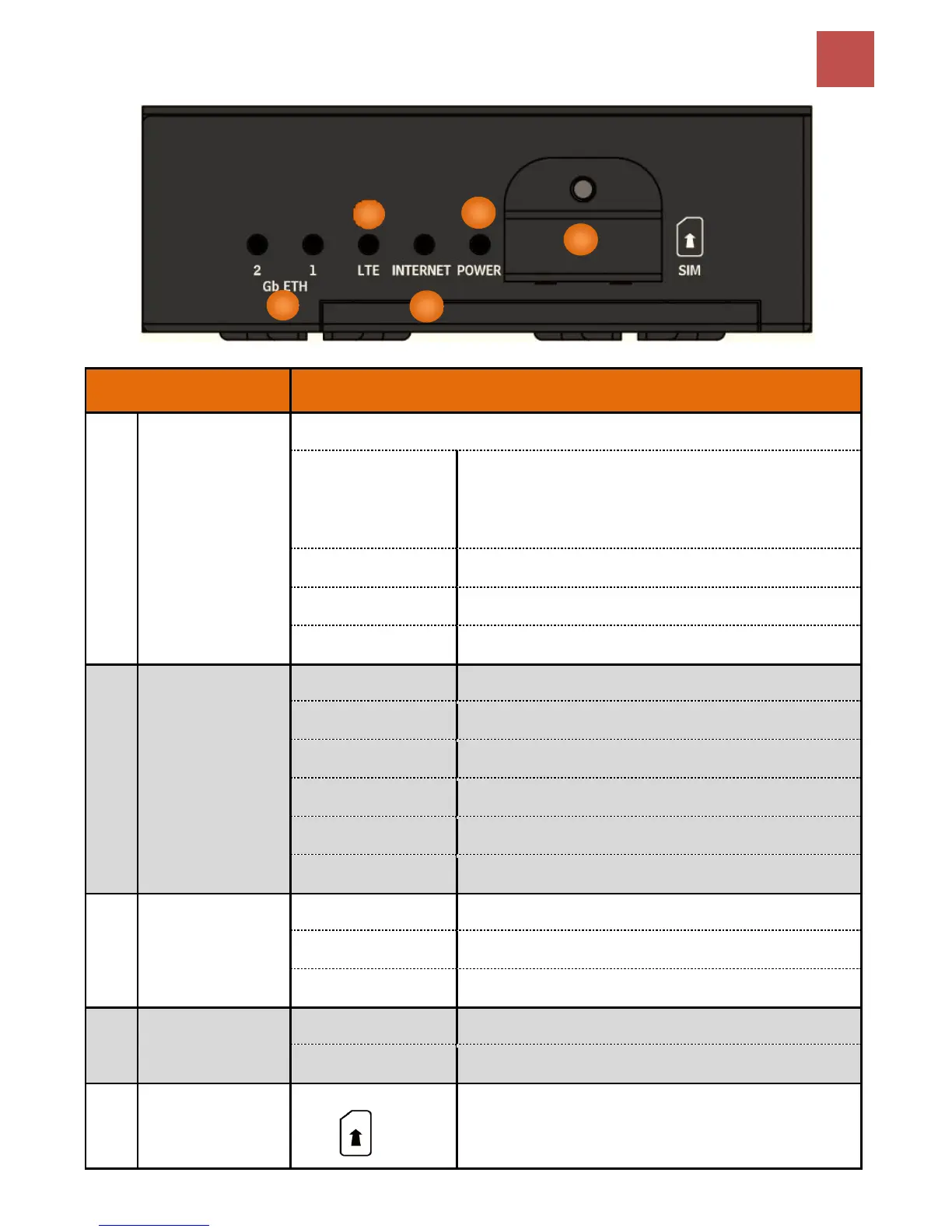
Product Overview
Device Description
Gb ETH (1 & 2)
(Gigabit Ethernet)
ETH #1 Can be configured to be WAN port for broadband connectivity
Ethernet LAN: Connected to an Gigabit (1000Mbps)
Ethernet device
Ethernet WAN (ETH1 Only): Successfully connected with a
broadband connection device
Transmission speed is at 10/100Mbps
Data being transmitted/received
No device is connected to the Ethernet port
LTE
(Received Signal
Strength Indicator)
RSSI greater than -69 dBm. Excellent signal condition
RSSI from -81 to -69 dBm. Good signal condition
RSSI from -99 to -81 dBm. Fair signal condition
RSSI less than -99 dBm. Poor signal condition
No signal and the 4G LTE module is in service
No LTE module or LTE module fails
IP connected and traffic is passing through the device
Either in bridged mode or WAN connection is not present
Insert mini SIM card (2FF) with the gold contact facing down.
Push mini SIM card (2FF) inwards to eject it
* Power off the MX-200 before inserting or removing the SIM card



 To Next Page