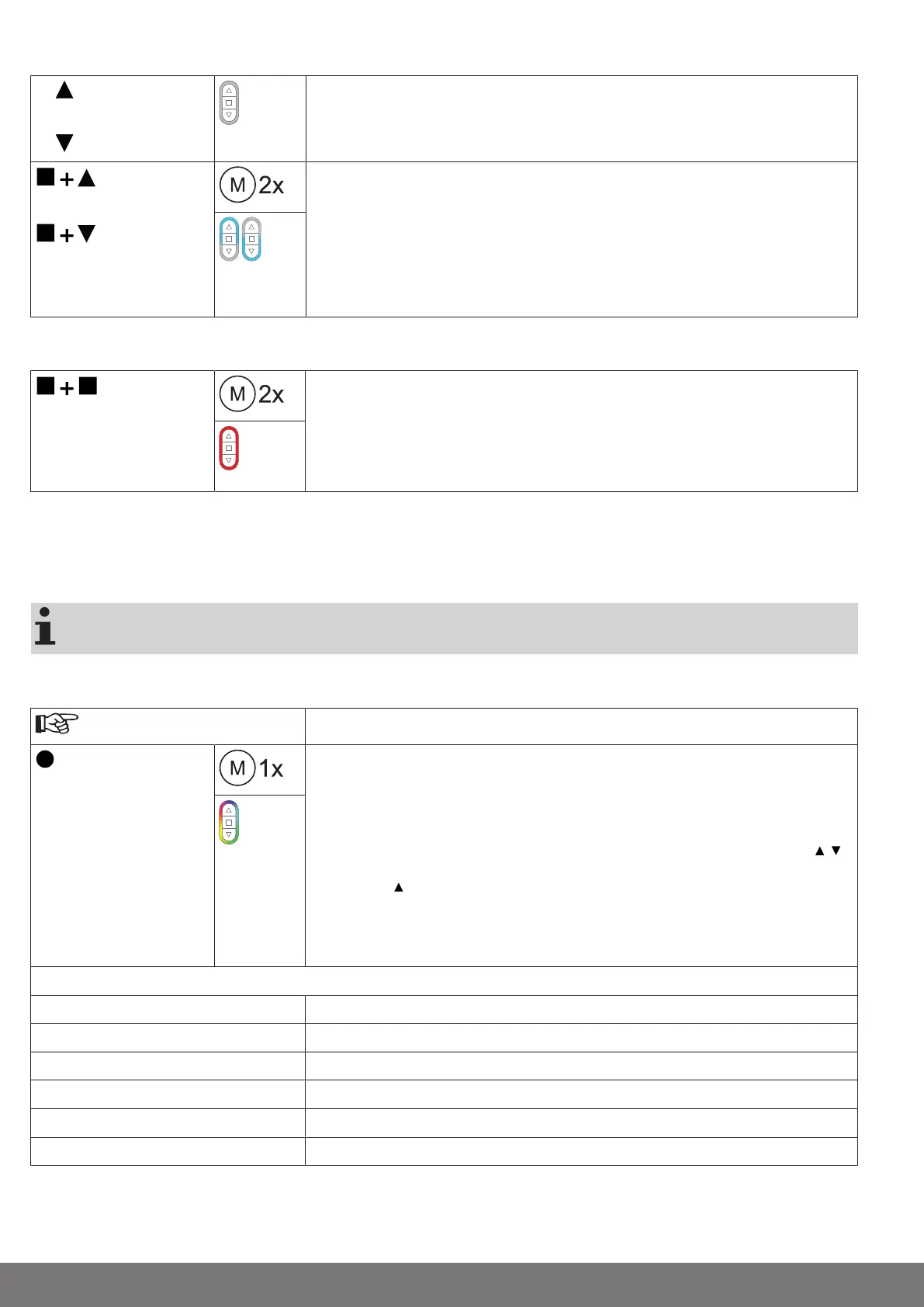
Deleting the desired intermediate position
2x
or
2x
Move the shading solution to the intermediate position that is to be deleted.
or
Now press the STOP button and, within 3 seconds, also press the travel button as-
signed to the intermediate position and hold the two buttons down.
▻
The receiver confirms.
▻
The transmitter confirms by lighting up the upper/lower third of the LED ring
light blue.
►
The intermediate position is now deleted.
Deleting the intermediate positions
5s
Press the STOP button twice within 1 second and then press and hold for 5 seconds.
▻
The receiver confirms.
▻
The transmitter confirms with red pulsing of the LED ring.
►
The intermediate positions have now been deleted.
Restoring the wireless memory of the tubular drive to factory settings
There are a number of options:
• Using a programmed CentronicPlus transmitter
• Using the universal programming unit (item no. 4935 000 001 0)
The set limit positions and all of the other set functions (intermediate position I, intermedi-
ate position II, fabric untensioning, stop behaviour, obstruction detection) are retained.
Using a programmed CentronicPlus transmitter
Bring the transmitter as close as possible to the required receiver.
3s
Press the programming button for 3seconds. The transmitter performs a search and
the LED ring continuously changes colour. The transmitter then switches to receiver
selection and selects the receiver with the best connection quality.
▻
The receiver confirms.
If you do not receive confirmation from the required receiver, you can press the /
button to toggle between the available receivers until the required receiver confirms.
Pressing the button for 3 seconds confirms the receiver with the best connection
quality.
▻
The transmitter displays the current assignment status of the receiver via the
LED ring.
Assignment status
Lights up yellow: The receiver is not yet part of the installation or is in the as-delivered condition.
Lights up blue: The receiver is not assigned to the selected channel.
Lights up green: The receiver is assigned to the selected channel.
Lights up white:
Centronic PLUS sensor selected.
Lights up purple
Centronic PLUS transmitter selected.
Lights up red:
No receiver located.
18-en


 To Next Page