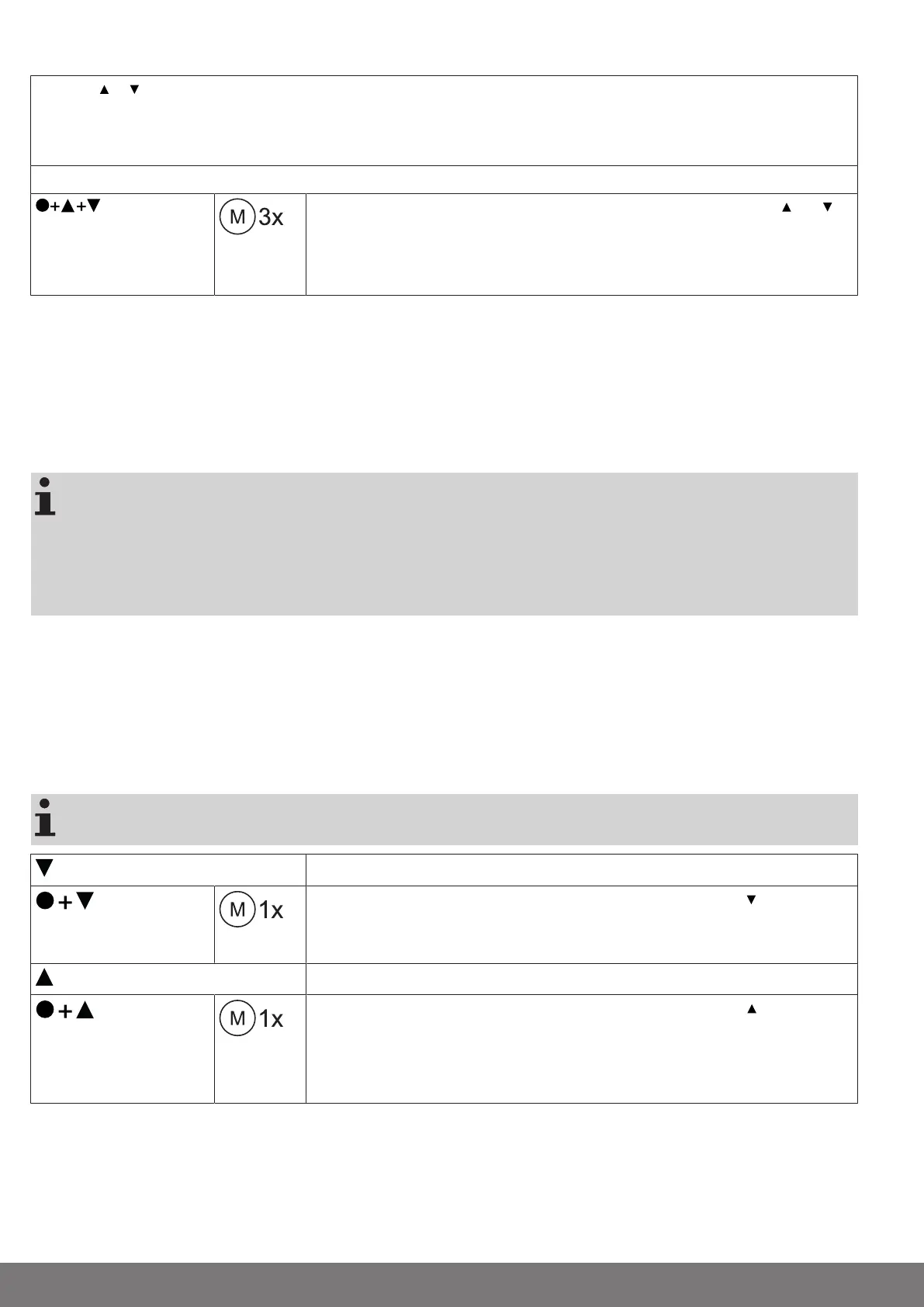
Changing direction of rotation via master transmitter
Press the or button.
▻
The shading solution runs in the desired direction.
►
The running direction is OK.
If the shading solution runs in the wrong direction, the running direction must be changed. Proceed as follows:
3s
First, press the programming button, then within 3seconds also press the and
button for 3seconds.
►
The tubular drive confirms.
Check the running direction again.
Intelligent installation management
Completion of installation following automatic setting of limit positions
The drive saves the limit position permanently once the upper limit position is reached 3 times in succession. Installation is then
complete. If the limit position is set above a point, this is stored permanently.
Limit position status indicator
A brief stopping and restarting indicates that no limit position has been set in that direction of movement.
Setting the limit positions
The limit positions can only be set with the master transmitter. The shutter direction must
be correct. When setting the limit positions, the tubular drive runs in dead-man mode and
limit position status indicator. The lower limit position must always be set first. If the tubu-
lar drive switches off prematurely while opening or closing, due to an obstruction, the ob-
struction can be cleared by opening or closing the screen and removing the obstruction.
The desired limit position can be set by opening or closing again.
There are several ways to set the limit positions:
• Lower point to upper point
• Lower point to upper stop
• Auto install
The limit position becomes fixed after the tubular drive has turned off automatically in the desired position three times.
Lower point to upper point
There is no shading solution length adjustment with this limit position setting.
Close to the desired lower limit position.
Press the programming button and, within 3 seconds, also press the button and
hold the two buttons down.
▻
The tubular drive acknowledges.
Then open to the desired upper limit position.
Press the programming button and, within 3 seconds, also press the button and
hold the two buttons down.
▻
The tubular drive acknowledges.
►
The limit positions are now set.
22-en


 To Next Page