Commissioning
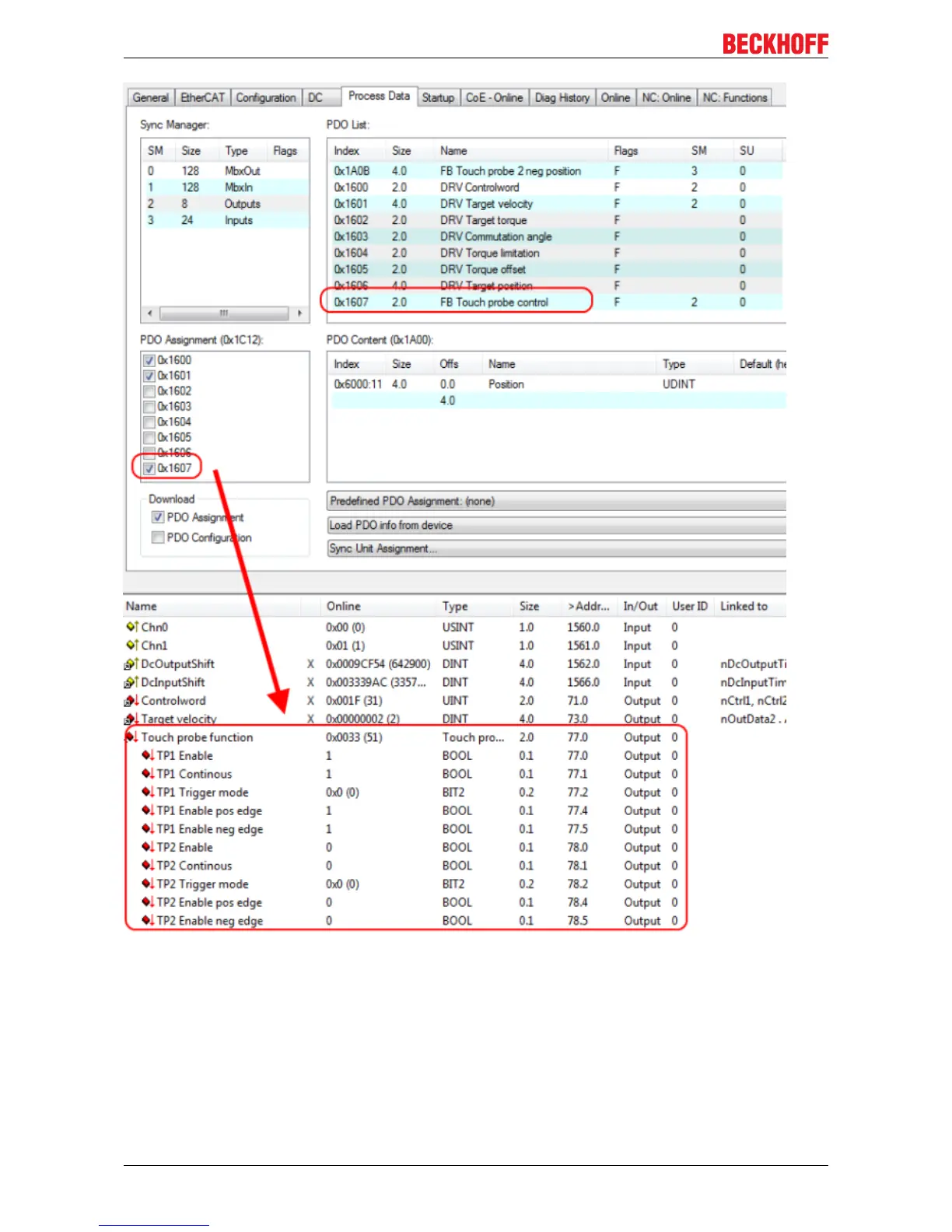
Fig.149: Touch Probe outputs
Step-by-step
• TP1 Enable must be set to true in order to generally activate the Touch Probe function.
• Subsequently, you must decide whether the position is to be saved on a positive edge at input 1 (TP1
Enable pos edge = true), on a negative edge (TP1 Enable neg edge = true), or in both cases (both set
to ‘true’).
• With TP1 Continuous you can decide whether the position is to be saved only at the first event (TP1
Continuous = false) or whether this should take place at every event (TP1 Continuous = true).
For example, if TP1 Continous and TP1 Enablepos edge are set, the position is saved on each positive
EL72x1-0010120 Version: 2.0


 To Next Page