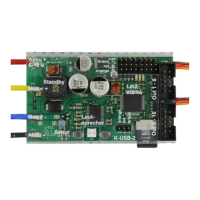
GB Double Sound Speed Controller SFR-1-D
01.03.2020 BEIER-Electronic 55
power, the volume lever rises. In standing position the volume is automatically by this
percentage less! Therefore, we recommend selecting a low value at this setting.
Battery voltage monitoring
The type of battery used can be selected here. The thresholds for "charge battery"
and "undervoltage" are adjusted for each battery type. If your battery type is not
included, both values can also be set manually.
If the battery voltage is permanently below the respective threshold, the warning
message is repeated over and over again within an adjustable time (10 - 250 s).
The corresponding warning sounds must be stored in the Sound-Teacher under
"Additional sounds" (at the bottom). You will find sound templates on the DVD.
In addition, you can choose whether the sound output and / or the switching outputs
should also be switched off in the event of undervoltage. The warning sound "Sound
at undervoltage" is still played.
Multi function
Up to 3 functions can be assigned to each of the 4 multi functions. Using the multi
function 3 functions can be activated at the same time, using only one position at the
transmitter.
For instance: You would like to activate a searchlight and at the same time a servo
sequence should be activated as well. This servo sequence controls a servo, which
moves the searchlight. Without the multi function you would need 2 functions,
triggered at the transmitter:
a. Output x on
b. Servo sequence x on
Using the multi function you can activate at the same time both, the output and the
servo sequence by triggering only one function at the transmitter.
Battle unit
The type of battle unit can be choosen here. See page 45 for additional information.
WAV-Player
The WAV-Player setting can be configured here. You can choose whether the next
track should start automatically after finishing the previous track or the playback
should stop.
Bluetooth controller:
If you want to control the SFR-1-D via the Android app "SFR-1 Controller" with the
Bluetooth module BTC-1, this must be activated here. A 4-digit PIN protects the
model from being controlled by others. Only if the same PIN is set in the app, the
SFR-1-D can be controlled with it. The default PIN is: 0000


 To Next Page