US-EN Installation and operation instructions
DRYPOINT
®
M intelligence 27
6.3.3. Service mode
This function can be used to perform a review of the permeation rate at the membrane dryer during preventive service
without the need to dismount the device. This check can be used to determine whether it may have to be exchanged.
The control unit must already be in setup mode to be able to use the service mode (see 6.3). When activating the service
mode, the solenoid valve will be permanently engaged, which means that only the measuring gas ows through the control
unit.
This function can be deactivated manually, otherwise the control unit resets this function automatically after 30 minutes.
Test
Power
Value
Pressure
Dew
Point
50
20
40
35
32
55
65 80 100
°F
°F23 5 -15
∆
∆
...
...
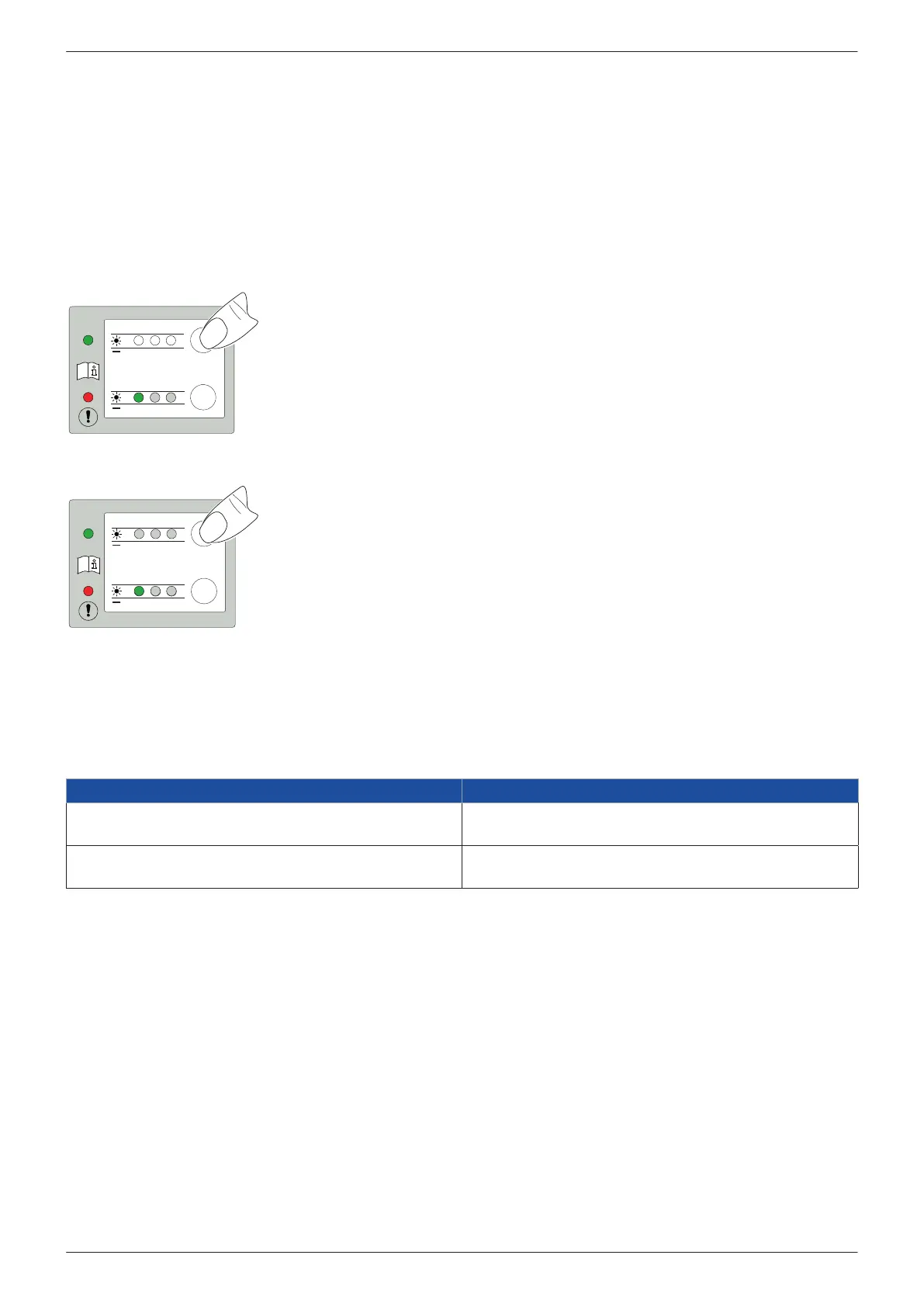
Activation Press and hold the >>Test<< button for 10 seconds.
Activation is displayed (all green LEDs are ashing)
Releasing the >>Test<< button: Valves engages, only the measuring gas ows
All green LEDs ash in a 2 second cycle during service mode.
Test
Power
Value
Pressure
Dew
Point
50
20
40
35
32
55
65 80 100
°F
°F23 5 -15
∆
∆
...
...
Deactivation Press and hold the >>Test<< button for 10 seconds.
Activation is displayed (all green LEDs are ashing)
Releasing the button: The device returns to the setup mode, changes of the settings can
now be performed.
If no buttons will be actuated during 10 seconds, then the device will change to normal
mode.
7. Maintenance and servicing
7.1. Maintenance schedule
Maintenance Interval
Function testing and visual inspection
• Visual inspection
regularly
Changing lter element
• Change lter element
annually
7.1.1. Function testing and visual inspection
To ensure that the unit is in proper working order, the unit operator must perform regular function tests and visual
inspections:
• Perform function tests and check purge air outlet, housing (for damage), system (for leakage), electrical connection (for
damage)
• Check whether there are any errors or faults
→ For detailed instructions, see “9. Troubleshooting and repair“ on page 32
• Inspect the unit for dirt and contamination and clean it, if necessary
→ For detailed instructions, see “Cleaning“ on page 31
• BEKOMAT
®
check function
→ Press the test button
• Check oat drain function
→ Turn up the knurled screw (left-hand thread) and turn it down completely




 To Next Page