4. BEMER Therapy System Evo 37
4.1 System description 37
4.2 System overview 38
4.3 Scope of delivery for sets, packages, and individual products 40
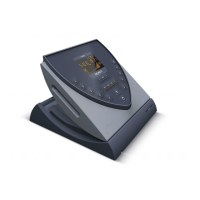
4.4 Main components of the BEMER Therapy System Evo 44
4.5 Applicators/application modules and their use 46
4.5.1 B.Body Evo (PEMF) – full-body applicator for universal use 46
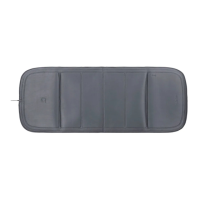
4.5.2 B.Bed Evo (PEMF) – full-body applicator for use in bed 46
4.5.3 B.Pad Evo (PEMF) – universal applicator for targeted treatment 47
4.5.4 B.Spot Evo (PEMF) – applicator module for targeted treatment 48
4.5.5 B.Sit Evo (PEMF) – applicator for targeted treatment while sitting 48
4.5.6 B.Light Clear Evo/B.Light Restore Evo (LLLT) – for targeted light therapy 48
4.5.7 B.Grip Evo interchangeable adapter 49
4.6 Accessories 50
4.6.1 B.Box Evo Battery Stand 50
4.6.2 B.GripEvo Attachment Strap 50
4.6.3 B.Box EvoPower Supply 51
4.6.4 B.BoxEvo Car Adapter 51
4.6.5 B.Light Evo Safety Glasses 52
4.6.6 B.Box Evo Wall Mount 52
5. Transport and storage 53
5.1 Safety 53
5.2 Symbols on the packaging 53
5.3 Storage of the packaging 53
6. Recommended use 54
6.1 Recommendations for application of magnetic field therapy (PEMF) 54
6.1.1 The plus Signal 54
6.1.2 Full-body therapy 54
6.1.2.1 Intensity modes and sleep program (basic plan) 54
6.1.2.2 Sleep program 56
6.1.3 Targeted treatment 56
6.2 Recommended use of light therapy (LLLT) 57
6.2.1 B.Light Clear Evo 58
6.2.2 B.Light Restore Evo 58
7. Commissioning 59
7.1 Connecting the B.Box Evo Stand, Wall Mount, and Battery Stand 59
7.2 Connecting the power supply 60
7.3 Connecting the applicators and application modules 60
7.4 Switching on the B.Box Evo 60
8. Using the BEMER Therapy System Evo 62
8.1 Switch the unit on (start screen) 62
8.2 Main menu 63
8.2.1 Status bar 63
8.2.2 Settings (start screen) 64
8.2.3 Adjust the signal volume 64
8.2.4 Adjust the display brightness 65
8.2.5 Set the current time 66
8.2.6 Expert mode editor 66
8.2.7 System 67
8.2.7.1 Switch the ambient light on/off 68
8.2.7.2 Enable / disable energy saving mode 68
8.2.7.3 Select system language 68
8.2.7.4 Set the time format 68
8.2.7.5 System information 69
8.3 Main menu 69
8.3.1 Intensity mode 70
8.3.2 Program mode 71
8.3.3 Sleep program 72
8.3.4 Light therapy 74
9. Cleaning and care 75
9.1 Cleaning 75
9.2 Disinfection 76
10. Disposal 77
11. Error messages and remedies 78
12. Meaning of the symbols on the labels (devices and packaging) 80
FR EN
54



 To Next Page