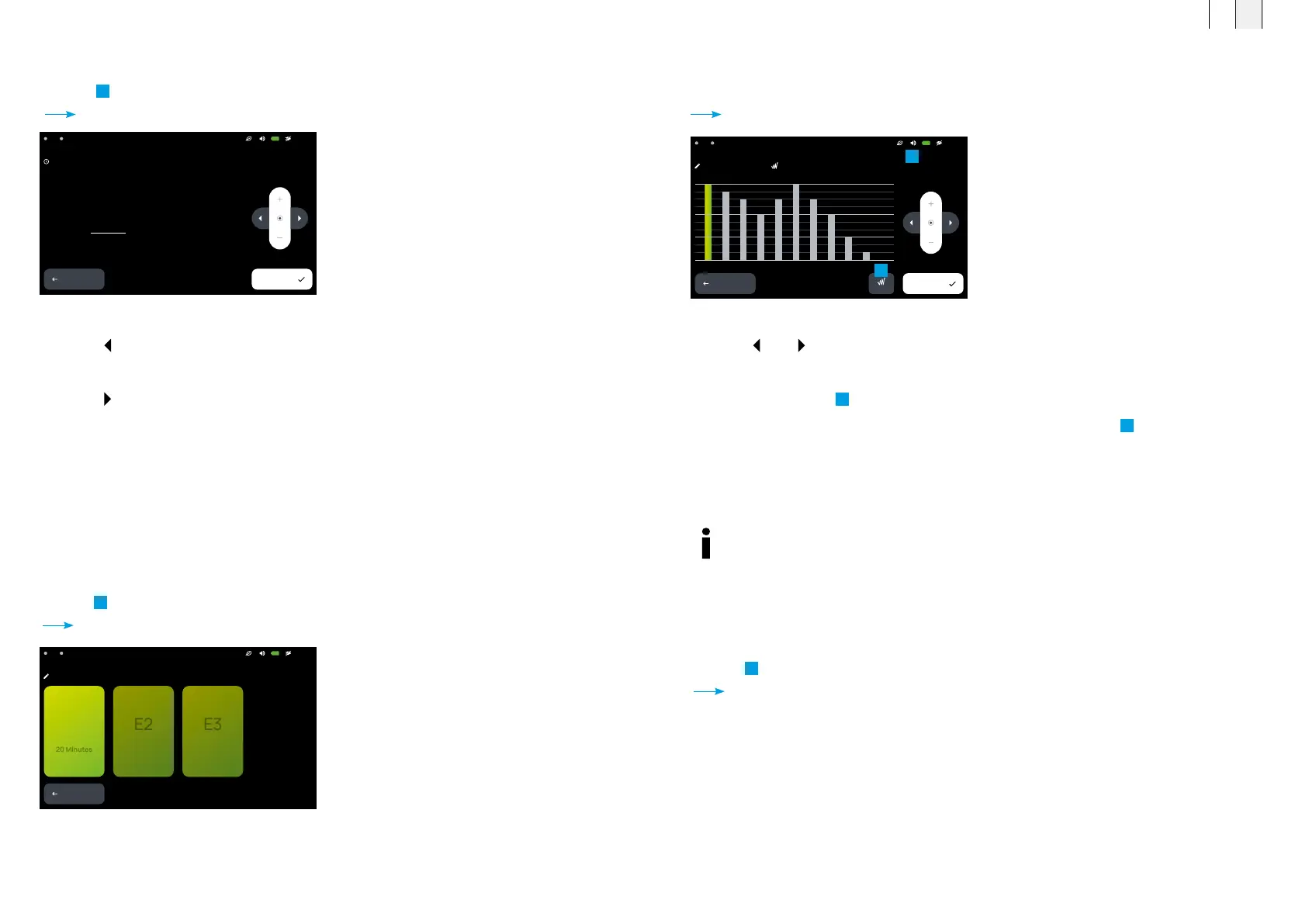
The individually predefined expert programs can be selected
via the PROGRAMS menu.
z Select the expert program to edit: <E1>, <E2> or <E3>.
z Press the corresponding button.
Expert mode – <Program name> opens.
z Press <
> or < >, to select the treatment time.
z Increase or decrease the treatment intensity via <+> and <−>.
z Enable or disable the
1
<Plus> signal.
z When the <Plus> signal is enabled, the <Plus> symbol appears in the
2
status bar.
z Press <Save> to save your changes and return to the settings menu.
z Press <Back> to exit the menu without saving your changes.
21:13A2A1
Expert mode – E1 –
BACK
PLUS
2 4 6 8 10 12 14 16 18 20
SAVE
HIGH
MEDIUM
LOW
Expert mode editor – detailed settings
8.2.7 System
Basic system settings are configured here (ambient lighting, energy saving mode, system language,
time format). In addition, general system information can be found here.
z Press
5
<System>.
Settings – System opens.
21:13A2A1
Seings – Time
BACK
12:44
SAVE
8.2.5 Set the current time
z Press
3
<Time>.
Settings – Time opens.
z Press <
> to adjust the hours.
z Increase or decrease the displayed hours via <+> and <−>.
z Press <
> to adjust the minutes.
z Increase or decrease the displayed minutes via <+> and <−>.
z Press <Save> to save your changes and return to the settings menu.
z Press <Back> to exit the menu without saving your changes.
Settings – Time
8.2.6 Expert mode editor
Via the expert mode editor, three custom programs (E1 to E3) can be created by the user.
The intensity and time parameters are set.
z Press
4
<Expert mode editor>.
Settings – Expert mode editor opens.
21:13A2A1
Seings – Expert mode editor
BACK
E1
The program editor is used to configure user-
defined program sequences and enable/disable
the plus Signal.
1
2
FR EN
6766



 To Next Page