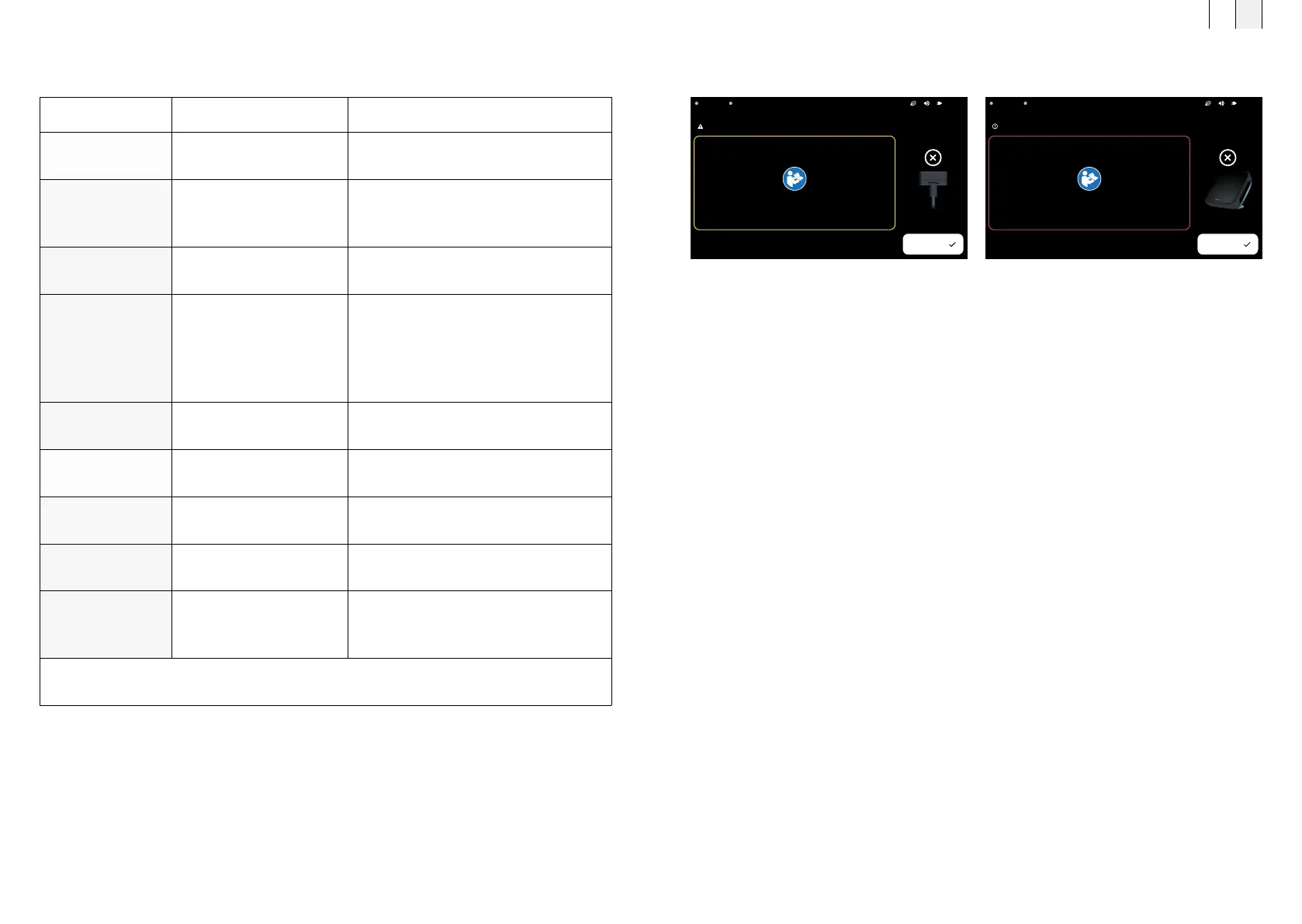
Display in case of a warning
(e.g., applicator not connected to the controller)
Display in case of malfunction
(e.g., device overheated)
A2A1 B.Spot
Error: Internal error in application module.
OK
Please change the applicator.
//support.bemergroup.com/
A2A1 B.Spot
Warning: Applicator disconnected
OK
Please reconnect your applicator.
//support.bemergroup.com/
Error code #1
If you have any questions, please contact BEMER customer service
Error message Cause Troubleshooting
Error Code 1 An active applicator was
removed during treatment.
Reconnect the applicator and restart the
treatment.
Error Code 2 The device temperature is
too high.
Check the ambient conditions and allow
the device to cool down. If in doubt, please
contact customer service.
Error Code 3–4 An application module has
reported an error.
Please contact customer service.
Error Code 5–6 Power supply malfunction Please check possible sources of error,
such as the B.Box Evo Power Supply or
B.Box Evo Battery Stand (see technical
data). If in doubt, please contact customer
service.
Error Code 7–8 The controller has reported
an error.
Please contact customer service.
Error Code 9–12 An application module has
reported an error.
Please contact customer service.
Error Code 101 No applicator
is connected.
Please connect an applicator.
Error Code 104 An unknown applicator
was detected.
The applicator module is invalid,
please contact customer service.
Error Code 105 The charge level of the
B.Box Evo Battery Stand
is too low.
The B.Box Evo Battery Stand is requires
charging, please connect the B.Box Evo
Power Supply to charge it.
If a warning message or error message is displayed,
it can be closed via <OK>.
11. Error messages and remedies
FR EN
7978



 To Next Page