10AP Series Two-Post Lifts 65 P/N 5900265 — Rev. A6 — December 2022
⚠ WARNING Always use Safety Stands when removing or installing heavy components that may
affect the Vehicle’s Center of Gravity.
Adjust the Lift Arms under the Vehicle until the Adapters are
directly under
the Lifting Points for
the Vehicle you are raising. If necessary, use the included Auxiliary Adapters for extra height.
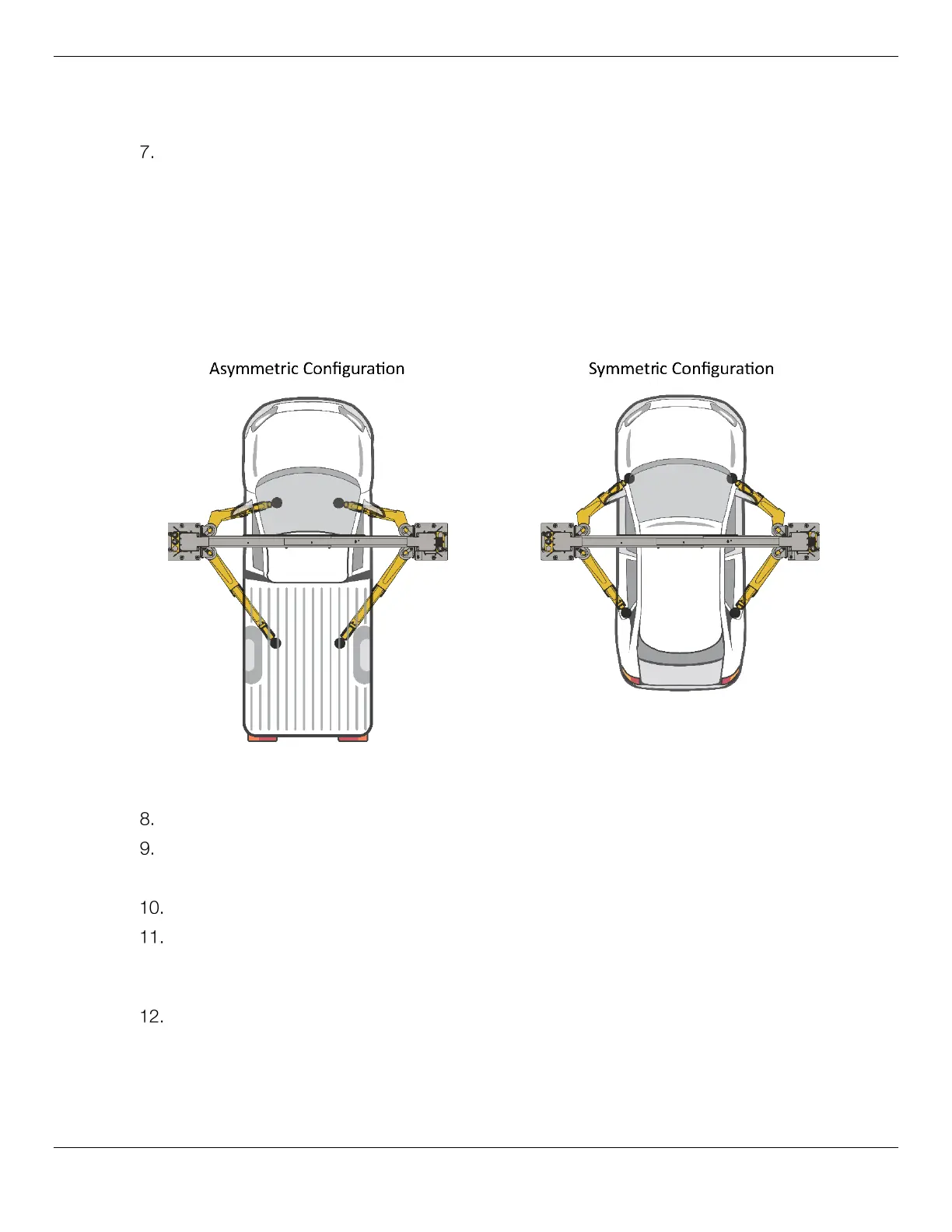
The Vehicle’s Lifting Point locations and Center of Gravity will determine if the Lift is configured in
an Asymmetric or Symmetric Configuration.
In an Asymmetric Configuration the Centerline of the Vehicle is behind the Lift Posts.
In a Symmetric Configuration the centerline of the Vehicle is lined up at the Lift Posts.
Refer to the figure below.
Reference only – do not scale.
Raise the Lift until
just before
the Adapters contact the Lifting Points.
Check the Arm Restraint Gears on all four Lift Arms to make sure they are engaged.
If they are not engaged, move the Lift Arms back and forth until they engage.
Raise the Lift until the tires of the Vehicle are a few inches off the ground.
Verify all four Adapters are making solid contact with the Lifting Points.
If any of the Adapters are
not
making solid contact with the Lifting Points, carefully lower the Lift
and start over again; the Adapters
must
make solid contact with all Lifting Points.
Gently rock the Vehicle to make sure the Vehicle is stable and balanced.
• If the Vehicle is
not
stable and balanced, lower the Lift back to the ground and start over.
• If the Vehicle
is
stable and balanced, you can raise it to the desired height.



 To Next Page