Operation22
Using the menus
The projector is equipped with On-Screen Display (OSD) menus for making various
adjustments and settings.
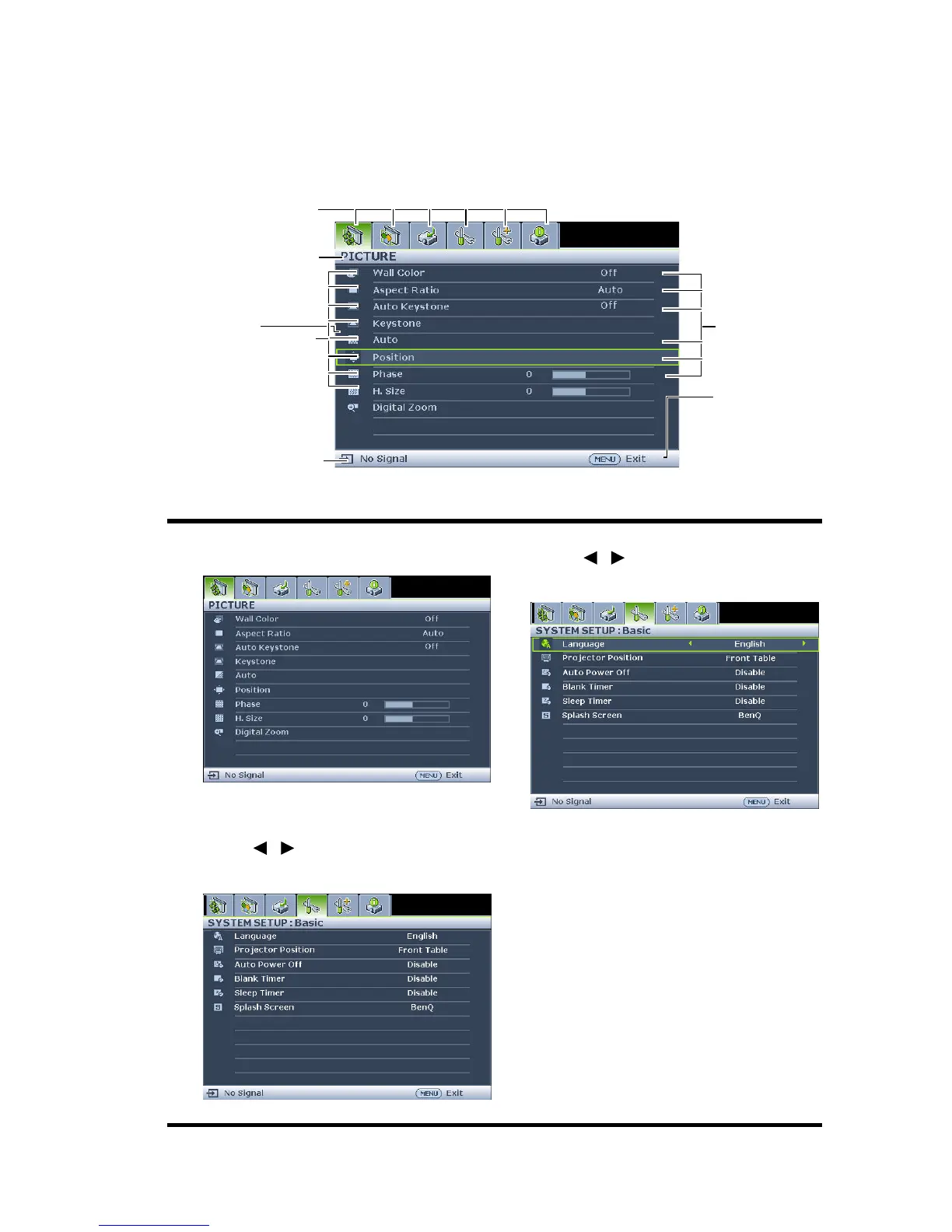
Below is the overview of the OSD menu.
To use the OSD menus, please set them to your familiar language first.
1. Press MENU/EXIT on the projector or
remote control to turn the OSD menu on.
3. Highlight Language and press
/ to select a preferred
language.
2. Use / to highlight the SYSTEM
SETUP: Basic menu.
4. Press MENU/EXIT twice* on
the projector or remote control
to leave and save the settings.
*The first press leads you back to
the main menu and the second
press closes the OSD menu.
Current input signal
Main menu icon
Main menu
Sub-menu
Highlight
Press MENU/
EXIT to the
previous
page or to
exit.
Status



 To Next Page