Operation34
Projector menu operation
Please note that the on-screen display (OSD) menus vary according to the signal type
selected.
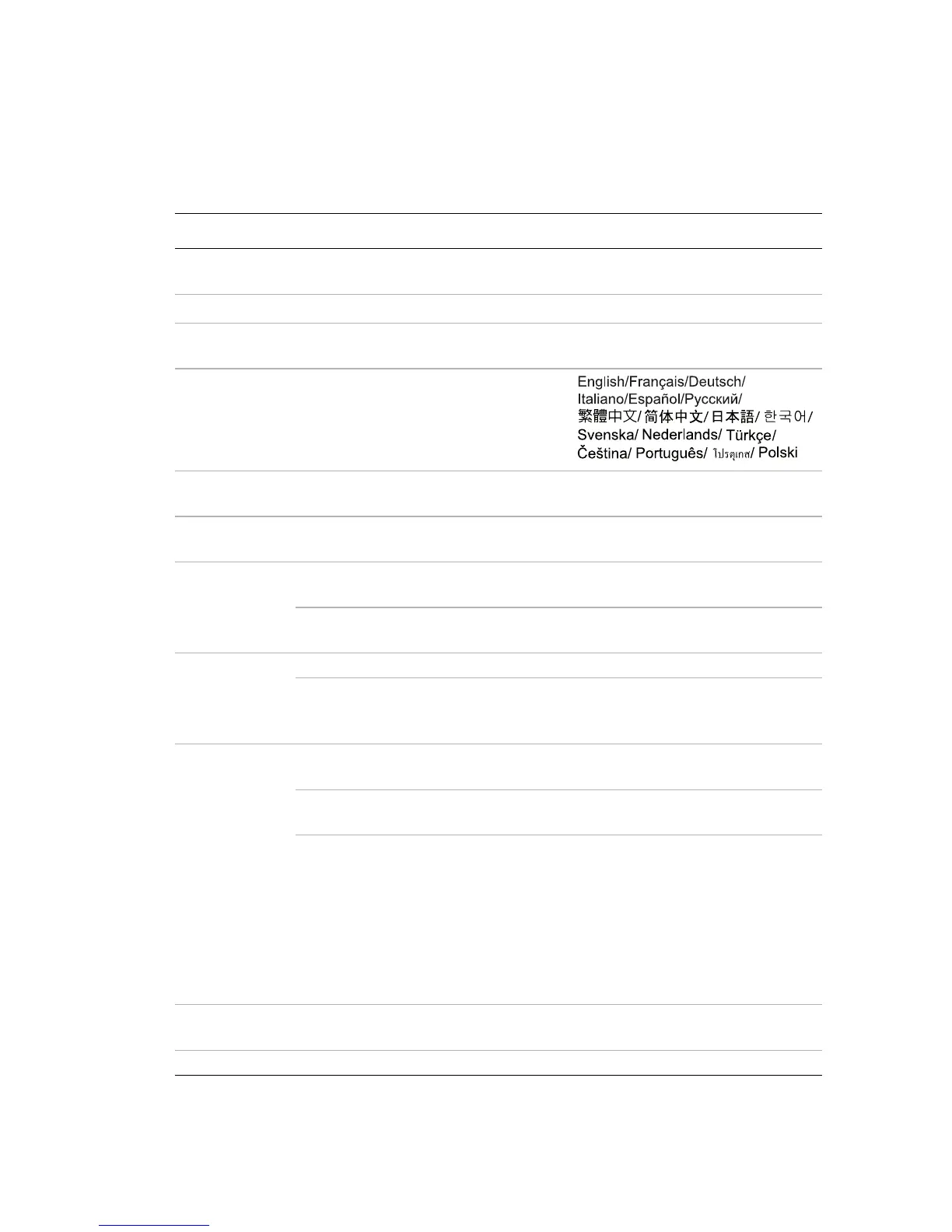
Simple menu system
Main menu Sub-menu Options
Wall Color
Off/Light/Yellow/Pink/
LightGreen/Blue/Blackboard
Aspect Ratio
Full Screen/4:3/16:9/Auto/Real
Picture Mode
Brightest/PC/Movie/Photo/
User
Language
Quick Auto
Search
On/Off
Projector
Position
Front Table/Rear Table/Rear/
Ceiling/Front Ceiling
Menu Settings
Menu display time
5 sec/10 sec/15 sec/20 sec/25
sec/30 sec
Menu position
Center/Top-Left/Top-Right/
Bottom-Right/Bottom-Left
Security
Settings
Change password
Change Security
Settings
• Power on Lock On/Off
Information
FAQ-Image and
Installation
FAQ-Features and
Service
Current System
Status
• Source
• Picture Mode
• Resolution
• Color System
• System Hour
• FW Version
Reset All
Settings
Menu Type Simple/Complete



 To Next Page