Presenting From a USB Reader42
Presenting From a USB Reader
The projector is equipped with USB Reader features for displaying photos and movies.
Entering USB Reader main screen
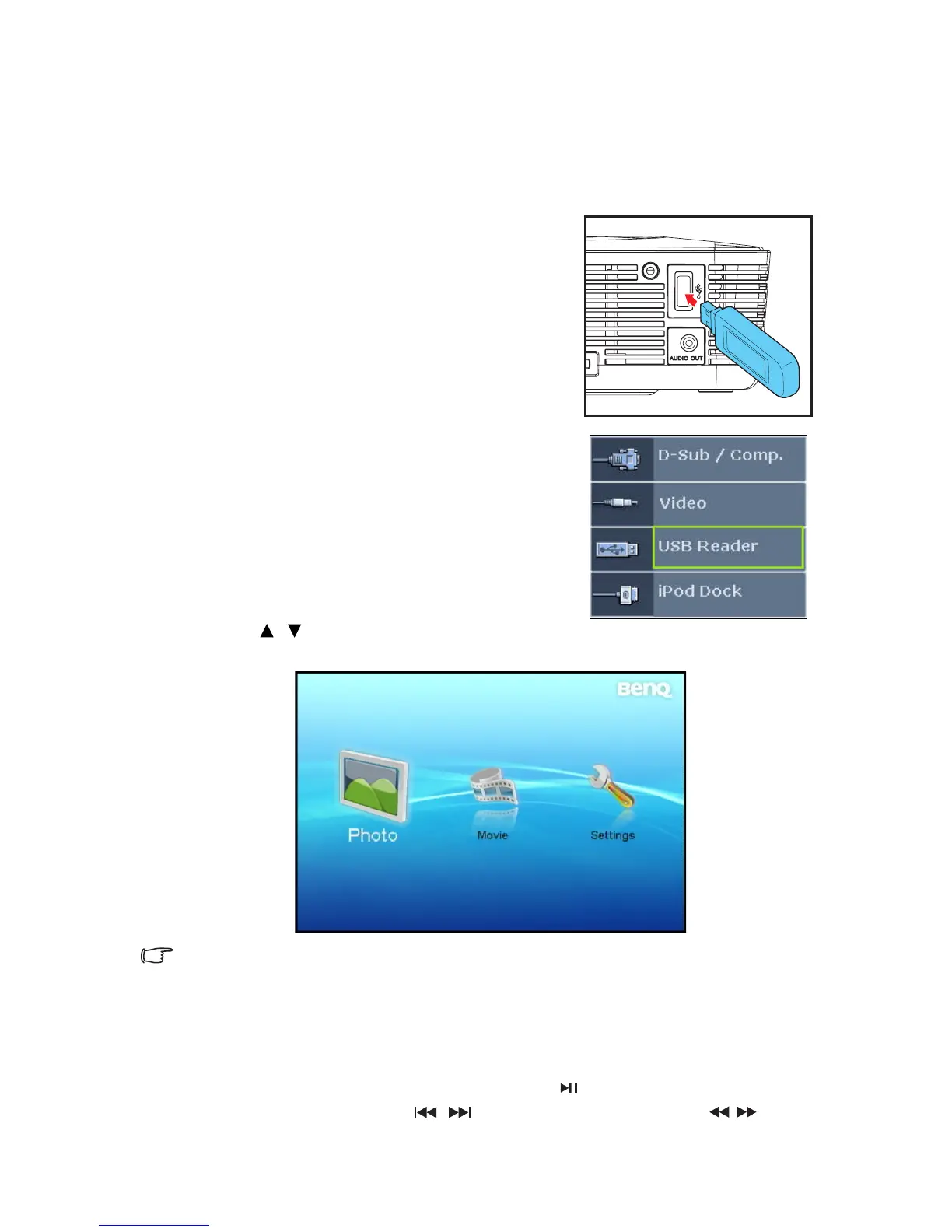
1. Connect your USB Reader into the projector.
2. Turn on the projector, if it is not already on. The
projector will automatically search for USB
Reader signal if the Quick Auto Search function
in the SOURCE menu is On. You may also
manually select USB Reader signal through the
source selection bar.
3. Press SOURCE on the projector or remote
control. A source selection bar displays.
4. Press / to select USB Reader and press
MODE/ENTER. Once selected, the USB Reader main screen displays.
If you want to operate Projector Menu under USB OSD, please press MENU/ EXIT for three
seconds.
Playing back photos and movies
1. Connect your USB Reader into the projector.
2. Enter USB Reader main screen.
3. Select Photo or Movie folder and press SELECT/ . The file in the selected folder
displays in the screen. Uses / to play previous or next file. Use / to allow
fast reverse play or fast forward play during playback.



 To Next Page