Presenting From a USB Reader 45
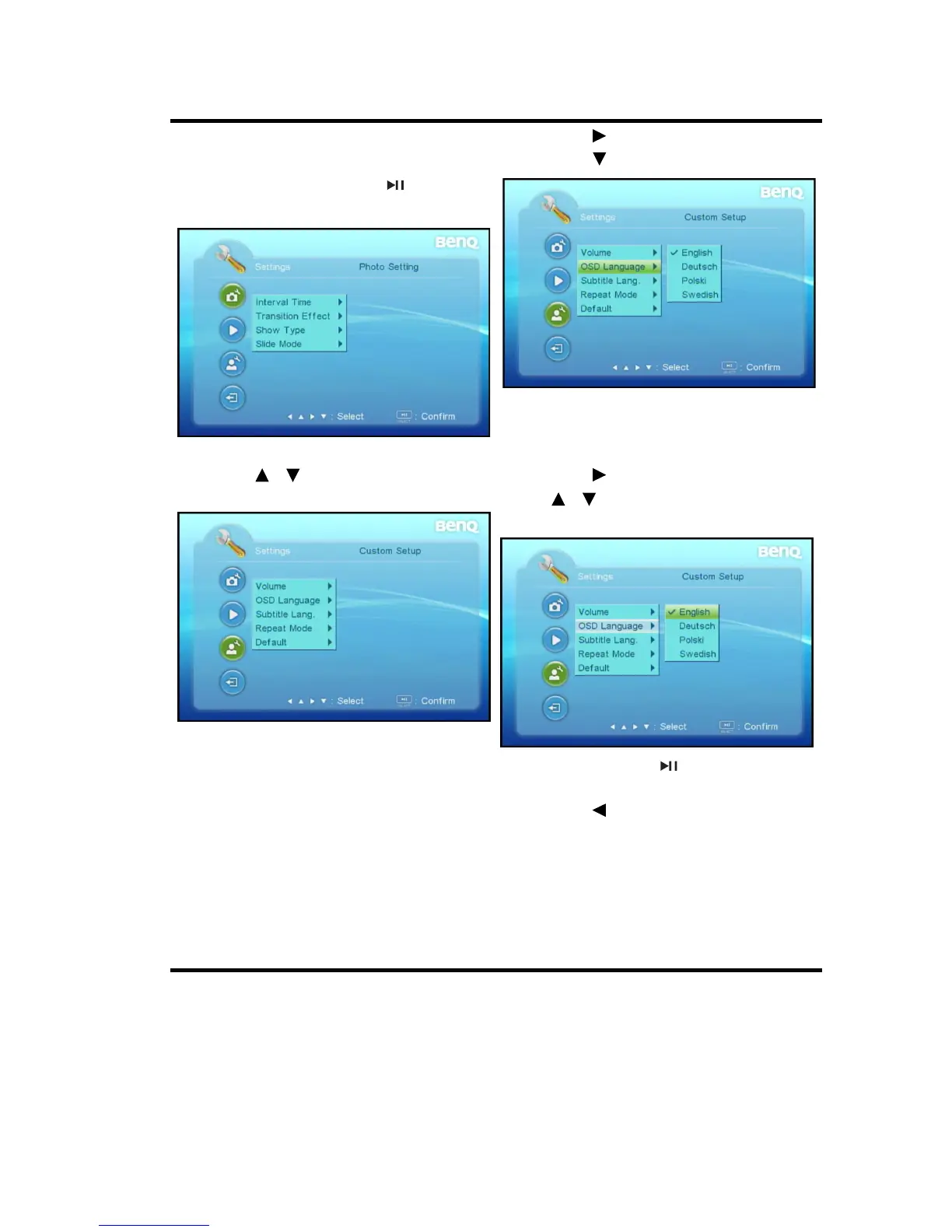
To use USB Reader OSD menus, please set them to your familiar language first.
1. Press SETTING.
•You can also highlight Settings
and press SELECT/ to enter
system settings.
3. Press to enter sub-menu and
press to highlight OSD Language.
2. Use / to highlight Custom
Setup menu.
4. Press to enter options and press
/ to highlight a preferred
language.
5. Press SELECT/ to select a
preferred language.
6. Press to return back to main
menu.
7. Press SETTING* to leave and save
the settings.
• You can also directly press
SETTING in step 6 to leave and
save the settings.



 To Next Page