Operation
46
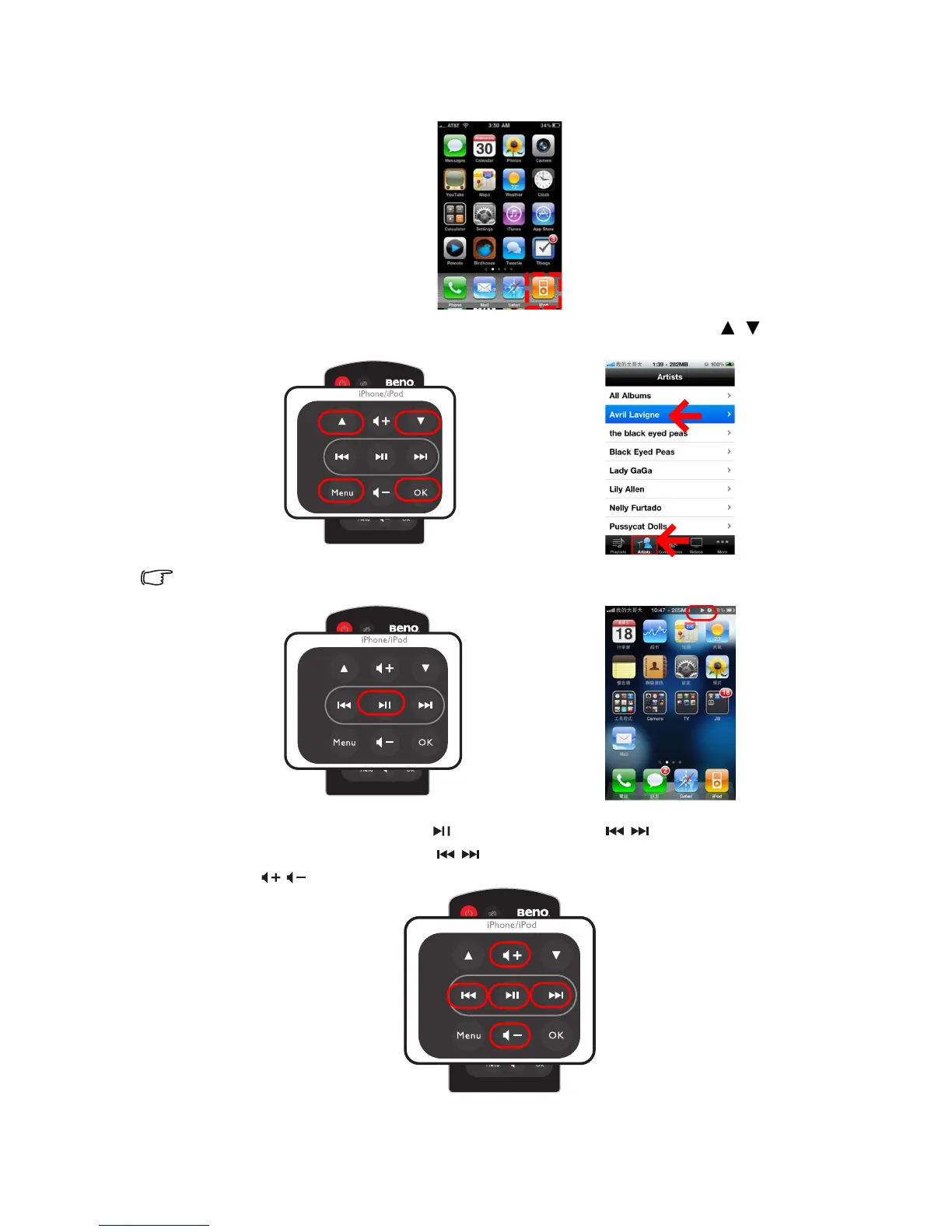
4. Dock your iPhone or iPod on the projector.
5. Select the iPod icon in iPhone or iPod main menu.
6. Press Menu on remote control to switch to music-related menu, use / to
select a music in file list and then press OK to start playing music.
If the iPhone or iPod is at the Main Menu, pressing Play/Pause will cause the iPhone or iPod to
start playing all of its music.
7. When a song is playing, press for Pause/Play. Press / for replay or skip to
next song. Have long press on / to make the playing file rewind or fast-forward.
Press / to control the volume.



 To Next Page