Operation
43
Playing files with iPhone/iPod
The projector comes with an all-in-one iPhone/iPod dock which support video projection
and music playback through specific apps not only in power-on mode but also in standby
mode.
<In power-on mode>
Projecting videos via iPhone or iPod native app
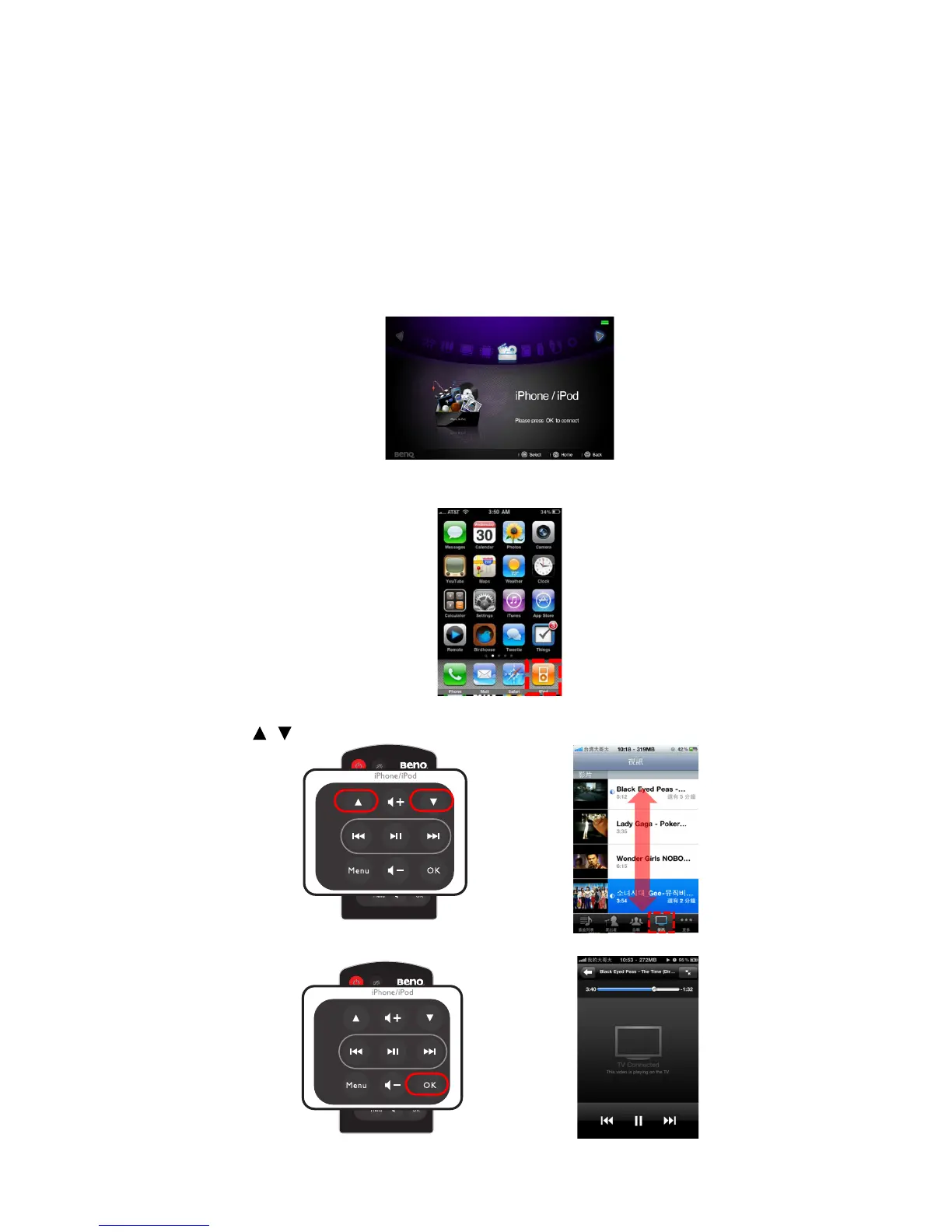
1. Dock your iPhone or iPod to fit the connector on the projector.
2. Use remote control to turn on the power of the projector and select the source of
iPhone/ iPod in home screen. Press OK to enter.
3. Select the “iPod” icon manually on iPhone or iPod main menu. (Here take an
example of iPhone 4)
4. Press Menu on remote control to switch to Videos menu.
5. Use / to select a video in file list.
6. Press OK to start playing video.



 To Next Page