Operation
49
Configuring the Wireless LAN Settings
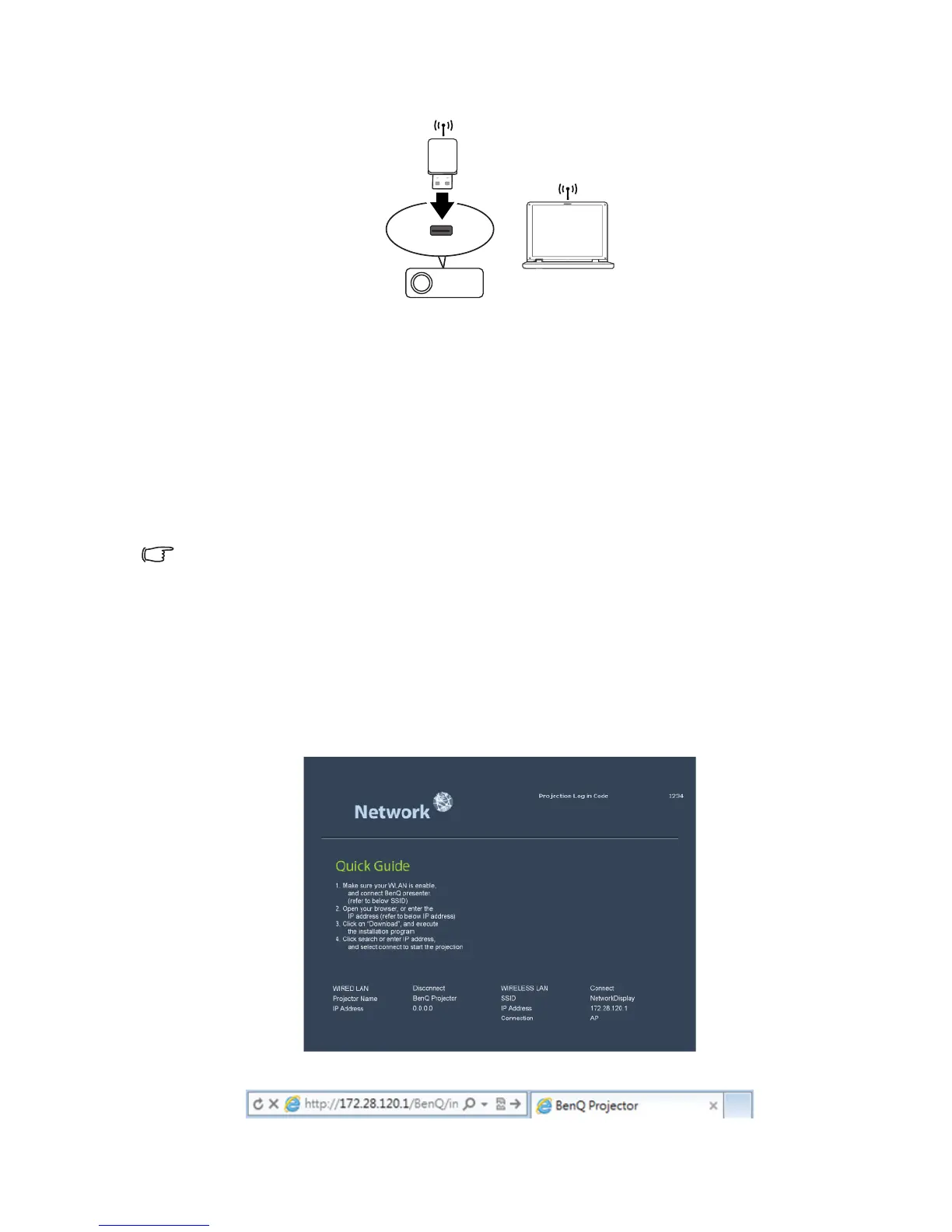
1. Connect the BenQ wireless dongle (optional) to the USB TYPE-A input jack of the
projector.
2. Select Wireless LAN in SYSTEM SETUP: Advanced > Network Settings
menu and press MODE/ENTER.
3. For AP mode connection, you need to note SSID information, then search the
projector with the same SSID in Q Presenter to start projection. For
Infrastructure mode connection, you need to select the projector’s SSID which
you want to connect. See "Displaying image through Q Presenter" on page 58 for
details.
4. Use your computer’s wireless connection utility to connect the network.
If WEP Key is set in the projector, the user must enter the password of WEP Key to connect the
network.
Controlling the projector remotely through a web
browser
Once you have configured the LAN settings, you can find the IP address for the projector
in the bottom of the network screen. You can use any computer that is on the same local
area network to control the projector.
1. Enter the address of the projector in the address bar of your browser and press
Enter. For example: http://172.28.120.1



 To Next Page