Operation
48
Controlling the projector through a LAN
environment
Network Settings allow you to manage the projector from a computer using a web
browser when the computer and the projector are properly connected to the same local
area network.
Configuring the Wired LAN Settings
If you are in a DHCP environment:
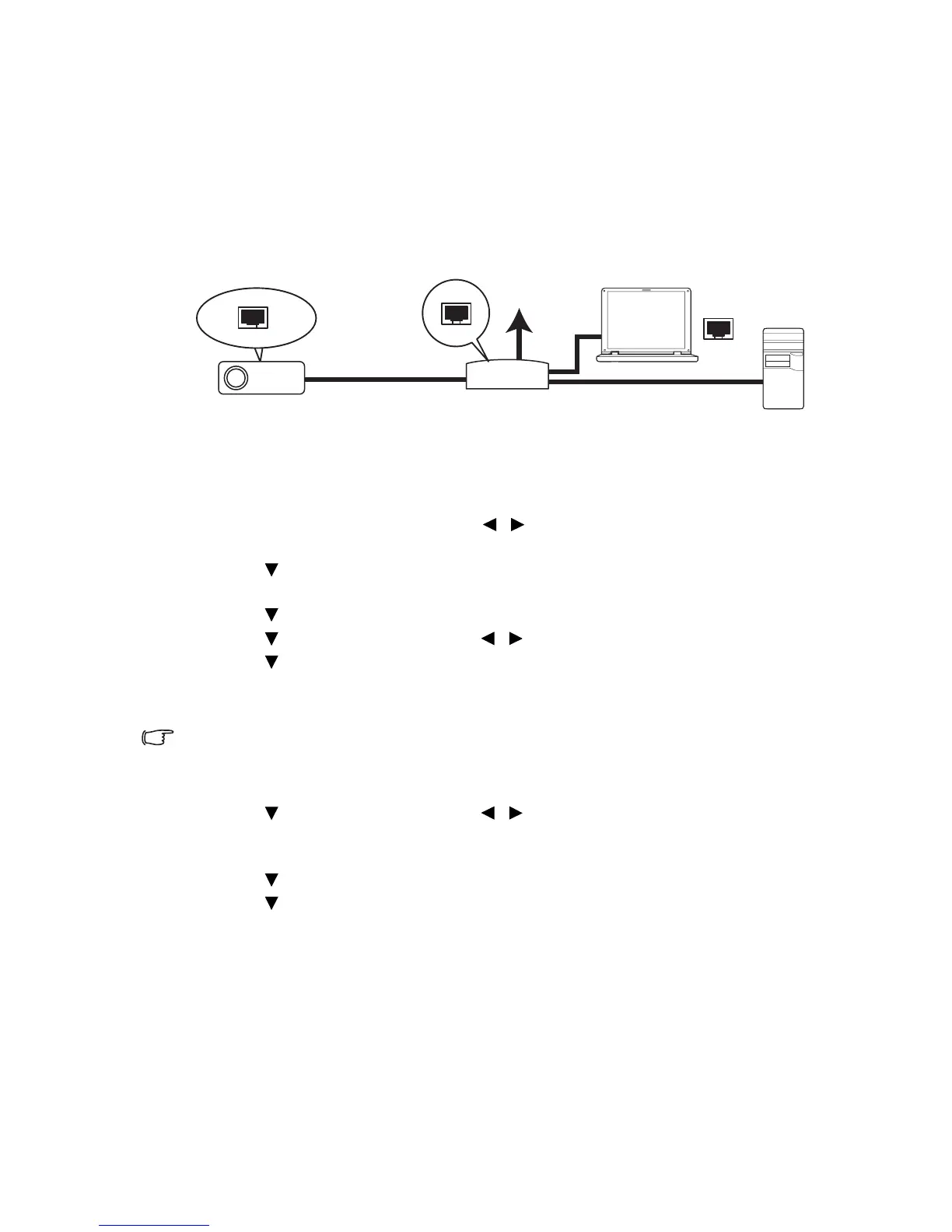
1. Take a RJ45 cable and connect one end to the LAN input jack of the projector and
the other end to the RJ45 port.
2. Press MENU/EXIT and then press / until the SYSTEM SETUP:
Advanced menu is selected.
3. Press to select Network Settings and press MODE/ENTER. The Network
Settings page displays.
4. Press to select Wired LAN and press MODE/ENTER.
5. Press to select DHCP and press / to select On.
6. Press to select Apply and press MODE/ENTER.
7. Re-enter the Wired LAN page. The IP Address, Subnet Mask, Default Gateway, and
DNS Server settings will be displayed. Note down the IP address.
If the IP Address still does not display, contact your ITS administrator.
If you are in a non-DHCP environment:
1. Repeat steps 1-4 above.
2. Press to select DHCP and press / to select Off.
3. Contact your ITS administrator for information on the IP Address, Subnet Mask,
Default Gateway, and DNS Server settings.
4. Press to select the item you want to modify and enter the value.
5. Press to select Apply and press MODE/ENTER.



 To Next Page