Working with Android OS 63
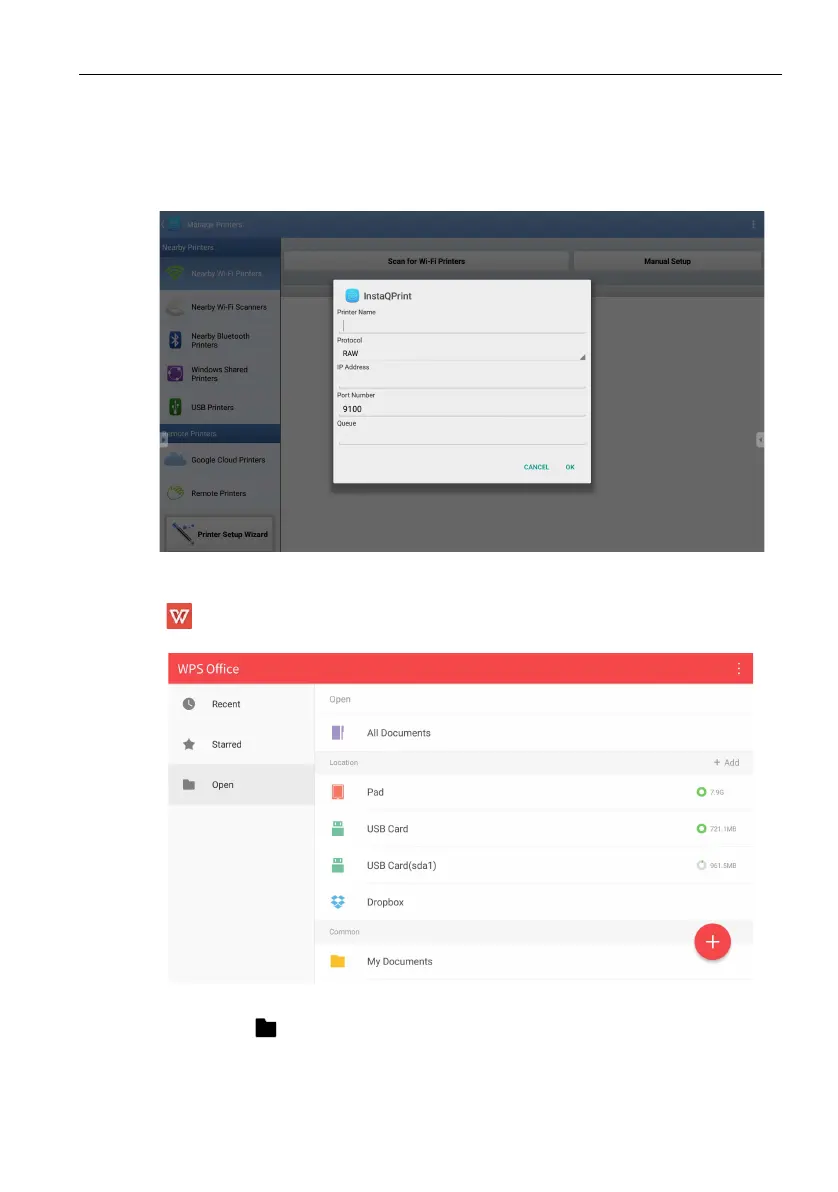
2. Tap Manage Printers to choose which printer that you want to use.
3. To select a printer:
• Tap an option from the list of available printers on the left panel.
• Tap Scan for Wi-Fi Printers to search for printers automatically.
• Tap Manual Setup to add a new printer manually.
WPS Office
Tap to launch WPS Office. With this application, you can open document files
including PDFs as well as Microsoft Word, PowerPoint and Excel documents.
To edit a file with WPS Office:
1. Tap Open ( ) on the left panel to browse and open a file located in either the dis-
play’s internal memory, an external storage device, or cloud storage.



 To Next Page