61 Web management
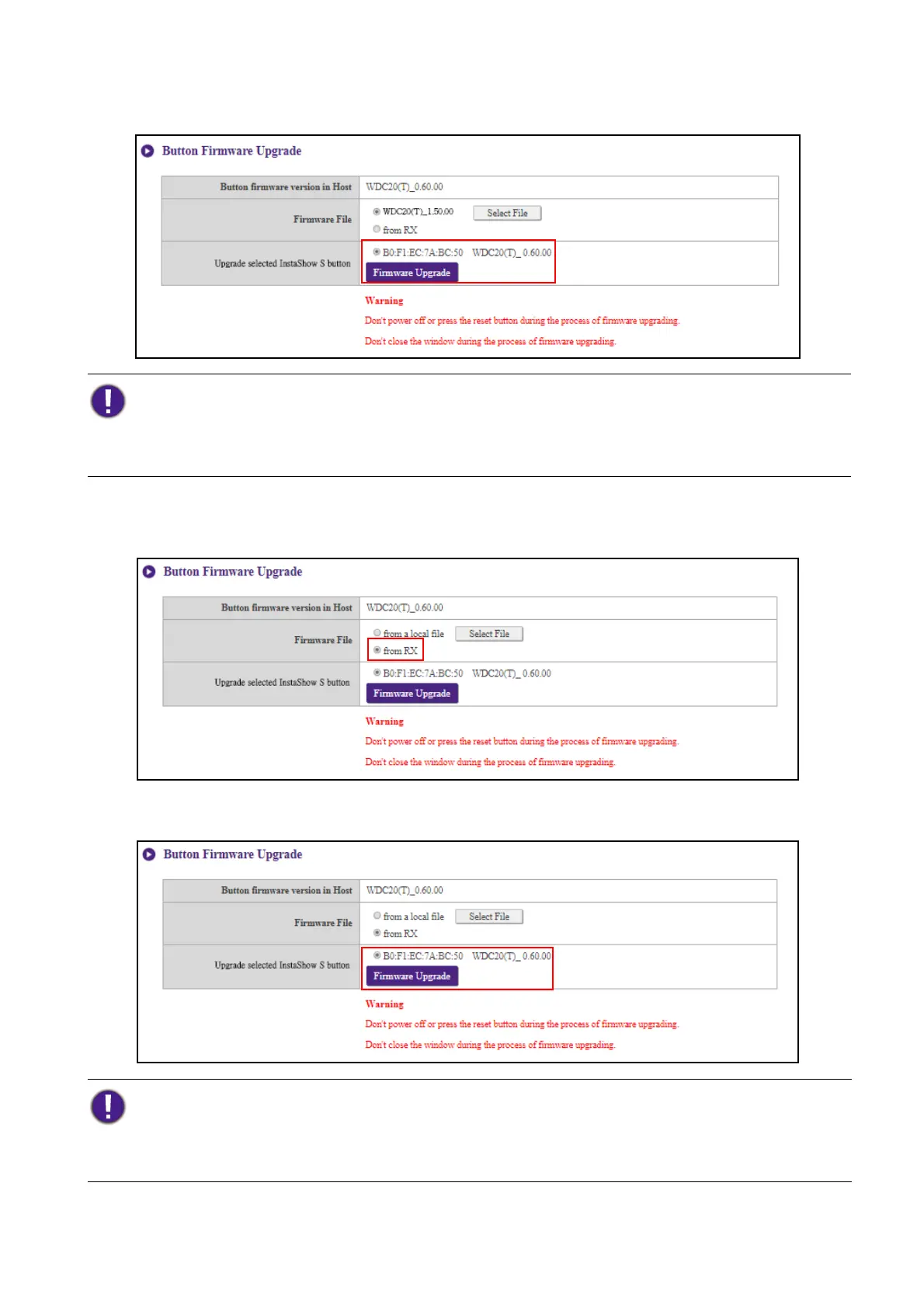
3. Select the Button you want to upgrade and then click the Firmware Upgrade button in the
Upgrade selected InstaShow S button field.
To upgrade the Button’s firmware directly from your Host follow the steps below:
1. Select from RX in the Firmware File field.
2. Select the Button you want to upgrade and then click the Firmware Upgrade button in the
Upgrade selected InstaShow S button field.
When performing any type of upgrade DO NOT do any of the following:
• Power off or press the reset button on the Host or Button.
• Close the browser window of the web management interface.
Failure to follow these warnings will result in firmware upgrade failure and subsequent product failure.
When performing any type of upgrade DO NOT do any of the following:
• Power off or press the reset button on the Host or Button.
• Close the browser window of the web management interface.
Failure to follow these warnings will result in firmware upgrade failure and subsequent product failure.



 To Next Page