5. Contamination Measurements LB 124 Scint
34
Each display contains the current measured value, the unit of
measurement and, on the left, the selected nuclide or the Net
[cps] measurement mode. With each change of the display, the
measured value for the new position is displayed practically
without time delay.
The detector has to be held as closely as possible to the sur-
face to be measured (be cautious not to damage the foil!). De-
pending on the count rate level, different measuring intervals
are recommended to obtain as low a statistical fluctuation as
possible. When the statistical fluctuations decrease, this is ap-
parent from the fact that the indicated measured values show
less and less deviations. The stored background value is auto-
matically subtracted.
CPS measurement
Start the measurement by selecting the desired measurement
mode (Ratemeter, Scaler/Timer ...) on the System Menu, and
then select the item Measurement or push the ESC button.
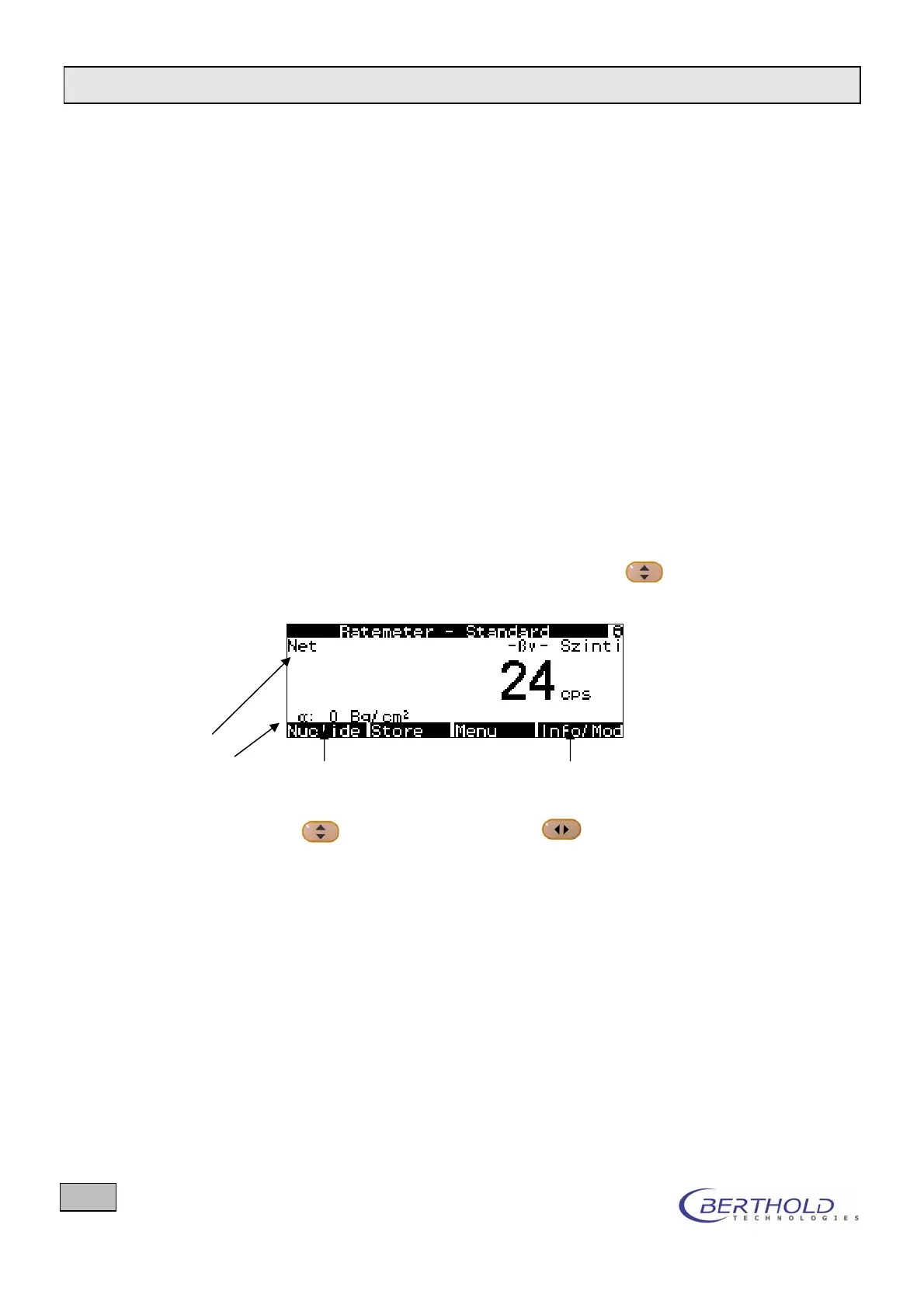
If the Net [cps] mode is not yet selected, choose this setting
from the small nuclide table. Press the Nuclide
key until
Net appears in the second line of the display (see Figure 16:).
Display Net
2
nd
channel Selection of nuclide with Selection of additional information or
change to another type of radiation
with
Figure 16: CPS measurement
Press the Info softkey to view further information on the current
measurement on the display (see chapter 4.2).


 To Next Page