Configuration SIS System
60
5.1.2 How to enter the Languages
• If you have pressed the “next” button in the Date/Time menu, the
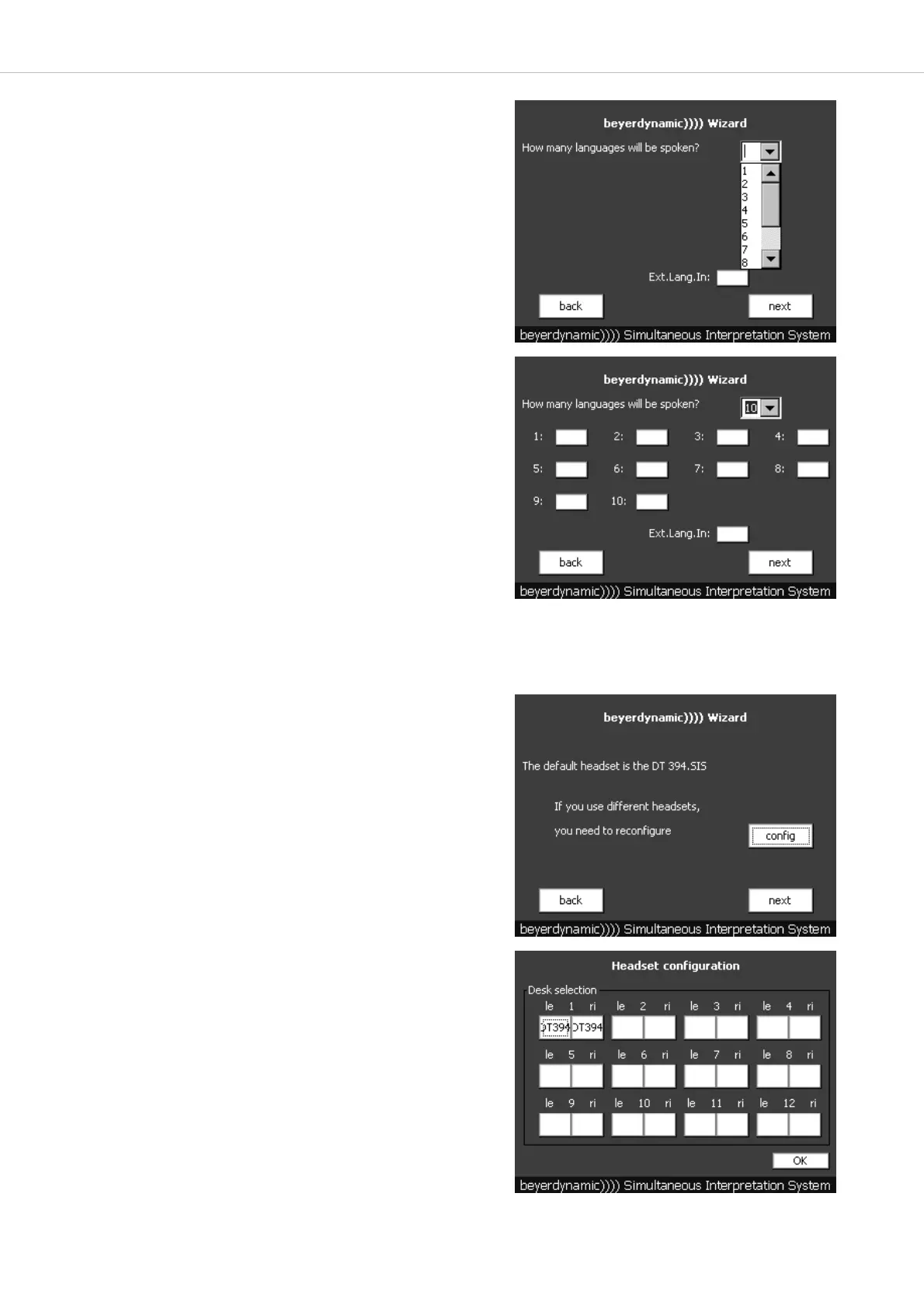
menu for the language selection will be displayed.
• In order to be able to select the relay and target languages on the
interpreter stations, the languages have to be adjusted on the SIS
control unit before.
• Via the pull-down menu you can select how many languages will be
spoken at the meeting.
• With a standard SIS control unit you can select a maximum of 4 languages.
If the control unit is equipped with more channel output modules, you
can select a maximum of 12 languages.
• As soon as you have selected the number of the languages, you can
select the individual languages in the next display.
• Press the appropriate surface and select the language from the opened
menu.
Important: Language 1 corresponds to the 1
st
interpreter station
connected to the control unit. Language 2 corresponds to the 2
nd
inter-
preter station connected to the 1
st
interpreter station and so on.
• If another language has been connected to the “Ext. lang. In” input,
you can select this one as well.
• With “back” you will return to the previous “Date/Time” menu.
• With “next” you will access the menu for entering the specs of the
connected headset.
5.1.3 How to enter the Specs of the Headset
• If you have pressed the “next” button in the language selection menu,
the “Headset configuration” menu for entering the specs of the head-
sets connected to the interpreter stations will be displayed.
• The specs of the DT 394.SIS headset have been already entered at the
factory.
• If other headsets are used, you can enter the appropriate specs of the
headset connected to the left and/or right hand side of each interpreter
station.
• For this press the “config” button.
• With “back” you will return to the previous language selection.
• Press the left (le) or right (ri) button of the interpreter station for which
you want to enter or change the headset specs.
Important:
1 corresponds to the 1
st
interpreter station connected to the control
unit. 2 corresponds to the 2
nd
interpreter station connected to the
1
st
interpreter station and so on.



 To Next Page