Accessories
68
6. Accessories
Components
SIS 1202 Interpreter station for two interpreters, with power supply unit. . . . . . . . . . . . . . . . . . . . . . . . . Order # 475.424
SIS 121 Control unit with one module (= 4 foreign language channels). . . . . . . . . . . . . . . . . . . . . . . . . Order # 458.783
SIS 122 Control unit with two modules (= 8 foreign language channels) . . . . . . . . . . . . . . . . . . . . . . . . Order # 458.767
SIS 123 Control unit with three modules (=12 foreign language channels) . . . . . . . . . . . . . . . . . . . . . . Order # 458.759
System Cables
CA 3101 CAT.5 cable with footproof RJ-45 metal connector, 1 m . . . . . . . . . . . . . . . . . . . . . . . . . . . . . . Order # 475.440
CA 3105 CAT.5 cable with footproof RJ-45 metal connector, 5 m . . . . . . . . . . . . . . . . . . . . . . . . . . . . . . Order # 475.319
CA 3110 CAT.5 cable with footproof RJ-45 metal connector, 10 m . . . . . . . . . . . . . . . . . . . . . . . . . . . . . Order # 475.327
CA 3125 Connecting cable SIS - MCW-D with 25-pin Sub-D connector. . . . . . . . . . . . . . . . . . . . . . . . . . Order # 476.579
Optional System Components
CA 3201 Adapter output cable, 15-pin Sub-D, 4xXLR (switchable floor signal suppression) . . . . . . . . . . . Order # 475.955
CA 3204 4-channel output module for SIS interpreter system . . . . . . . . . . . . . . . . . . . . . . . . . . . . . . . . . Order # 475.343
CA 3221 Docking station with loudspeaker and gooseneck microphone . . . . . . . . . . . . . . . . . . . . . . . . . Order # 475.335
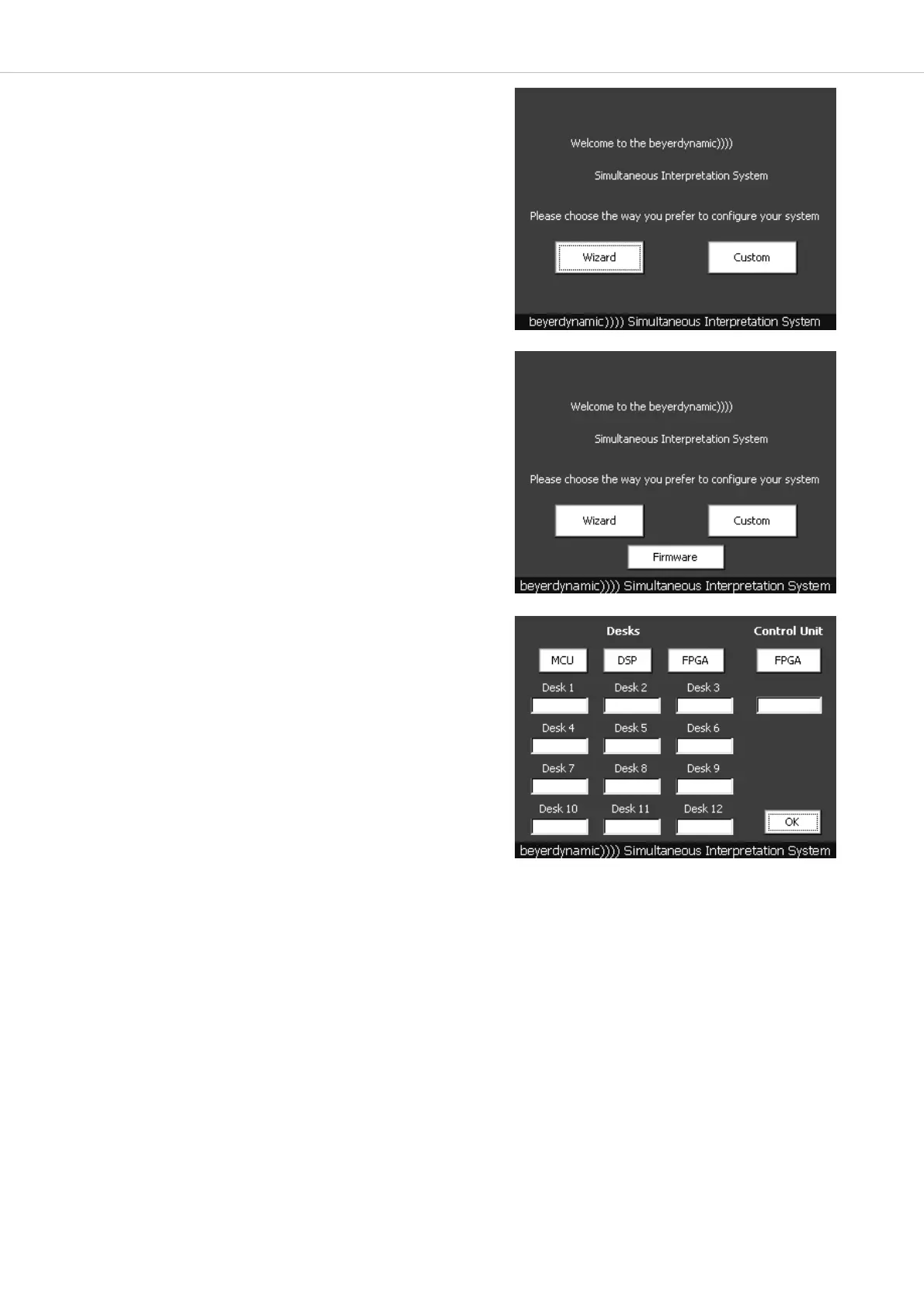
5.4 How to display the Firmware Version
• To display the Firmware version press the “beyerdynamic))))
Simultaneous Interpretation System” line twice while the system is
booting up.
• As soon as the “Wizard” and “Custom” buttons are displayed, you
have ten seconds to press the “beyerdynamic)))) Simultaneous
Interpretation System” line twice and the “Firmware” button.
• For each interpreter station (Desks) you can display information about
MCU, DSP and FPGA.
• For the control unit you can also display the FPGA.
• Press the “OK” button to return to the main menu.



 To Next Page