Configuration SIS System
63
english
5.2.3 Suppression of the Original Signal
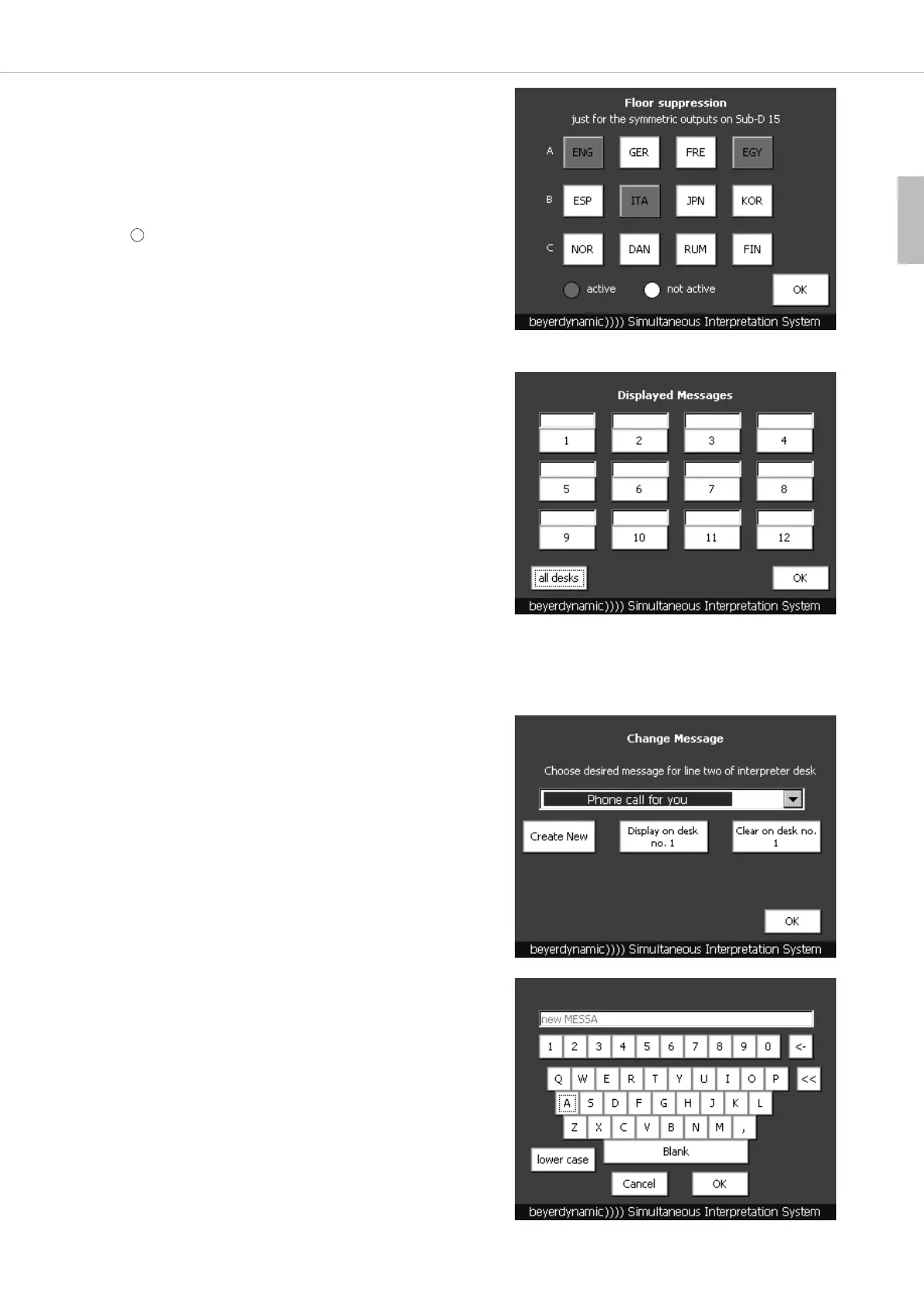
• If the original signal is to be suppressed, press the “Floor Suppression”
button.
• The suppression of the original signal is activated by pressing the
appropriate surface (language) which will turn red then.
Warning:
The floor signal suppression can only be activated for the 15-pin Sub-D
output on the rear of the SIS control unit.
5.2.4 How to enter Messages
• If you want to send a message to one or all interpreter stations, press
the “Message” button in the main menu.
• You can select, if you want to send the message to all or an individual
interpreter station.
• Press the “all desks” button, if you want to send the message to all
interpreter stations.
• Select the interpreter station from the list of all connected interpreter
stations, if you want to send the message to an individual station.
Important:
1 corresponds to the 1
st
interpreter station connected to the control
unit. 2 corresponds to the 2
nd
interpreter station connected to the
1
st
interpreter station and so on.
• If you press the “OK” button, you will return to the main menu.
How to send a Message to an individual Interpreter Station
• Existing messages can be selected from the pull-down menu by pressing
the arrow button and selecting the appropriate message.
• By pressing the “Create New” button you can create new messages. A
window with a keyboard will be opened. With the “Cancel” button you
can cancel the entry. With the “<-” button you can delete individual
characters. With the “<<” button you can delete a whole line. If you
press the “lower case” button, you can write small letters.
• Write your message with the keyboard and then press the “OK” button.
• You will return to the “Change Message” menu and can select the new
message from the pull-down menu.
• To send the message press the “Display on desk no.” button.
• The message appears in the second line of the display of the selected
interpreter station.
• If you want to delete the message on the interpreter station, press the
“Clear on desk no.” button.
• If you press the “OK” button you will return to the window “Displayed
Messages”.
5



 To Next Page