Configuration SIS System
67
english
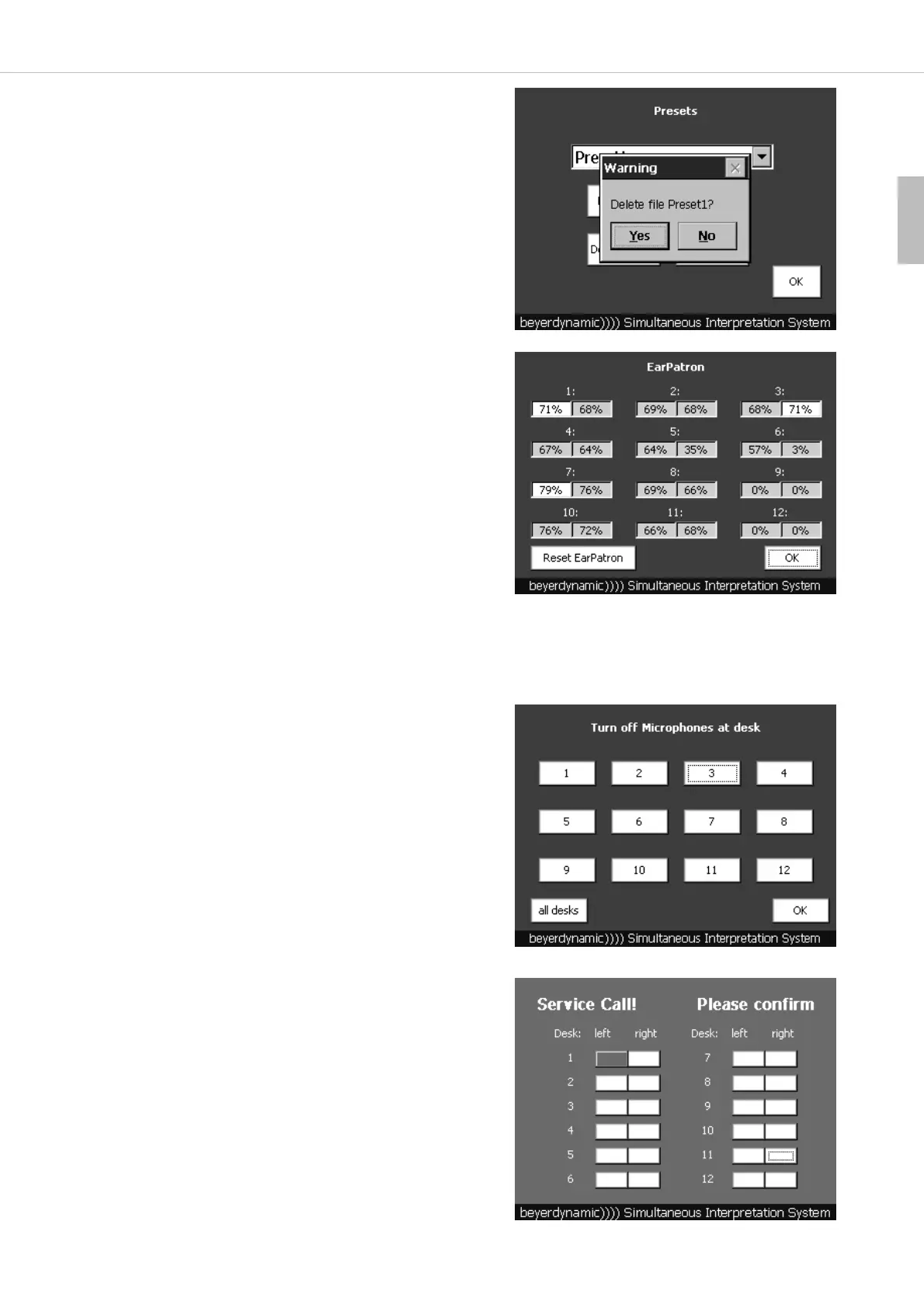
5.2.9 How to display the “EarPatron” Hearing Protection
• In order to display the “EarPatron” hearing protection press the
“EarPatron” button in the main menu.
• You can see if the “EarPatron” function is activated or deactivated and
how much percentage of the allowed noise level has been achieved.
White surface: EarPatron is deactivated
Green surface: EarPatron is activated
Red surface: EarPatron is activated, noise level > 95%
• With the “Reset EarPatron” button you can reset the hearing
protection for all interpreter stations to 0% before the start of a new
meeting for instance. .
• By pressing the “OK” button you will return to the main menu.
Important:
1 corresponds to the 1
st
interpreter station connected to the control unit. 2 corresponds to the 2
nd
interpreter station
connected to the 1
st
interpreter station and so on.
5.3 Service Call
• If an interpreter presses the “Service” button on the interpreter station,
the message “Service Call! Please confirm” and the interpreter station
that has sent the call will be displayed as a red field.
• To confirm press the red field in the “left” or “right” column, which
indicates the appropriate interpreter station and the side (left or right).
How to delete Presets
• Select the preset you want to delete from the pull-down menu and
press the “Delete preset” button.
• The message “Delete file ?” will be displayed. Press the “Yes”
button to delete the preset.
• The preset will be no longer available in the pull-down menu.
5.2.10 How to clear the Microphones
• If you want to clear the microphone of one or all interpreter stations,
select the “Clear” button on the main menu.
• Then you can select which microphone you want to clear. If you want to
clear the microphone of all interpreter stations, select the “all desks”
button.
Important:
1 corresponds to the 1
st
interpreter station connected to the control
unit. 2 corresponds to the 2
nd
interpreter station connected to the
1
st
interpreter station and so on.
• By pressing the “OK” button you will return to the main menu.



 To Next Page