Chapter 1. Introduction 6
Rear Panel
②
③
④
⑤
⑥
⑦
⑧
⑨
⑩
①
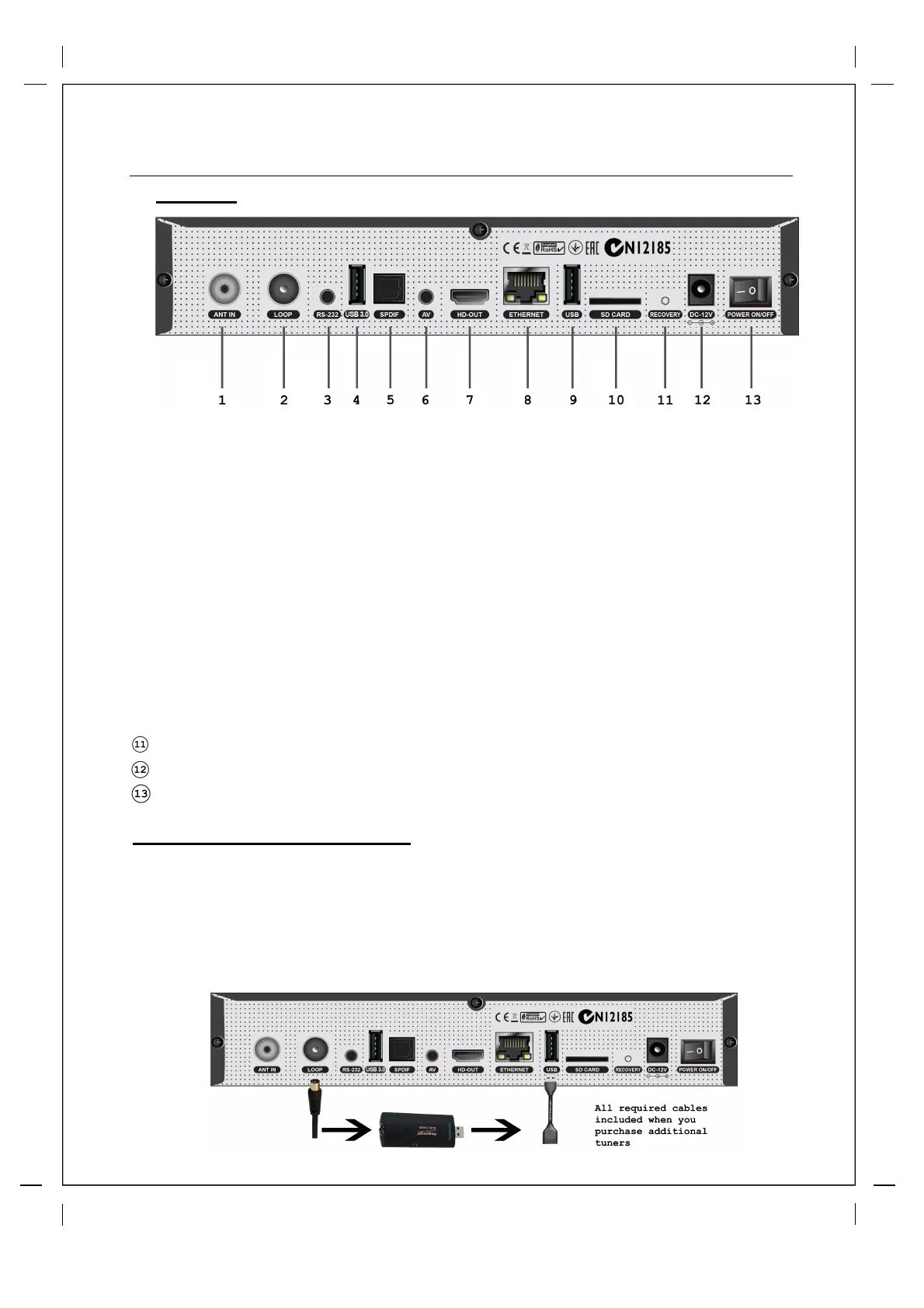
Tuner A/B (Dual) : Single input dual DVBT Tuner. Connect main antenna to ANT IN
Tuner Loop Out : Loop Antenna signal to additional USB Tuners or to TV
RS232 : For Service and Software Development. (Cable available from Beyonwiz Shop)
USB 3.0 : High Speed USB Port, connect Hard Drive here.
S/PDIF : Connects to a digital audio system using S/PDIF cable.
AV Output : Connect to older TVs via AV Ports (Cable Available from Beyonwiz Shop)
HDMI Out : Connect HDMI Cable from TV
Ethernet : Connect LAN cable from your router or home network wall plate.
USB 2.0: Best port for connection USB Tuners or Wifi Dongles
Micro SD Slot: Insert Micro-SD Card to Expand storage
Optional USB Tuner (Sold Separately)
①
②
③
①
②
③
Loop Cable connects at one end to Loop Out Out and the other end to USB Tuner
USB Tuner connects at one end to Loop Cable and other end to USB Extension Cable
USB Extension Cable Connects at one end to USB Tuner and other end to USB 2.0 port
Please make sure V2 power switch is off when connecting USB Tuner.
Recovery: Recover to factory settings if menu inaccessible
12V DC Input: Connect 12V power cable here.
Power Switch: Switch Power On/Off.



 To Next Page