16 Installation
2.4 Power ON/OFF
There are several ways to turn your Beyonwiz V2 ON or OFF
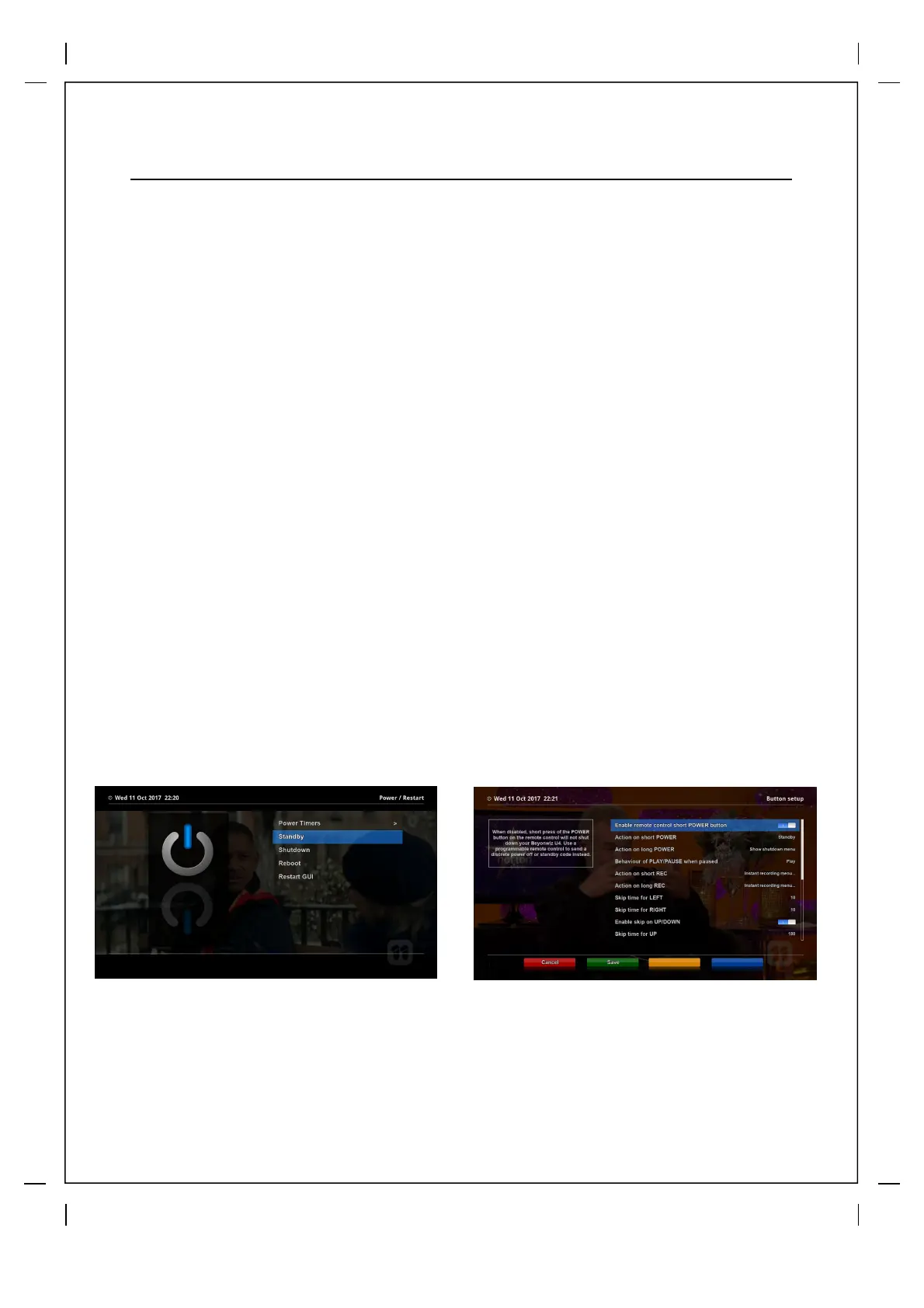
Tip: A short press on the Remote Control power button will place the V2 in standby
mode but a long press (hold down for 3secs) will open the Power Options Menu. You
can program the short press option via the menu to go into a different mode if you wish.
●
Complete Power Shutdown
There is a Power Switch in the rear panel and once it is ON, you do not need to turn it on or off
each time. It takes a longer time to boot the system if you turned it off by this switch.
● Standby Mode
POWER key is normally used to turn the power of Beyonwiz V2 on or off. If you press POWER,
it instantly switches your Beyonwiz V2 off or on. In this mode, the system is not completely shut
down and thus it takes a shorter time to turn it on and off.
● Shutdown Mode
Shutdown is used to reduce the standby power consumption. Beyonwiz V2 is designed to be
energy efficient, to guarantee the power consumption of under 1W use shutdown mode. In this
mode the V2 will automatically go to standby mode to make recordings that start while in this
mode and return back to full shutdown on completion.
Long press on Power Button for the
Power/Restart Menu
Change the power button function
by pressing the Menu on your
remote control, then go into Setup>
System>Button settings.



 To Next Page