12 Installation
2.2 Connecting the TV (and VCR)
Beyonwiz V2 provides a variety
of audio/video connection
methods.
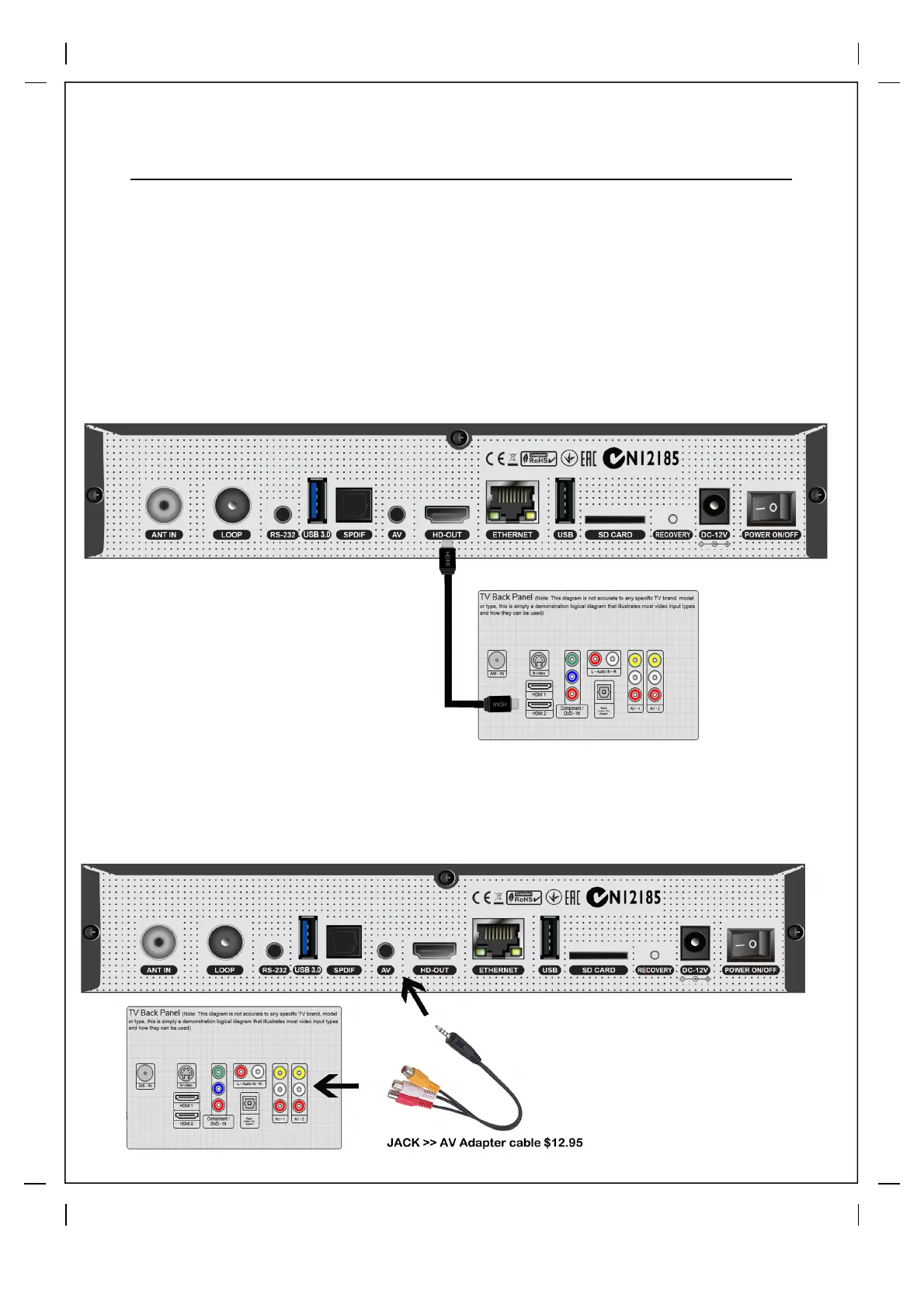
A. Connecting TV via HDMI Cable
Most HDTVs have HDMI connectors to ensure the highest picture quality. In the
rear panel of Beyonwiz V2 one HDMI
connector is available for this purpose.
Connect your TV to Beyonwiz V2 using a HDMI cable as follows.
B. Connecting TV via Composite AV Cable (Adapter cable sold separately for $12.95)
Connecting via composite AV is not recommended and only should be used if
you do not have the option of connecting via HDMI



 To Next Page