26 Basic Operations
4.8 Electronic Program Guide
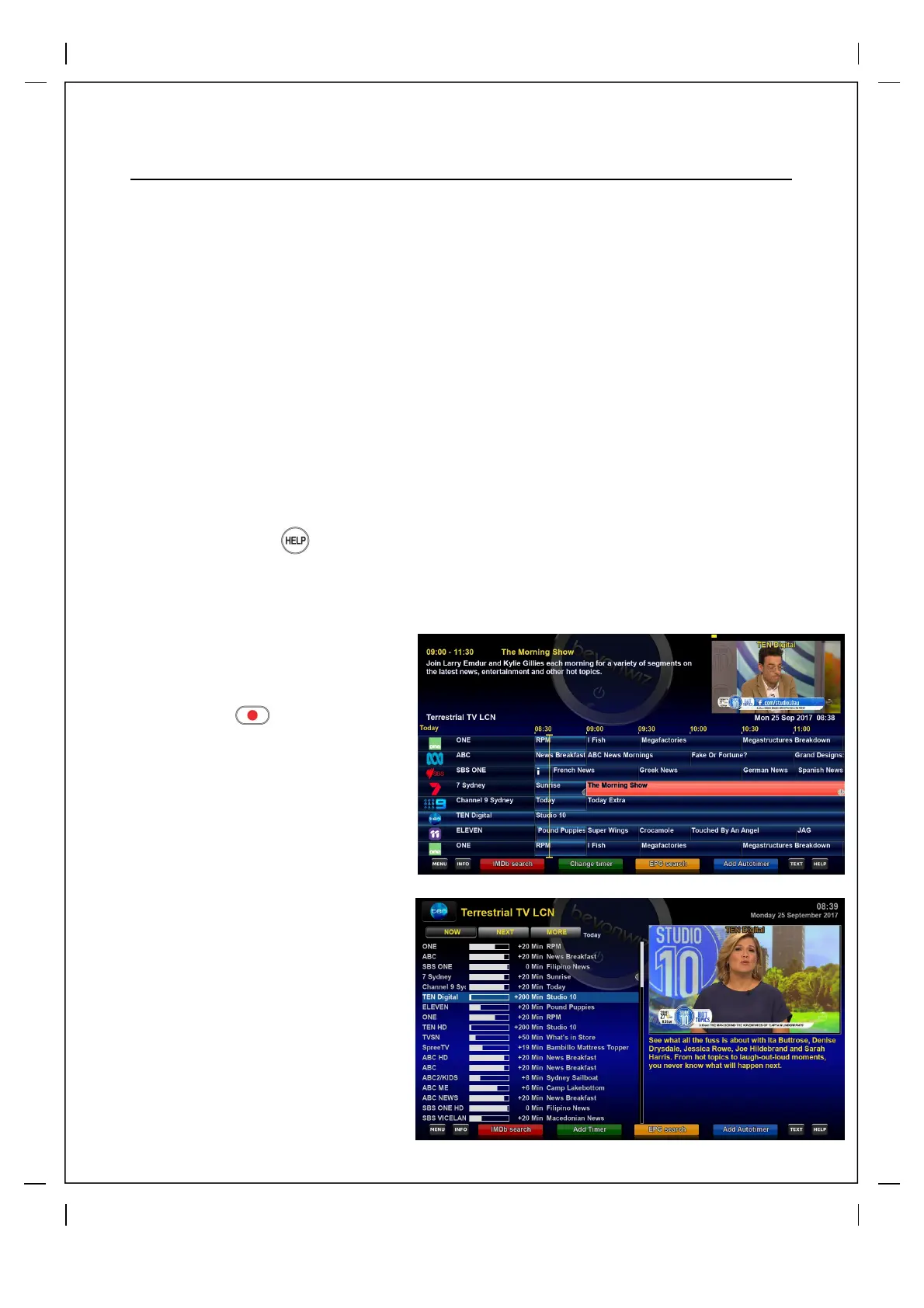
How to use > Press “EPG” key
The Electronic Program Guide (EPG) displays the program information of each
channel for a minimum of 7days in advance where broadcast. The Beyonwiz V2 EPG is
one of the most advanced in the market giving users multiple features and customization
options.
We have created a couple of videos outlining both the basic and more advanced features of
the Beyonwiz V2 EPG, simply visit www.beyonwiz.com.au/tv to view these and more helpful
videos.
Hot Tips: Press the button while in the EPG for all the EPG control options
Recording via the EPG
Single / One off Recording
Scroll to the show that you wish to
record using the arrows on the V2
Remote, press the button and
then press OK on Add timer or press
the green button.
Auto Timer / Series Record
Scroll to the show that you wish to
record every time it is on using the
arrows on the V2 Remote, this time
when you find the show press the
"BLUE" button and you will get some
popup options. To get the most effective
result you should un-check the 2nd and
4th option that pops up (Exact match /
Only on weekday xx)
Press "Green" button to Save and then
press it again in next screen, this should
record the series in most cases, you
may have to modify a little for non
general series that are on at completely
different times of the day.
There is a good Auto Timer overview
written by our users in our forum under
the Tips and Tricks section.
From Live TV press and hold the EPG button for 2 secs (long press) for
more EPG options



 To Next Page