41 System Configuration
Parental Control
How to use > Press Menu>Setup>TV>Parental Control
The parental Control feature allows you to block broadcasted content based on
ratings, if you enable Parental control and a blocked program comes on based on
your settings it will require a pin to view the program. Please note that the V2 relies on
the broadcaster or EPG provider to broadcast the rating in their guide data.
Step 1
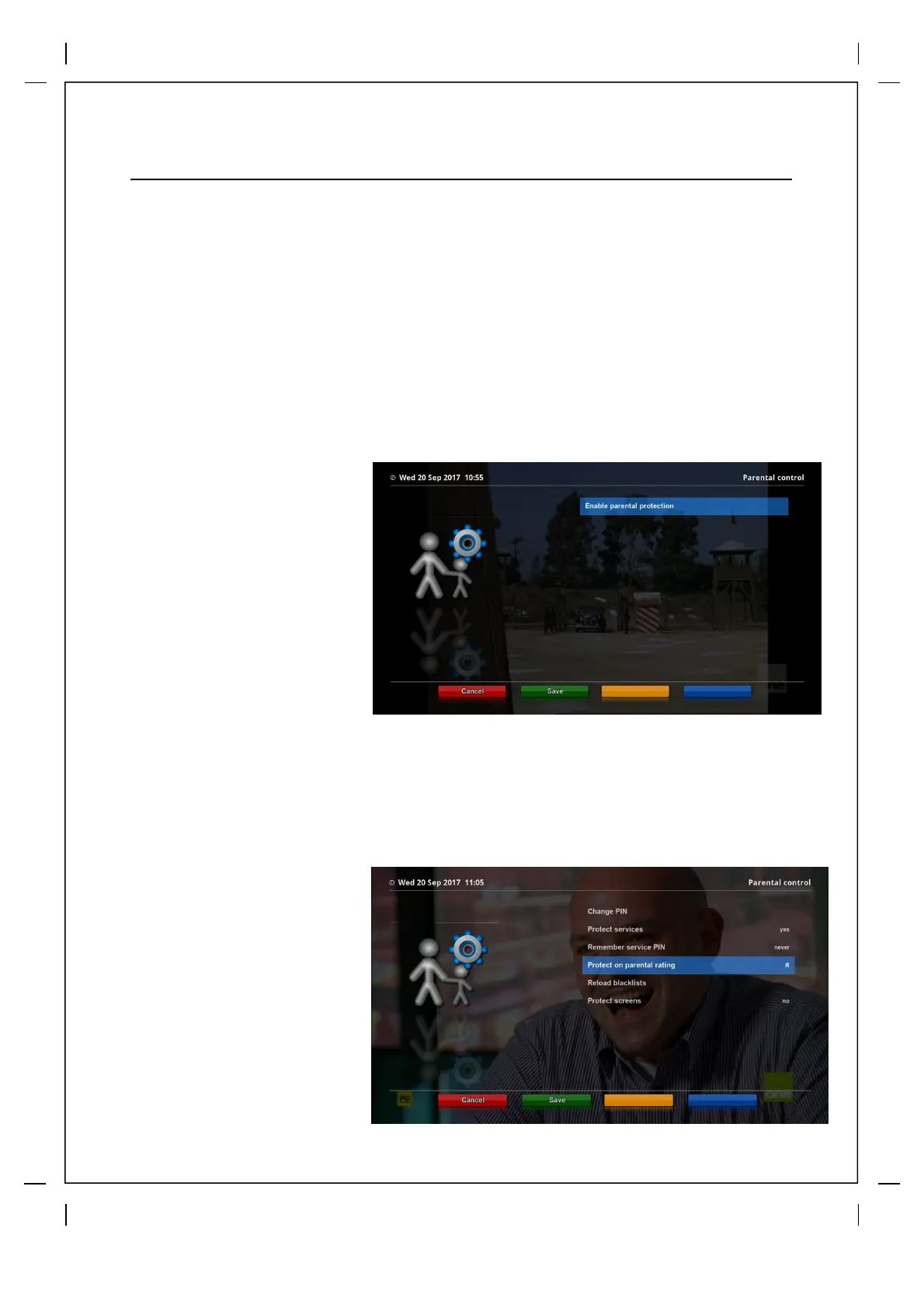
When you enter the
Parental Control menu for
the first time press OK on
Enable parental protection
and you will be asked to
create your pin, key in your
4 digit pin number and then
confirm.
In the next screen you have
3 options
* Change Pin - Use this to change your pin
* Protect Services - This is where you set the rating that you want to block
* Protect Screens - Here you can lock menu screens
Step 2
Scroll to Protect service
and use your Right arrow
to change from No to Yes,
you will then get the
options pictured, select
your desired options and
press the Green button to
save.



 To Next Page