Chapter 4. Basic Operations 20
Chapter 4.
Basic Operations
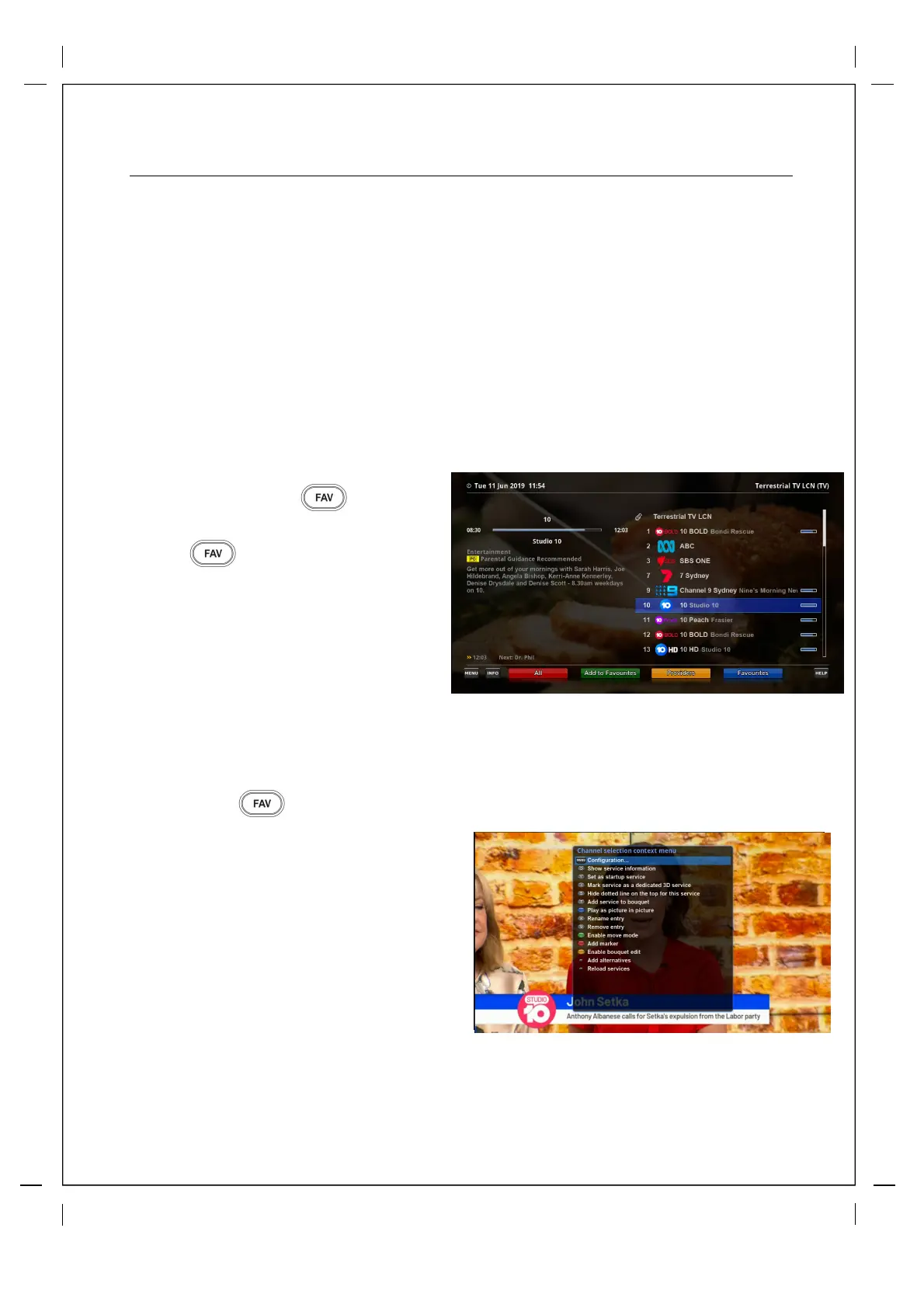
4.1 Channel List
How to use > Press
If press key, this will activate
Channel Selection Menu.
Four types of the channel lis
ts are available
to
help
you
manage
your
channel
s
electi
on.
① Call up the Channel Selection list by
Pressing key.
② Go to All lists by pressing RED key.
③ Select the channel that you want to add
to the favourites list.
④ Press MENU key on the selected
channel and the following menu
appears.
⑤
⑥
In order for you to add certain channels to this favourites list.
Choose add service to bouquet and
press
OK
.
Go
to the
favourites list by pressing
BLUE key to confirm that the selected
channel is correctly included in the list.
Important Information: This feature used to be assigned to Up/Down Arrows which have now been
assigned to Ad Skip buttons by default. If you would like to change this to behave as it previously
did press Menu>>Setup>>System>>Button Settings and Disable "Enable Skip Up/Down.



 To Next Page