CITY MANUAL INSTALLATION
Versie: 5.0 (04-06-2012) 29
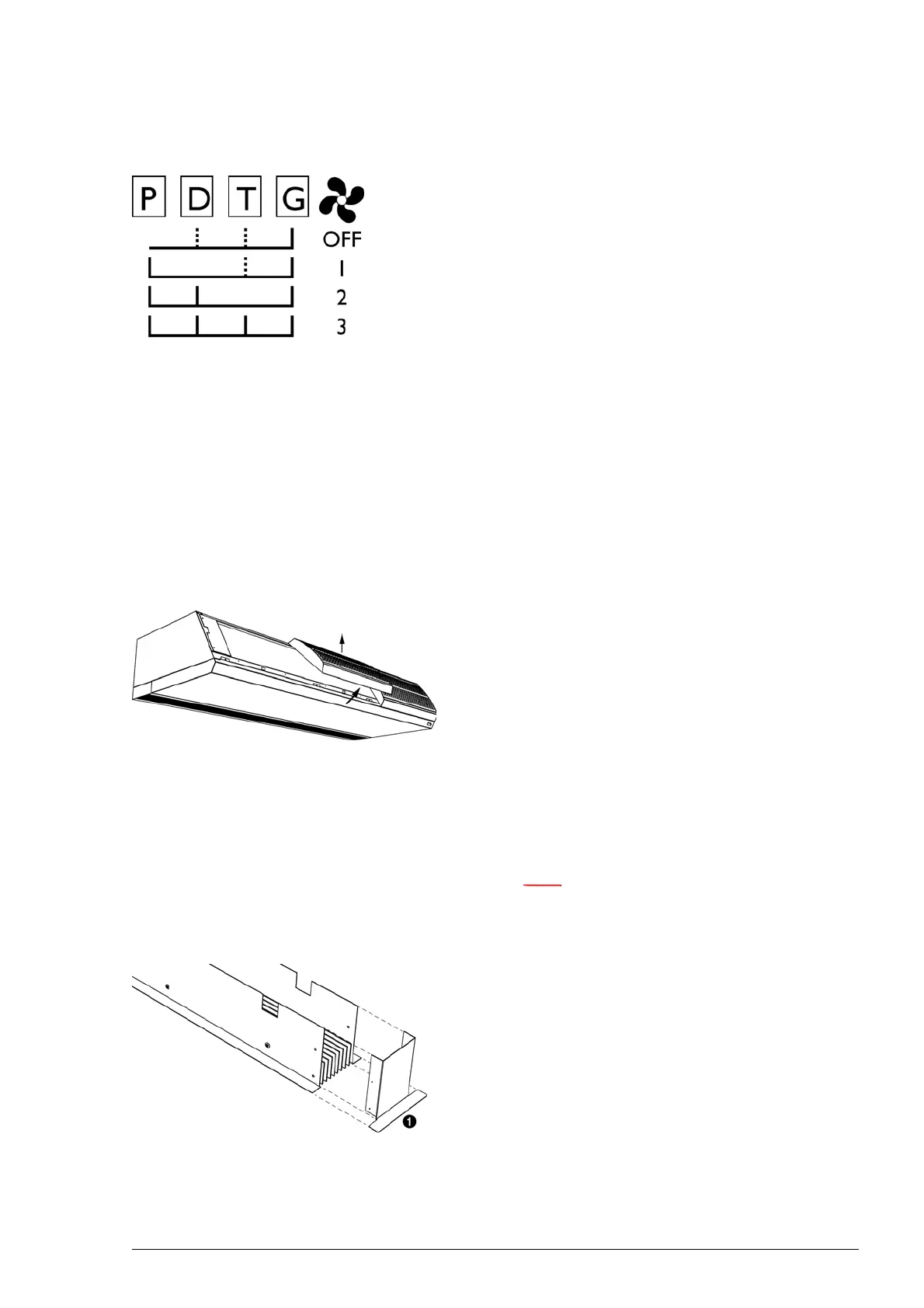
1. Select a control function.
2. Connect the control component to the corresponding ter-
minals P, D, T or G of block X72. Use the circuit diagram
opposite
.
3. Repeat steps 1 and 2 for each additional component.
4. Connect the unit to the mains power supply. The control
system
is now ready for use.
If you wish to connect several units (max. 10) to 1 control
com
ponent, the wiring at the terminals has to be connected
through between the units.
2.10 Finishing the unit
2.10.1 Finishing free-hanging models
Fitting inlet grilles
1. Fit the inlet grilles to the unit:
- Hook the grilles onto the upper side of the unit.
- The back of each grille has a projection. Fit the grille
wi
th this projection in the rectangular hole .
2.10.2 Finishing recessed models
General
Note:
n Ensure that the unit remains accessible for
maintenance and repair through, for instance, an
inspection hatch.
Adjusting the discharge duct
If installing two or more units alongside one anothe
r, you must
adjust the discharge duct so that the finishing edges are not in
each other’s way.
1. Remove the end piece with finis
hing edge 1.



 To Next Page