17
4-20mA
0V DC
0V
9.2.2 The 4-20 mA analog input
The 4-20 mA analog input is the position
request R% signal and is used by the ICON2000
to position the valve in any position between
0and 100% of the full stroke. The ‘POSITIONER’
routine processes the input signal, compares
the present actuator position % with the
position request R% and if the difference is
greater than the dead band, the actuator is
driven to reach the requested position. 4mA
corresponds to request R% = 0% = valve closed
and 20 mA corresponds to request R%=
100% = valve open. The relationship between
position and request signals can be reversed
by the ‘Polarity’ function. The 4-20 mA input is
opto-coupled. The input impedance is less than
250Ohm. The loss of the 4-20 mA input signal
is indicated as followed:
• Change-over of the monitor relay
• Alarm LED on
• List of ALARMS (see ‘Maintenance’ and
‘Troubleshooting’, ‘Diagnostic messages’)
• Alarm log
BIFFI FAIL SAFE ELECTRIC ACTUATORS, MODEL EFS2000V4
InstructIon and operatIng Manual
9.3 Bluetooth card
The ICON2000 can be provided with a
radiofrequency wireless connection based on
a qualified Bluetooth™ class1 module. This
allows the actuator to establish a connection
and exchange data with a PDA or PC with
built-in Bluetooth™ technology. Special PDA’s
are available for application in hazardous
areas. The following tasks can be performed
wirelessly:
• View and change configuration
• Set maintenance function
• Read maintenance data
• Download new firmware to the ICON2000
A WIRELESS REPORT is present in the list of
reports when the card is present (see chapter
“Local controls’, ‘Description of variables and
reports’).
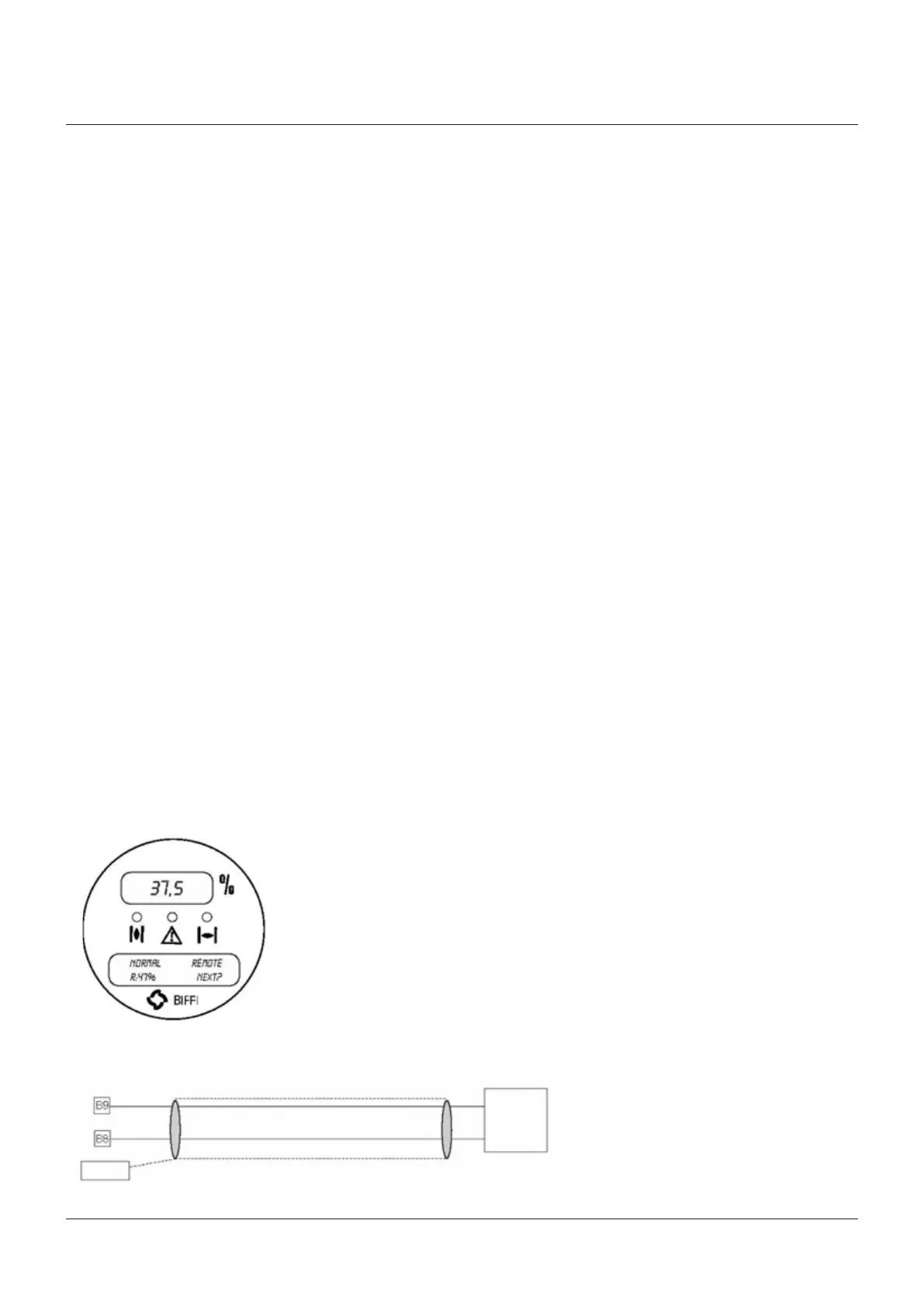
The figure below shows the wiring diagram:
Actuator terminals
Cable
Shield
4-20mA
generator
Ground
The “VIEW and SET-UP” features can configure
different options which are described in chapter
‘Set-up routines’, paragraph ‘Positioner’.
If the POSITIONER function is active the alpha-
numeric display indicates the value of the
position request in % (R%: xxx.x).



 To Next Page