BigRep STUDIO 7 Operation and Control
73
› Step 2: Calculate the o sets with a resolution of 0.1 mm
– Print the G-code
Step2_XY_STUDIO_Gcode which has a resolution
of 0.1 mm.
– When the print is finished, wait until the bed is cold and release the part
o the bed.
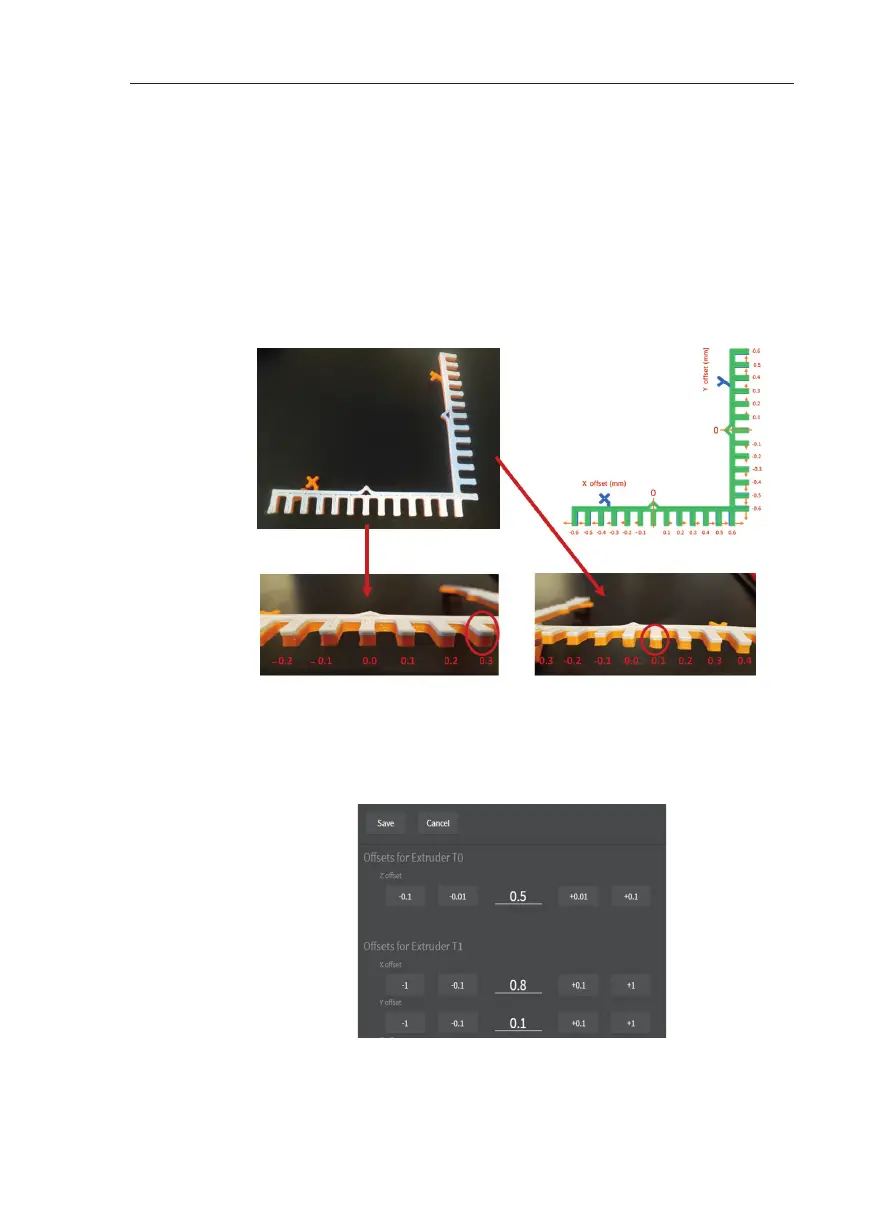
– Identify the o sets. The shapes printed with extruders T0 and T1 should
match just in one point. Identify the point in which they match and
write down the o set using the template below.
– Go to the Advanced Menu, update the o sets (add the new values to
the previous ones) and save.
Fig. 7-5 : Template – on this example: X off set = 0,3 mm, Y off set = +0,1 mm
Fig. 7-6: Off set adjustment



 To Next Page