BIGTREETECH CB2 User Manual
4. Flashing the System
4.1. Download the System Image
Only use the image provided in the link: https://github.com/bigtreetech/CB2/releases
4.2. Write System to MicroSD Card
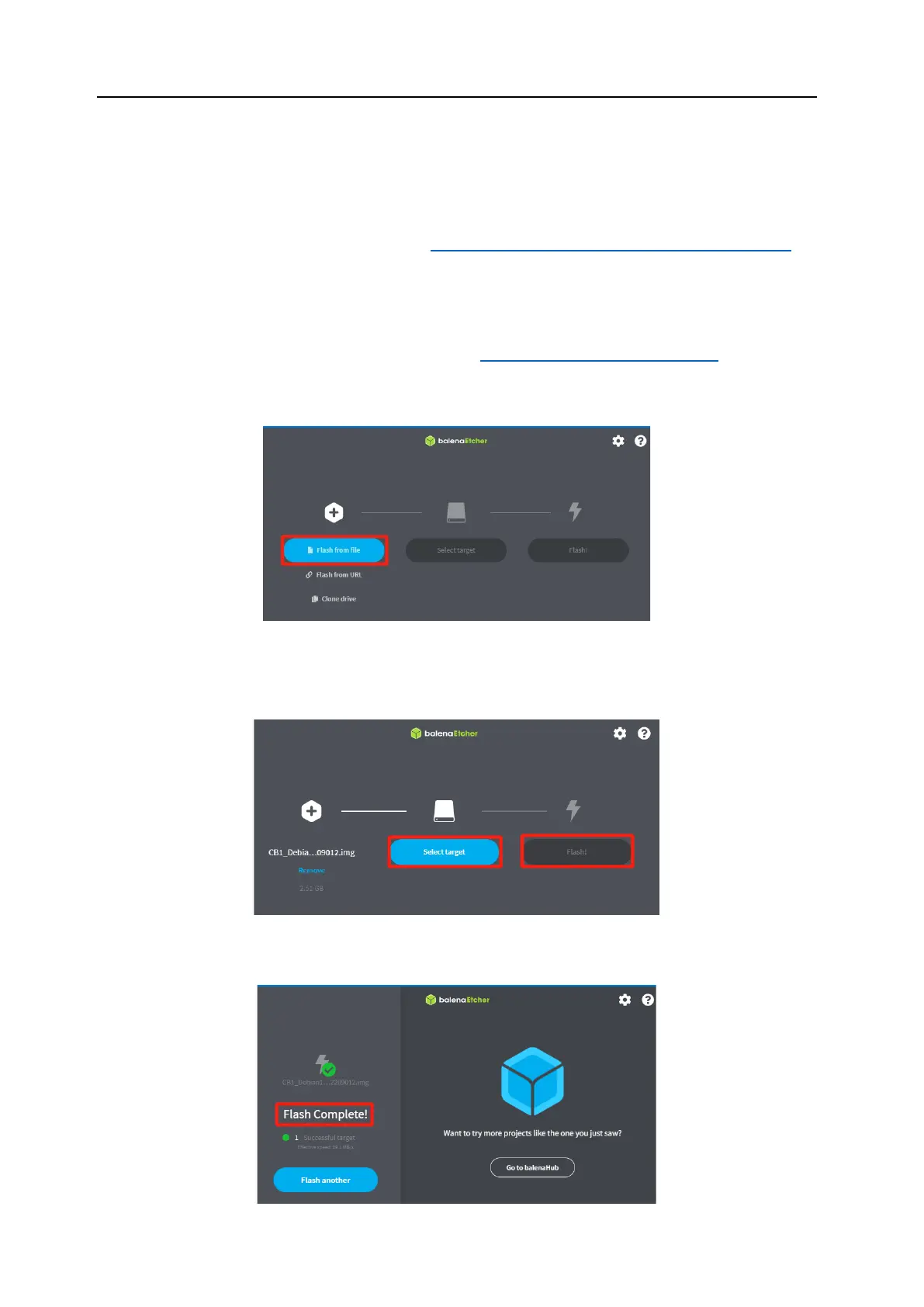
1. Download the balenaEtcher software from [https://www.balena.io/etcher/], install,
and run it.
2. Insert the MicroSD card via a card reader.
3. Select your downloaded image.
4. Select the MicroSD card and click "Flash" (WRITE the image will format the
MicroSD card. Be careful not to select the wrong storage device, otherwise the
data will be formatted).
5. Wait for the process to complete.




 To Next Page