BIGTREETECH CB2 User Manual
20
5. System Configuration
5.1. Using Ethernet
Ethernet is plug-and-play and requires no additional setup.
5.2. Setting Up WiFi
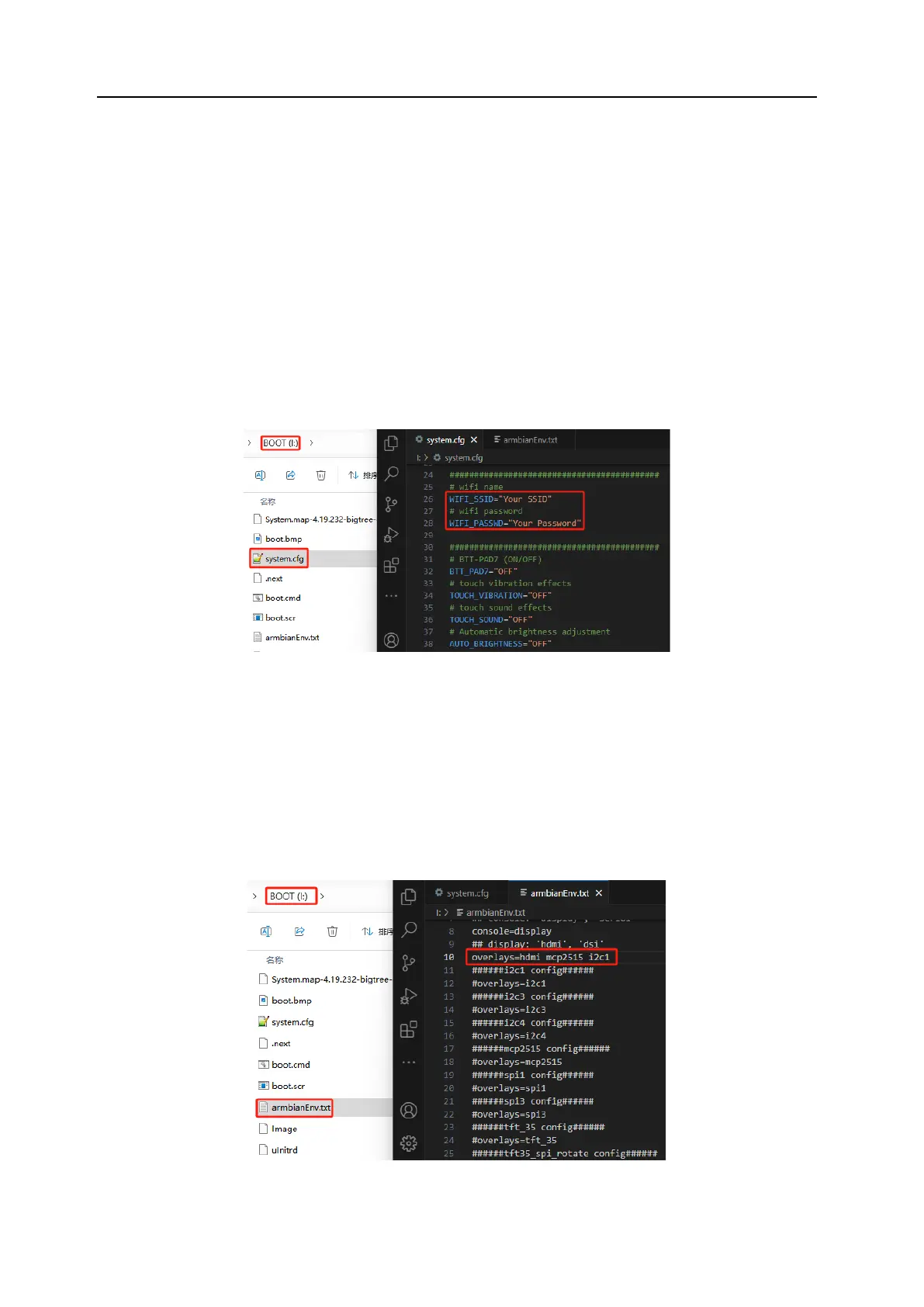
After the system image has been written, the MicroSD card will have a FAT32 partition
recognized by the computer. In this partition, there is a "system.cfg" file. Open it and
replace "Your SSID" with your actual WiFi name and "Your Password" with the actual
password.
5.3. Configuring Overlays
Open the "armbianEnv.txt" file in the BOOT partition and set the values for overlays.
The configuration file supports only one line of overlays at a time; if multiple overlays
are enabled, only the last line will take effect. If you need multiple overlays, place the
contents of multiple configurations on the same line separated by a space. For
example, if you need to use a DSI screen, MCP2515 SPI to CAN module, and I2C1
simultaneously:
overlays=dsi mcp2515 i2c1




 To Next Page