BIGTREETECH CB2 User Manual
18
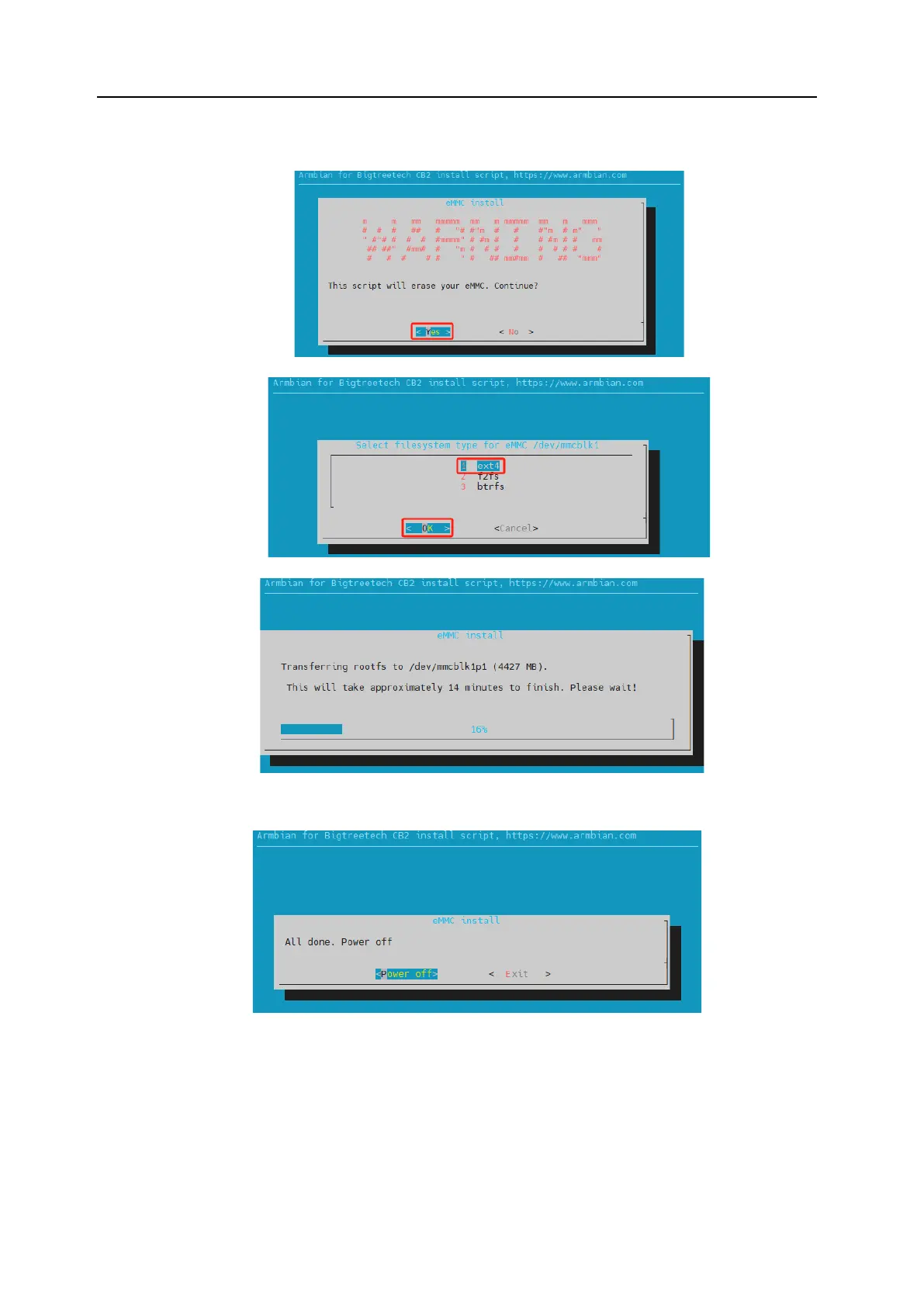
(1) Select "Yes" to start erasing and writing the system onto the eMMC.
(2) Choose the filesystem "1 ext4" and then select "OK".
(3) Wait for the writing process to complete.
(4) Upon completion, you will be prompted whether to power off. Select “Power
off” to shut down the system.
(5) After the system has powered down, disconnect the power supply, remove the
MicroSD card, and then reconnect power. The system should now boot from
the eMMC.




 To Next Page