KB 23 / KB 23-UL (E3.1) 02/2019 page 57/87
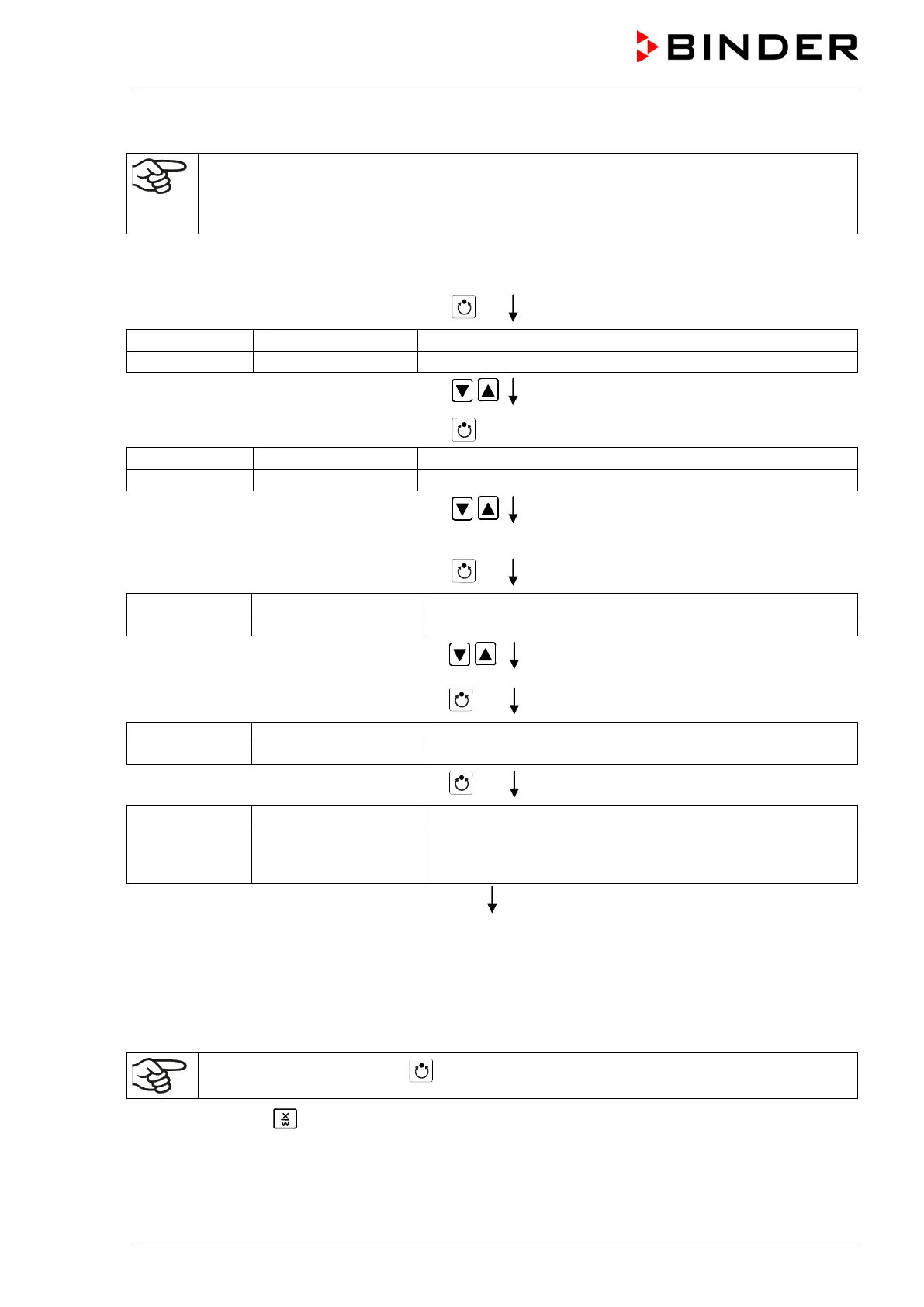
3. Setting the number of cycles to infinite in the program start level and starting the program
The described example program must be started once at the precise moment of temperature
change (on Monday e.g., at 0.01 or at 7.00). If the program cannot be manually started at the
desired moment, you can program a suitable program delay-time (max. 99 hs. 59 min.). After
rundown of this delay time the program starts automatically (see chap. 9).
Normal Display
Press program key
actual selection of the program
Enter program number 1 using arrow keys
Value is shown in display 1.
Press program key
(entered delay time hh.mm)
(enter delay time of program start)
Set delay time, if desired, in hh.mm using
arrow keys
Setting 00.00 means no delay time (immediate
program start)
Value is shown in display 1.
Press program key
actual selection of the number of program cycles: infinite
(enter number of program cycles)
Select number of cycles “–1”, i.e. infinite
repeats, using arrow keys
Value is shown in display 1.
Press program key
Question: start selected program?
Press program key
Display 2 shows
(time running
actual program P01, actual section S01, and remaining time
of program section S01
Program is running. The green LED (3d) lights up.
Additionally to the green LED (3d) indicating a running program LED (3a) is lit if the heating is active, or
LED (3b) if the refrigeration is active, or none of both if the actual temperature equals the set-point.
During program course the arrow keys and the EXIT button are not functional.
By pressing the program key for 3 seconds, you can terminate the program course.
If you press button during program course, the entered set-points of the actually running program
section are shown one after the other for 5 sec. each:






 To Next Page